Build a professional, tax-ready quotation inside iCRM — then view it on the website, open it in the BizCloud mobile app, or push it to your whole team and your client in one tap. One quotation, everywhere it needs to be.
The Quotation add-on
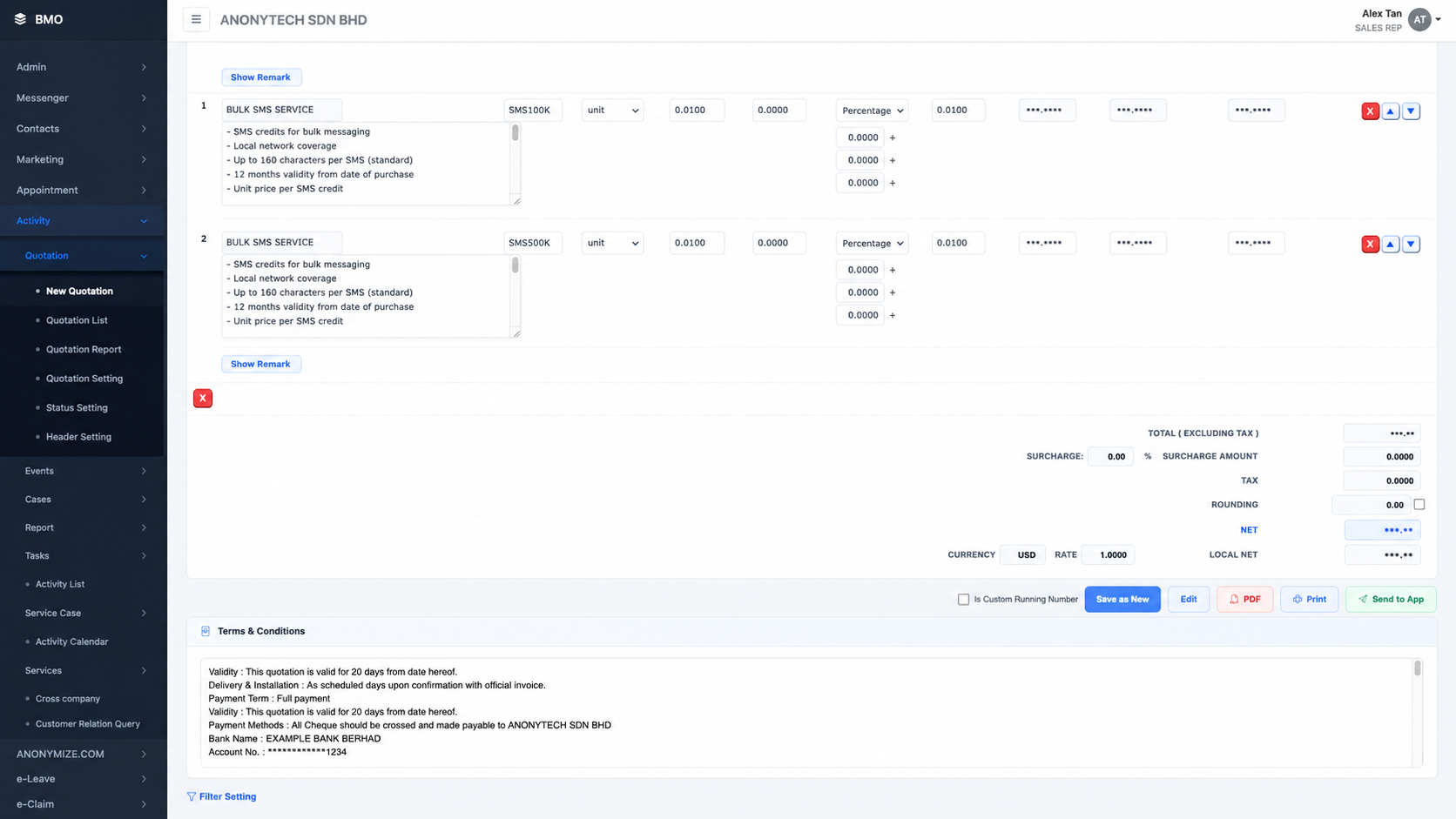
Quotation is built into your iCRM. Your sales team creates and manages quotations from the website; your client and on-the-go staff open the same quotation in the BizCloud App, view the PDF, and share it — no extra software, no manual export, no re-typing.
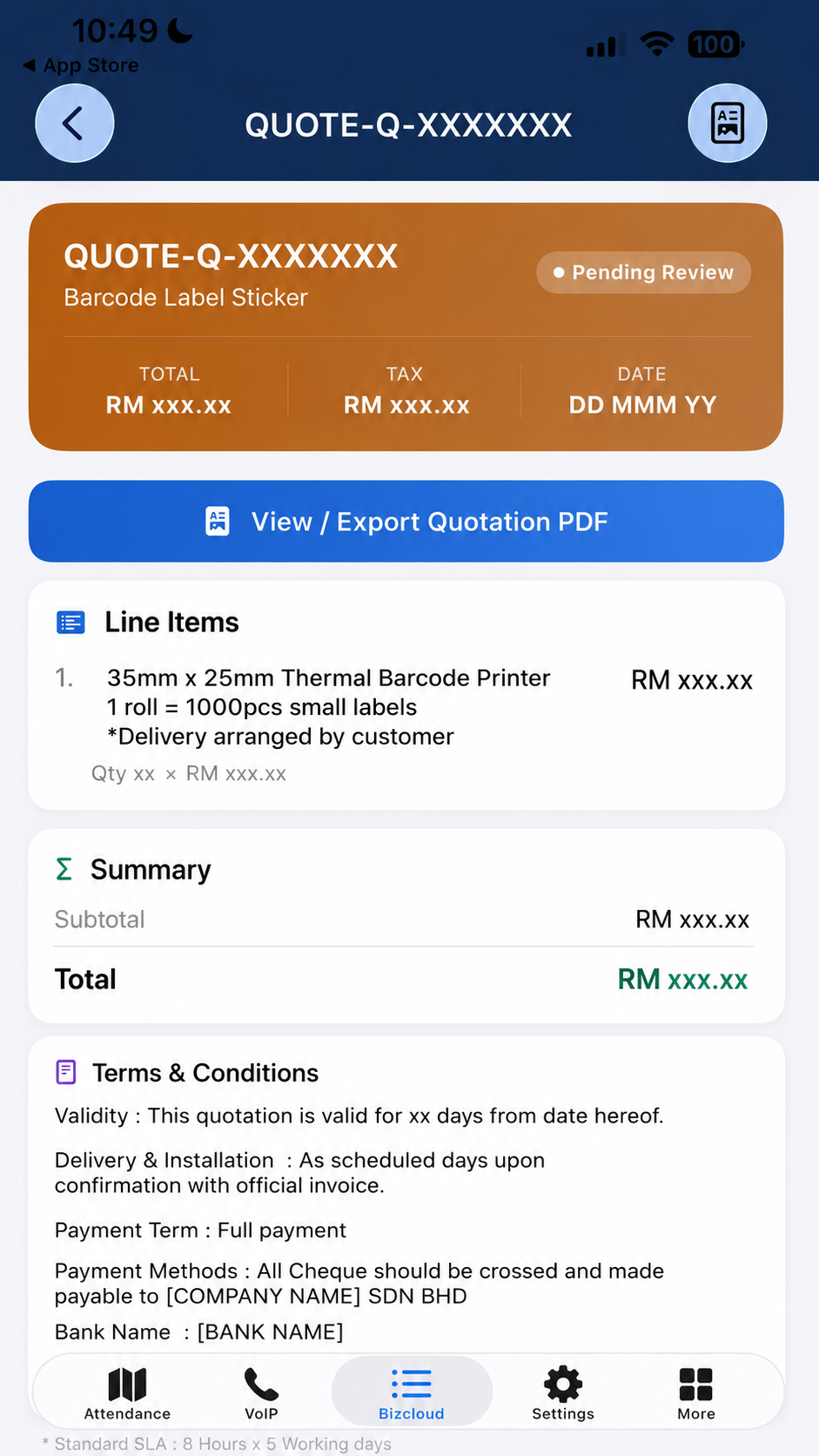
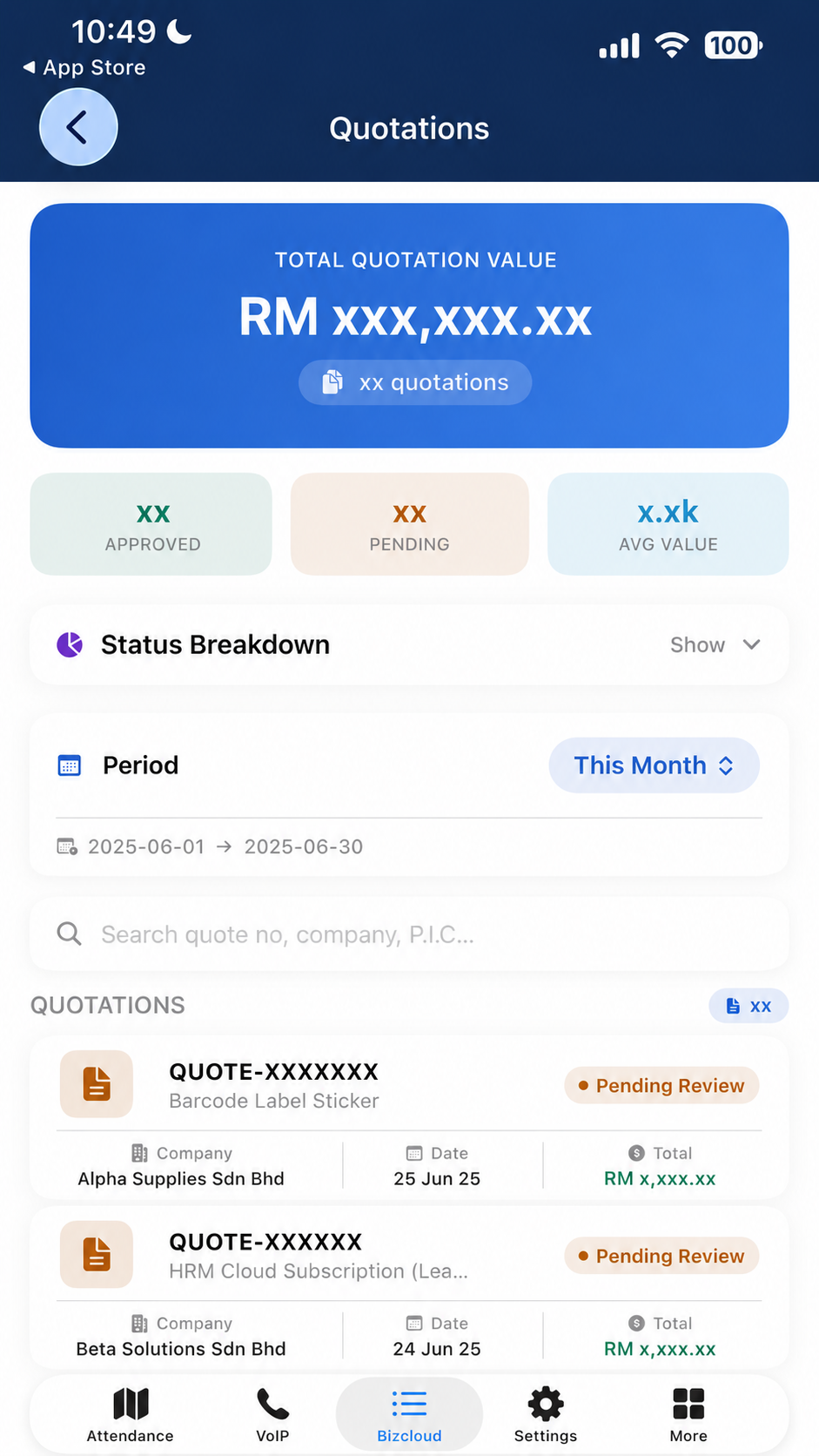
Create a quotation on the website, then view it either on the website or inside the BizCloud App. From the app, your client or team can open and export the quotation PDF and forward it on — straight from their phone.
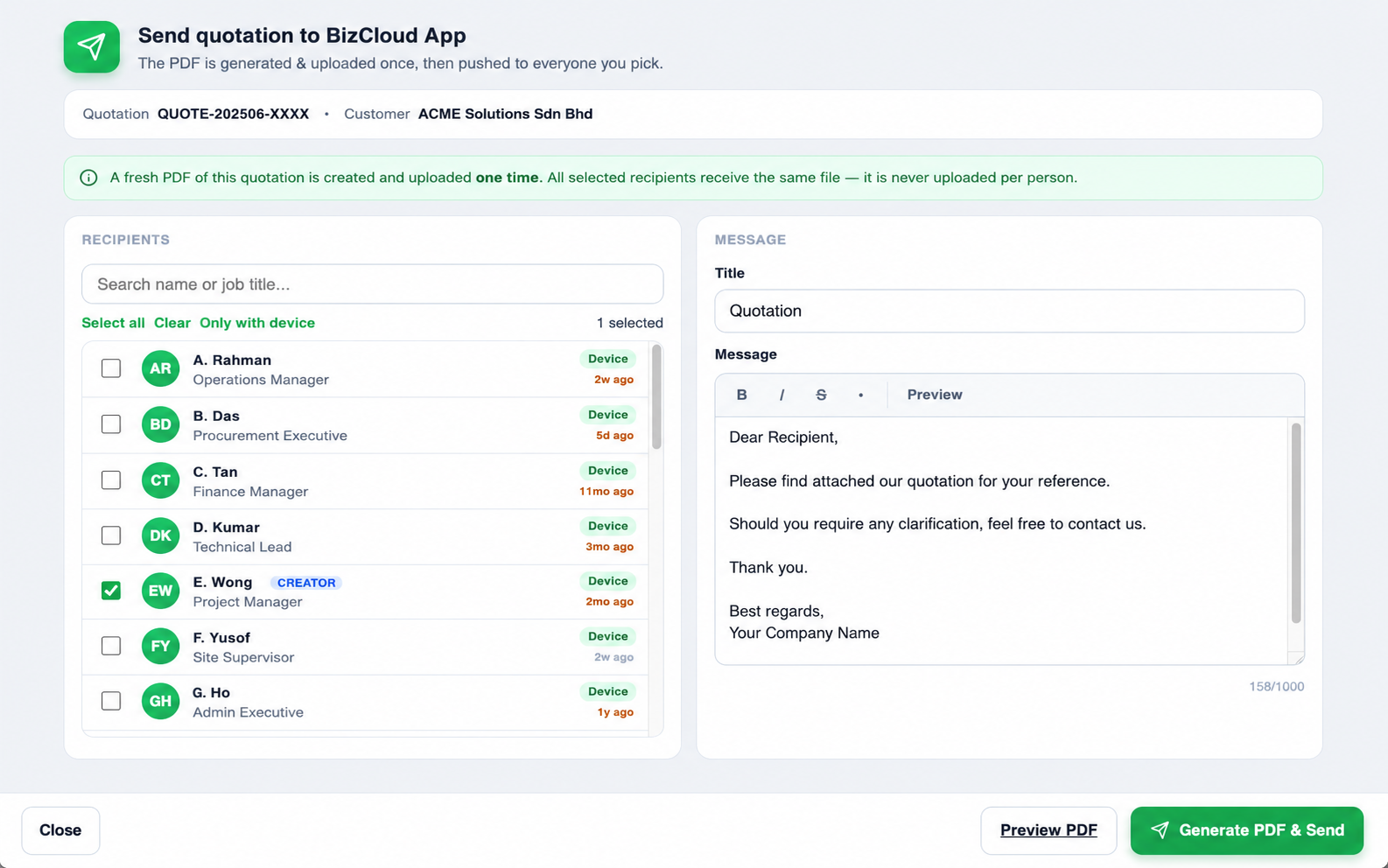
Use the Send to App button on any quotation. The PDF is generated and uploaded one time, then pushed to every recipient you select — your client, finance, site supervisor — all notified on their phone together.
How it works
From a quotation built on the web to a PDF in your client's hand — here is exactly how each add-on moves the document.
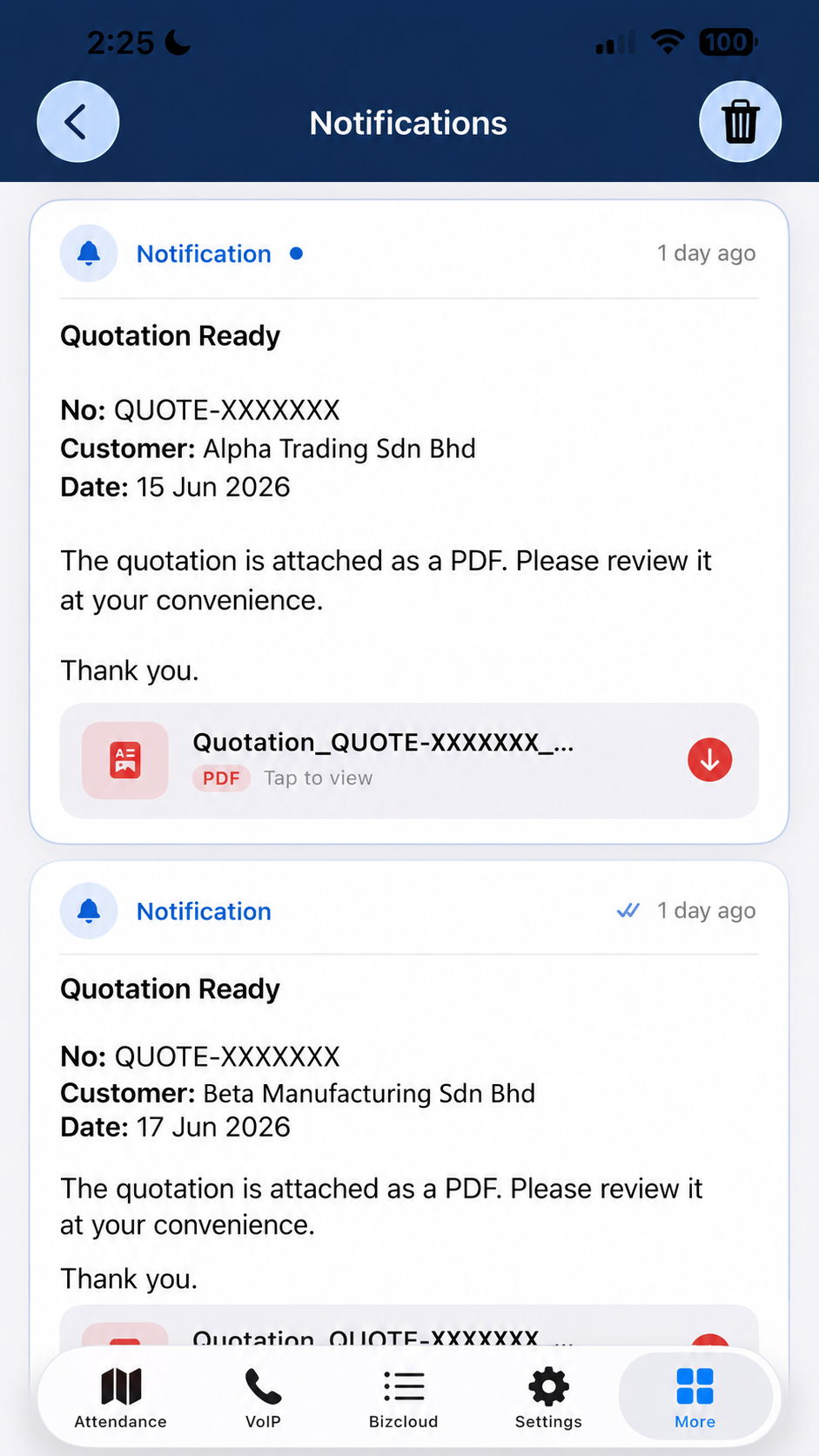
Each recipient gets a “Quotation Ready” push in the BizCloud App with the PDF attached — they tap to view it and can forward it to the client.
Add-on 1 • in detail
A full quotation builder on the website — line items, unit price, discount, tax, surcharge, rounding, currency, and your standard terms & conditions. Save it, and it is instantly available on the web and in the BizCloud App.


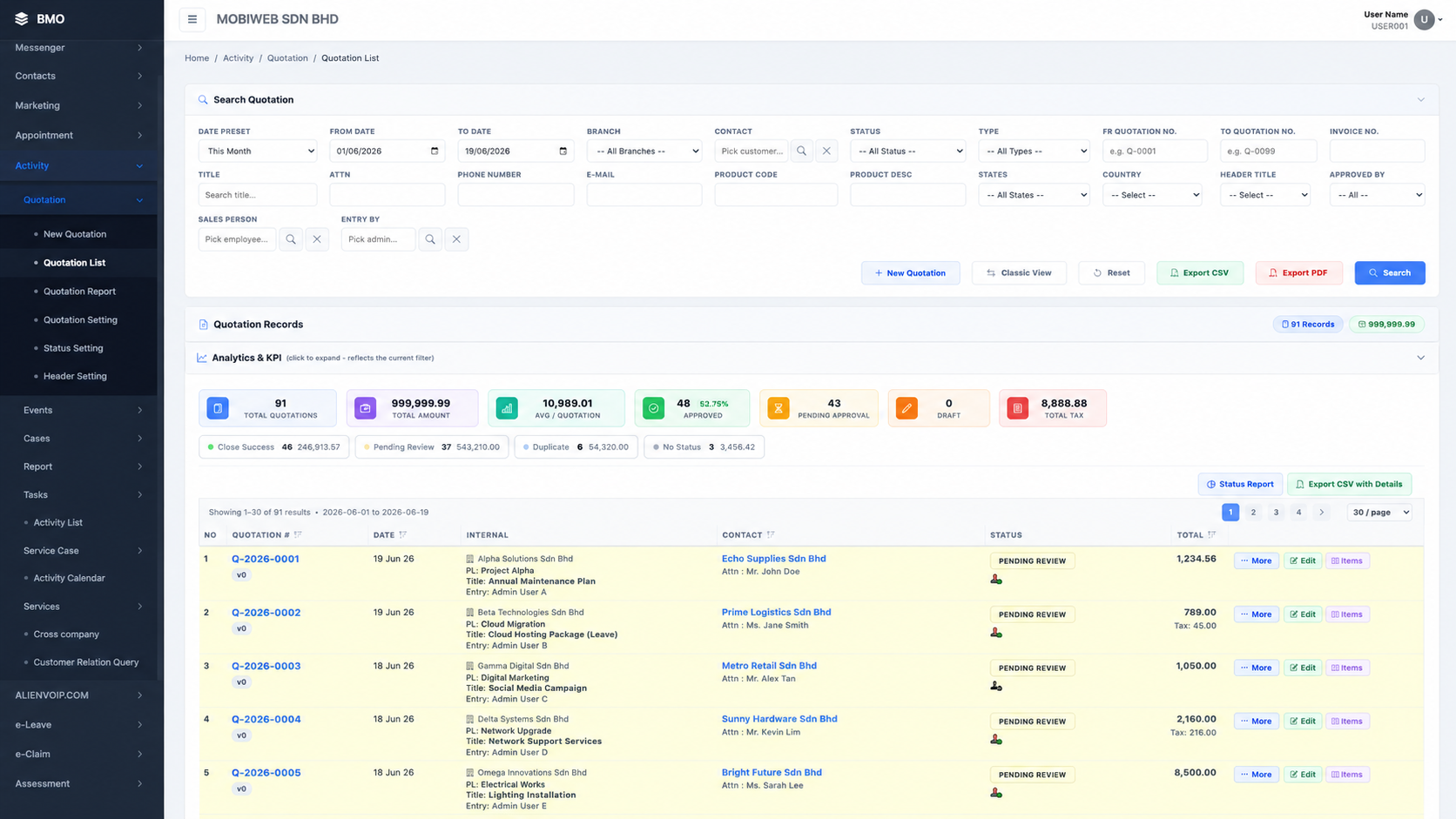
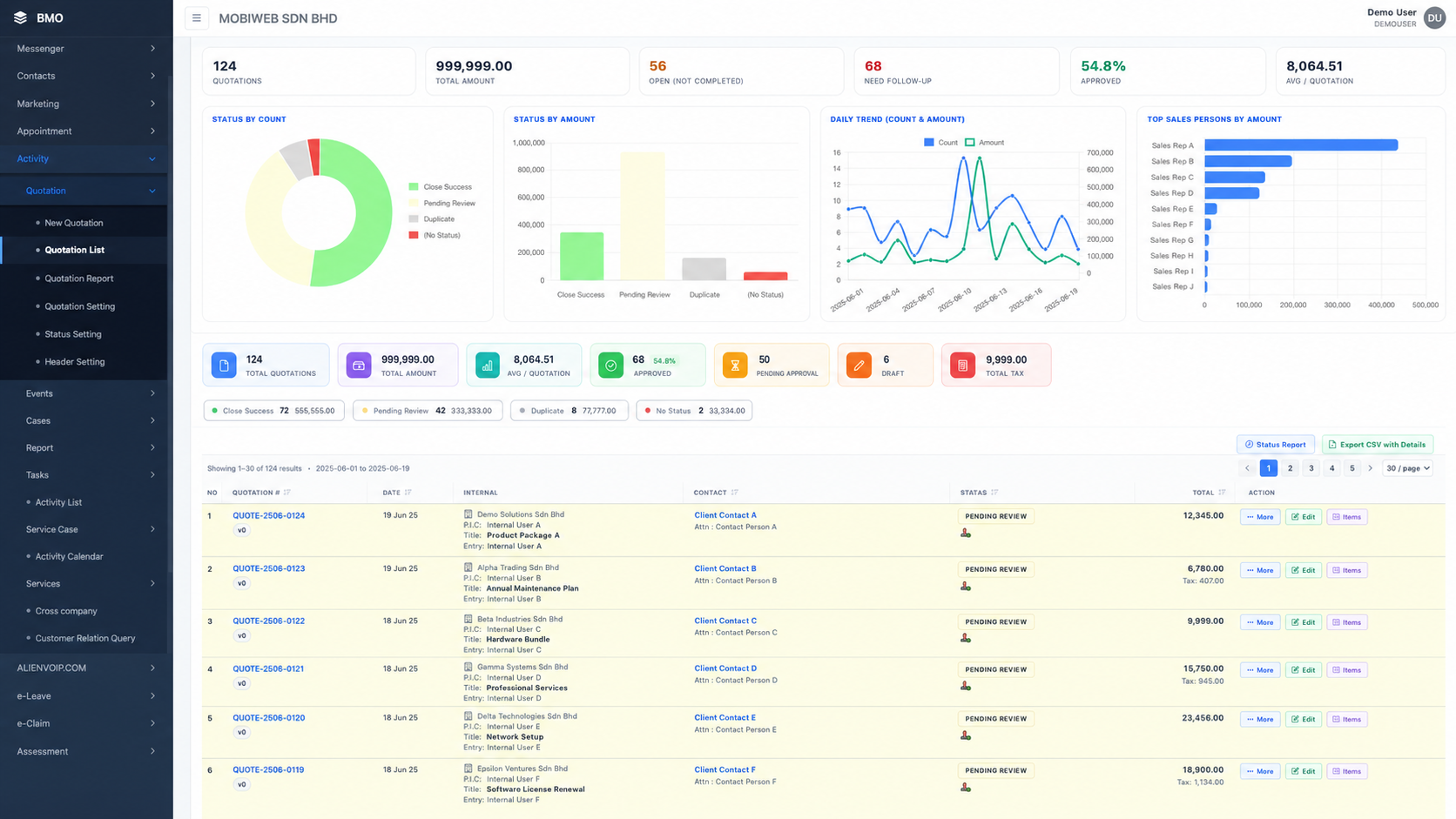
On the web — search, filter and manage every quotation

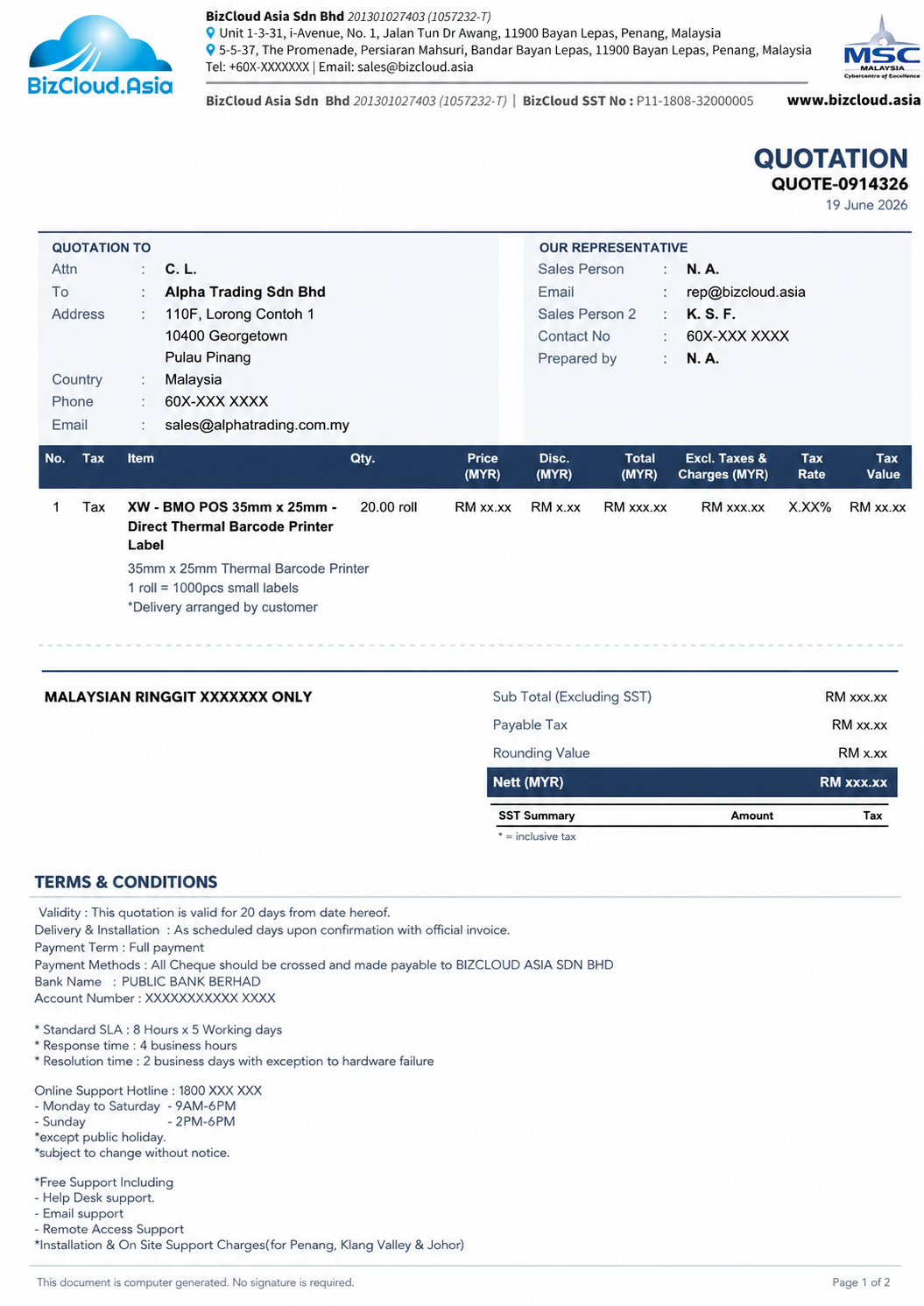
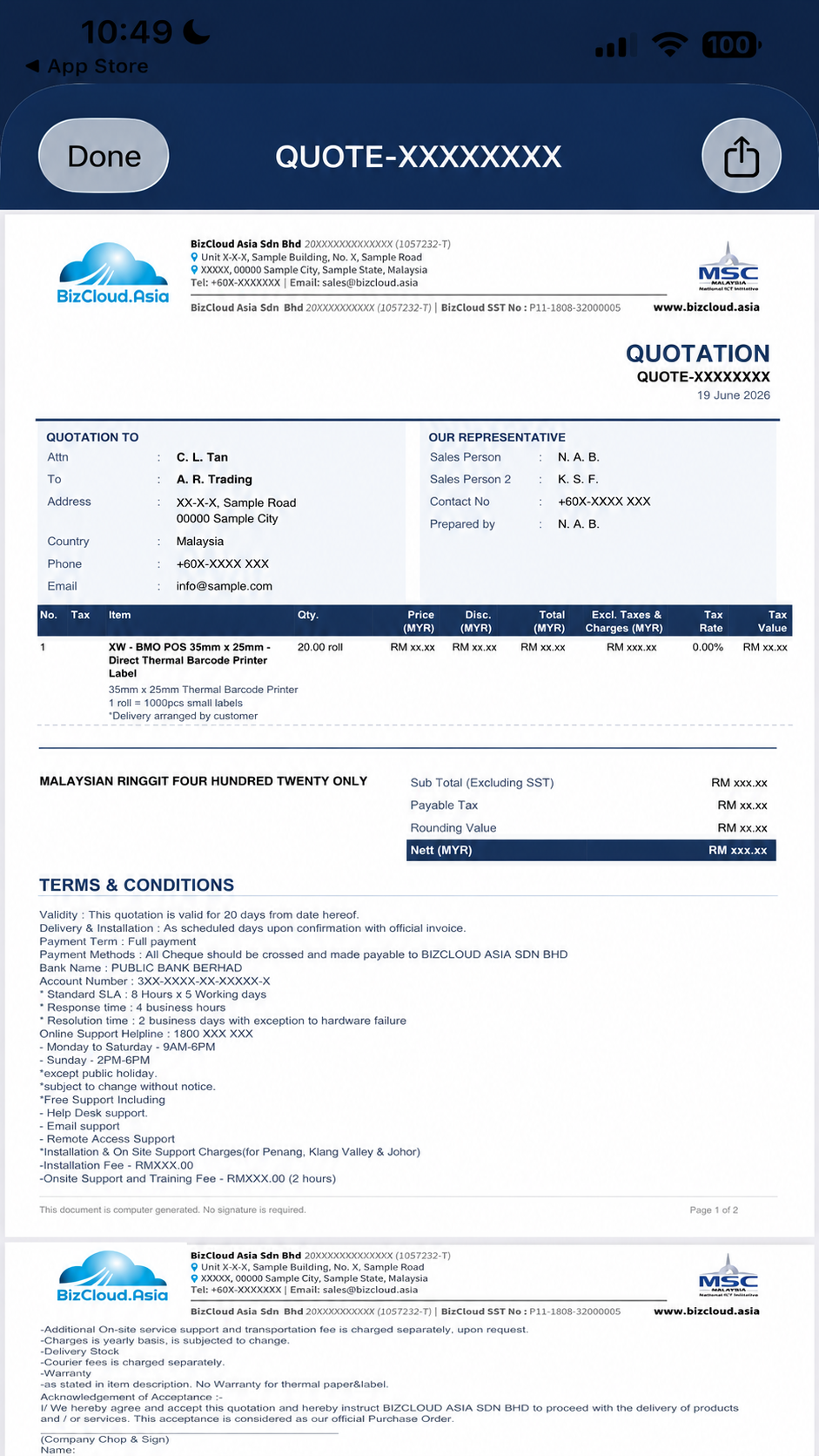
The generated quotation PDF — branded and tax-ready

Quotation list & totals on the phone

Full detail, line items & totals

Open the PDF & share to client
Add-on 2 • in detail
Hit Send to App on any quotation and choose who should receive it. iCRM builds the PDF once, uploads it once, and pushes the very same file to everyone you pick — never re-uploaded per person.


What each recipient sees on their phone
The moment you send from the web, every recipient gets a push notification in the BizCloud App — with the quotation details and the PDF ready to open, no email needed.
Also included
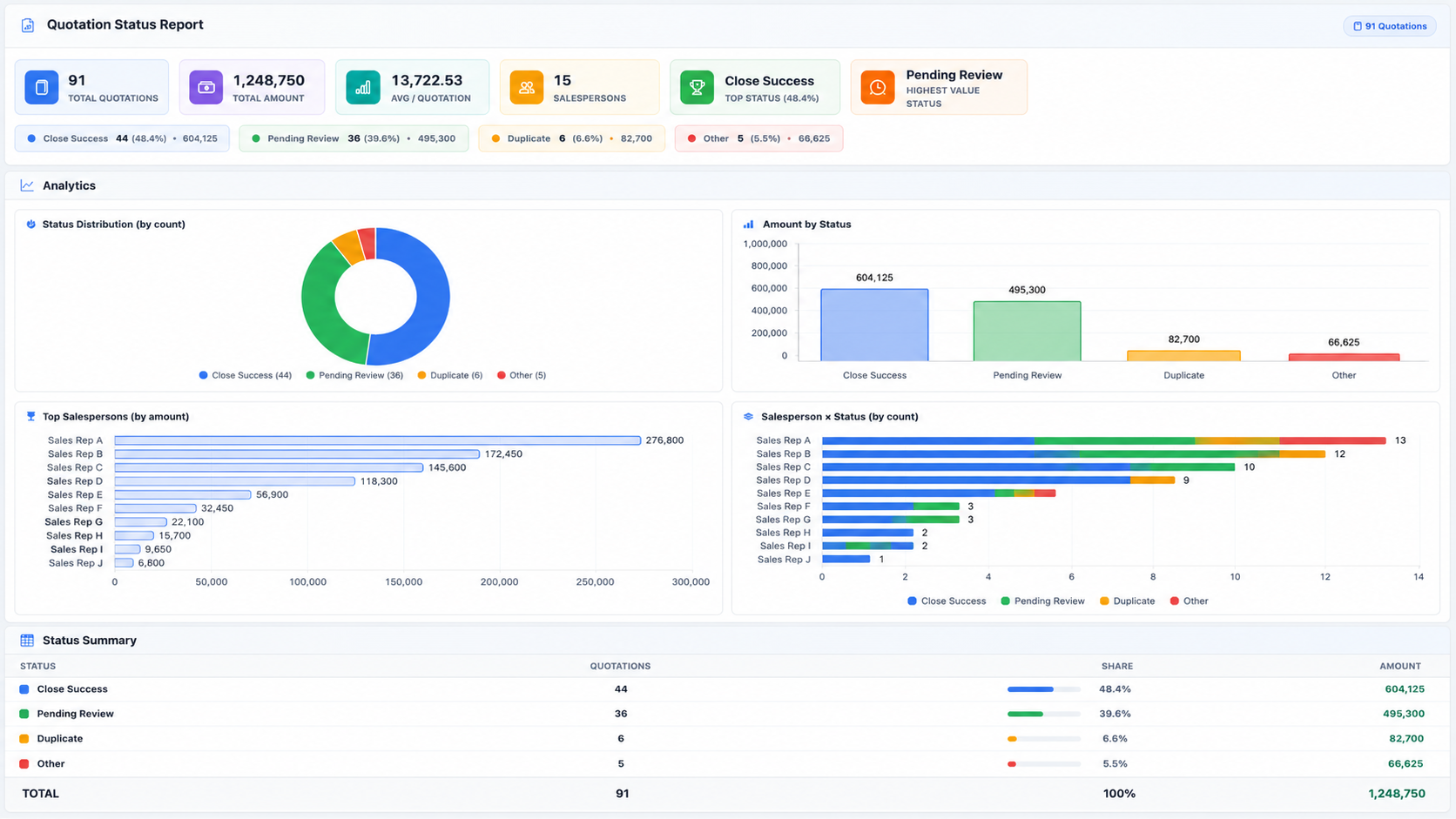
Beyond creating and sending, the quotation list and Status Report turn your pipeline into numbers — total value, approval rate, status split and salesperson performance — all reflecting your current filters.

Quotation Status Report — KPIs, status split & salesperson breakdown

Built-in Analytics & KPI on the quotation list
Total quotation value and average per quotation, live for the period you select.
Close success, pending review, duplicate and more — by count and by amount.
See who is generating the most quotation value and how each status splits per rep.
Export to CSV or PDF, or open the full Status Report for management review.
Why in iCRM
See the Quotation add-on live — build one on the web and watch it appear in the BizCloud App, ready to send to anyone you choose.