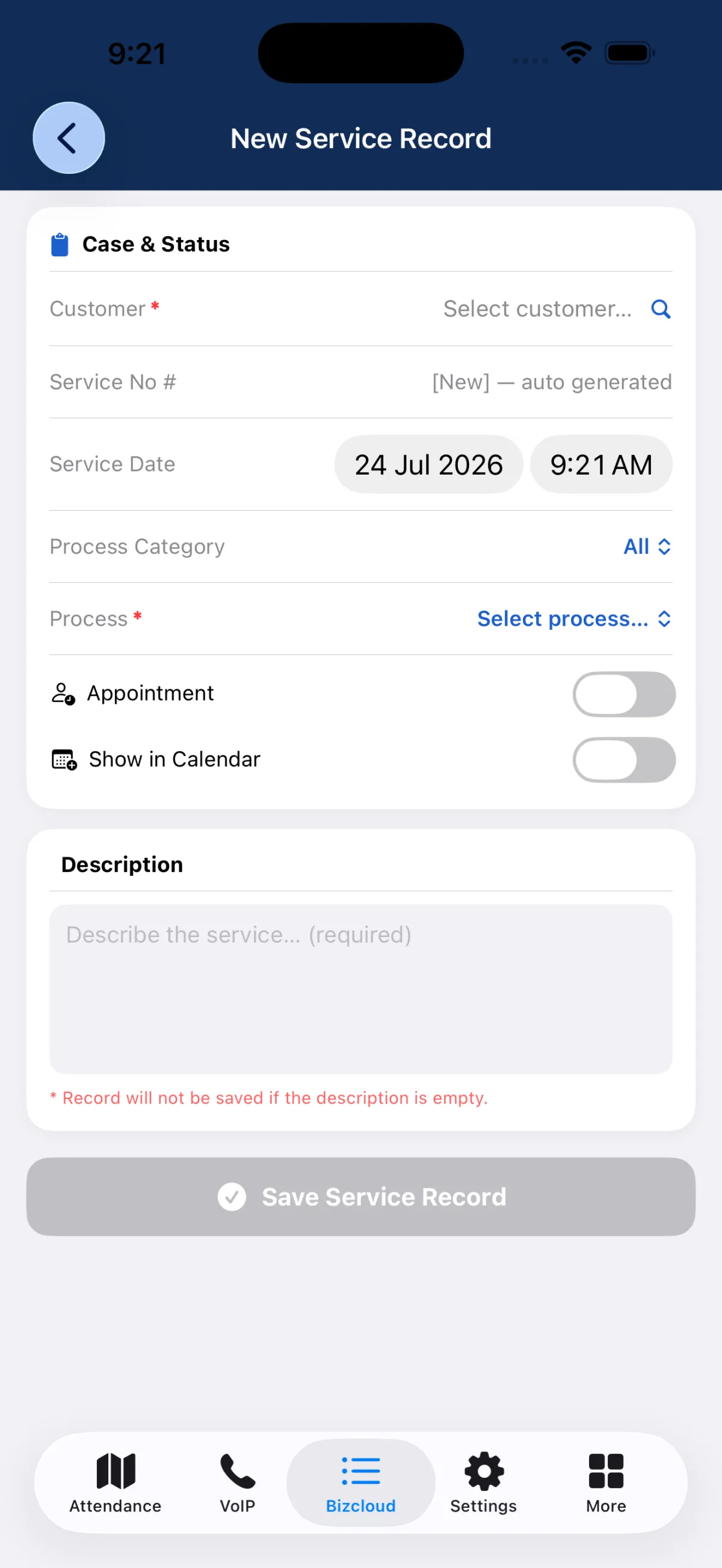
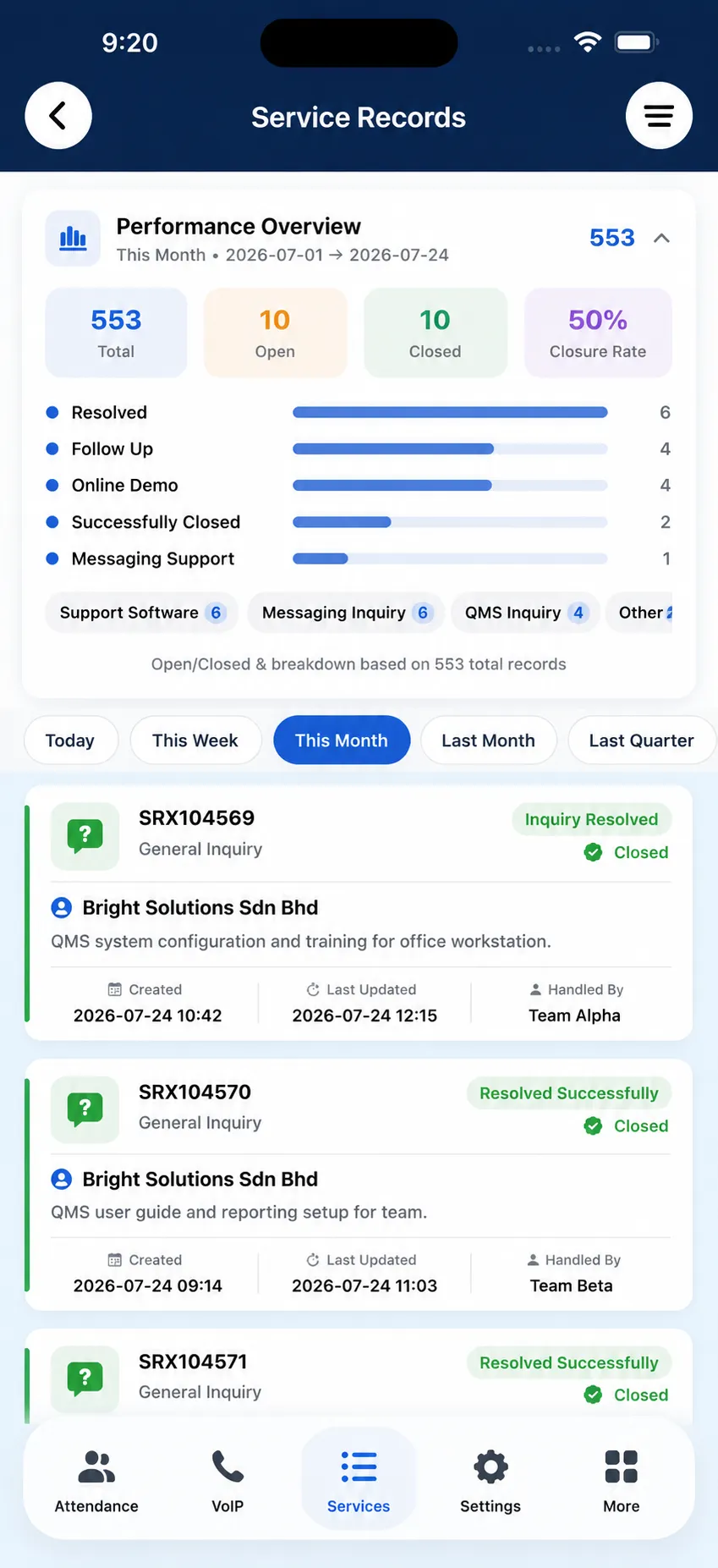
Mobile Access, Notifications & Message Continuity

Bring iCRM to Android and iPhone with BizCloud App for faster action anywhere.

BizCloud App is the mobile companion for iCRM, designed to give admins and staff access to essential reports, notifications and forwarded customer conversations. It helps teams stay responsive even when they are away from their desks, making the CRM workflow more practical in real business situations.

Android and iPhone support Use BizCloud App as the mobile client for iCRM on the go.
Essential reports on mobile Access key information quickly without returning to the desktop CRM.
Notification and message forwarding Receive important alerts and continue customer conversations from the phone.

How BizCloud App supports daily operations

Receive notifications

Important alerts and reminders can reach the mobile app so staff notice them more quickly.

Check essential reports

Admins can access selected business information and CRM updates without needing the full desktop screen.

Receive forwarded conversations

Customer messages from iCRM messenger can be pushed to the phone for faster review and response.

Reply while mobile

Continue the customer conversation through the app when immediate human handling is needed.

App overview Mobile benefits Essential reports Notifications Message forwarding Reply workflow Pricing
App overview

BizCloud App makes iCRM more usable outside the office

BizCloud App serves as the mobile client for iCRM on Android and iPhone. It extends CRM capability beyond the desktop by giving users access to essential functions and helping them stay informed while moving between meetings, branches or field activities.

Why a mobile CRM companion matters

Modern teams are not always seated in front of a computer. A mobile app helps decision-makers and staff remain connected to customer activity and operational alerts wherever they are.

Support mobility
Work can continue during travel, site visits, meetings or after-hours monitoring.
Improve responsiveness
Important updates and conversations can be seen earlier instead of waiting for desktop access.
Keep workflow continuity
The CRM process continues across desktop and mobile instead of stopping when the user leaves the office.

What BizCloud App is positioned to do

  • Act as the mobile client for iCRM
  • Provide essential reports and features
  • Deliver notification alerts
  • Receive forwarded WhatsApp conversations
  • Allow admins to continue replying from the phone
Mobile benefits

Stay connected to the business even when you are not at your desk

BizCloud App is especially valuable for owners, managers and staff who need visibility and action capability while moving between tasks and locations.

Android support

Use the BizCloud App on Android devices to stay connected to CRM notifications, reports and customer communication flow.

iPhone support

The app also supports iPhone users, helping ensure that mobile access fits different teams and device preferences.

Useful for active decision makers

Managers and admins can monitor updates and customer communication while handling other business responsibilities.

Extend desktop workflow

The app does not replace iCRM desktop, but extends it into a more practical day-to-day working environment.

Essential reports

Give users access to the information they need most while mobile

Your notes describe BizCloud App as providing essential reports and features. This makes the app a practical visibility layer for time-sensitive decision-making.

Key business visibility

Essential reports help admins review selected CRM data and stay informed about ongoing activity without needing a full office setup.

Useful operational snapshots

The mobile app can support quick understanding of what needs attention, whether related to communication, workflow or follow-up action.

Faster review cycle

Instead of waiting to return to the desktop system, important information can be reviewed while on the move.

Notifications

Use BizCloud App notifications to surface important events faster

Notification capability is one of the strongest mobile advantages because it helps important customer or system events reach the user immediately instead of waiting to be discovered later.

Instant attention to key events

Notifications help important conversations, reminders or workflow actions reach the user quickly and stand out from routine noise.

Support response timing

The earlier a user sees the alert, the easier it is to respond before the customer experiences long waiting time.

Reduce missed communication

Mobile alerts reduce the risk that an important message remains unseen in a desktop system for too long.

Better operational speed

Notification-driven workflows help the business act with more urgency and maintain better continuity.

Message forwarding

Receive customer conversations from iCRM messenger directly in the mobile app

One of the most practical features of BizCloud App is message forwarding. Instead of leaving the conversation only inside desktop CRM, the system can push it to the mobile user who needs to act.

How forwarding works

  • Customer sends a message through a connected channel such as WhatsApp
  • The message is received inside iCRM messenger
  • The system forwards the conversation to BizCloud App
  • The admin sees the conversation on the phone
  • The admin can continue replying from the mobile app

Why forwarding matters

Move conversations faster
Important messages do not need to wait for desktop review.
Make mobile staff more useful
Owners, managers and service staff can respond even while away from the office.
Maintain CRM continuity
The communication still originates from a CRM workflow instead of becoming disconnected personal chat handling.
Reply workflow

Turn forwarded messages into real mobile customer handling

BizCloud App does more than notify the user. It helps the user continue the conversation and preserve operational responsiveness.

Reply after receiving forward

Once the message reaches the phone, the admin can continue the conversation and address the customer’s question directly.

Work together with AI replies

If AI answered the first question, that answer can also be forwarded so the admin sees full context before continuing.

Support human intervention

The app helps human staff step in whenever automated answers are insufficient or a more personal response is needed.

Improve customer confidence

Customers experience faster and more attentive service when a real person can pick up the conversation quickly through mobile.

Put your CRM in your pocket and keep customer communication moving

With BizCloud App, iCRM becomes much more practical for real-world operations. Teams can access essential reports, receive notifications, review forwarded conversations and reply from their phones, helping the business stay responsive and connected even outside the office.

Recommended highlights for sales presentation

  • BizCloud App for Android and iPhone
  • Essential reports on mobile
  • Notification-based visibility
  • Receive forwarded customer conversations
  • Reply from phone when away from desktop
  • Supports AI and messenger workflow continuity