Question bank
Maintain a reusable list of KPI, training and assessment questions.
Build categorised KPI question banks and reusable assessment sets, assign them to employees or publish them to general respondents by QR, control access dates and keys, collect answers, mark automatically or manually, and print completed assessments for review.
Build categorised KPI question banks and reusable assessment sets, assign them to employees or publish them to general respondents by QR, control access dates and keys, collect answers, mark automatically or manually, and print completed assessments for review.
Maintain a reusable list of KPI, training and assessment questions.
Add questions with the information needed for later reuse in assessment sets.
Organise the bank into meaningful topics, disciplines or competency areas.
Build new assessments from established questions instead of recreating content.
Create a KPI or training assessment set from the available question library.
Configure the assessment options and behaviour required for each set.
Review and maintain the complete library of reusable sets.
Define the active and deactive dates that control when an assessment may be used.
Select employees and assign the appropriate assessment set.
See all users who have received each assessment set.
Give every employee a personal list of assessments waiting for completion or review.
Publish a set for people who are not employees.
Let general respondents scan a QR code to reach the assessment.
Provide a direct public URL when QR distribution is not suitable.
Protect the general assessment path with a set-specific key.
Open and close public access using the configured active and deactive dates.
Collect phone number, name, email or other required identifying information before entry.
Let administrators, supervisors or HR review submitted employee answers.
Apply marks and remarks when answers require human judgement.
Search and review answers submitted through the non-employee assessment path.
Mark general responses even when they are outside the employee database.
Automatically mark supported answers as soon as an employee submits the set.
Allow administrators to trigger automatic marking for employee or general answers.
Move selected general responses into the appropriate assessment handling flow.
Generate a starting KPI library across many job families and operating disciplines.
Support operations, marketing, software development, customer support, sales, finance, HR, administration, IT, engineering, construction, security, drivers, logistics, inventory, SMT, production and more.
Print the answered KPI assessment as a formal review record.
Produce a marking-oriented printout for offline assessment or discussion.
Keep questions, assignments, answers, marks and printed review material connected through one lifecycle.
iCRM turns questions into reusable sets, supports both employee and general participation, controls public access by key and date, and gives HR, supervisors and administrators a clear route from submitted answer to automatic marking, human judgement and printable review.
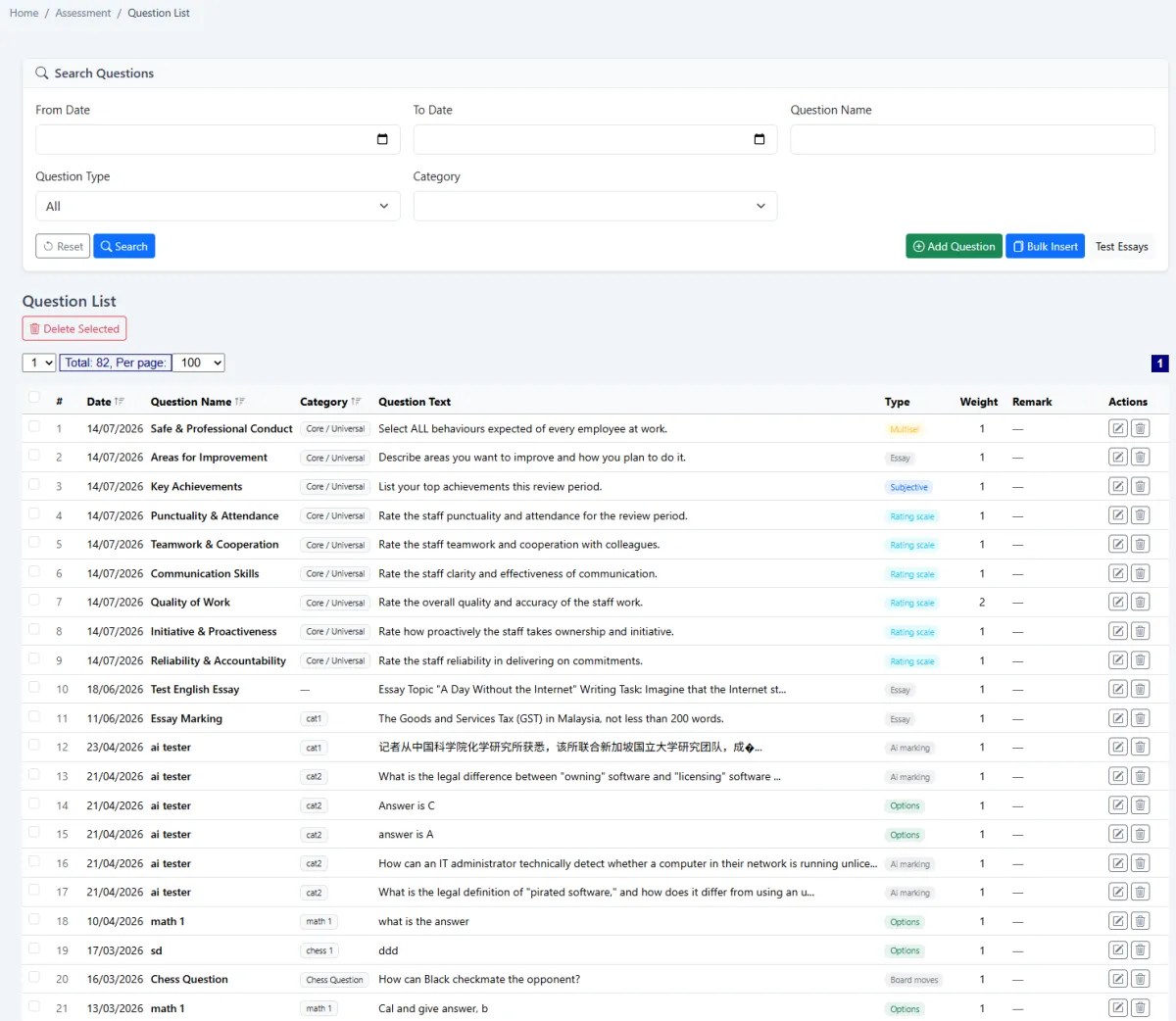
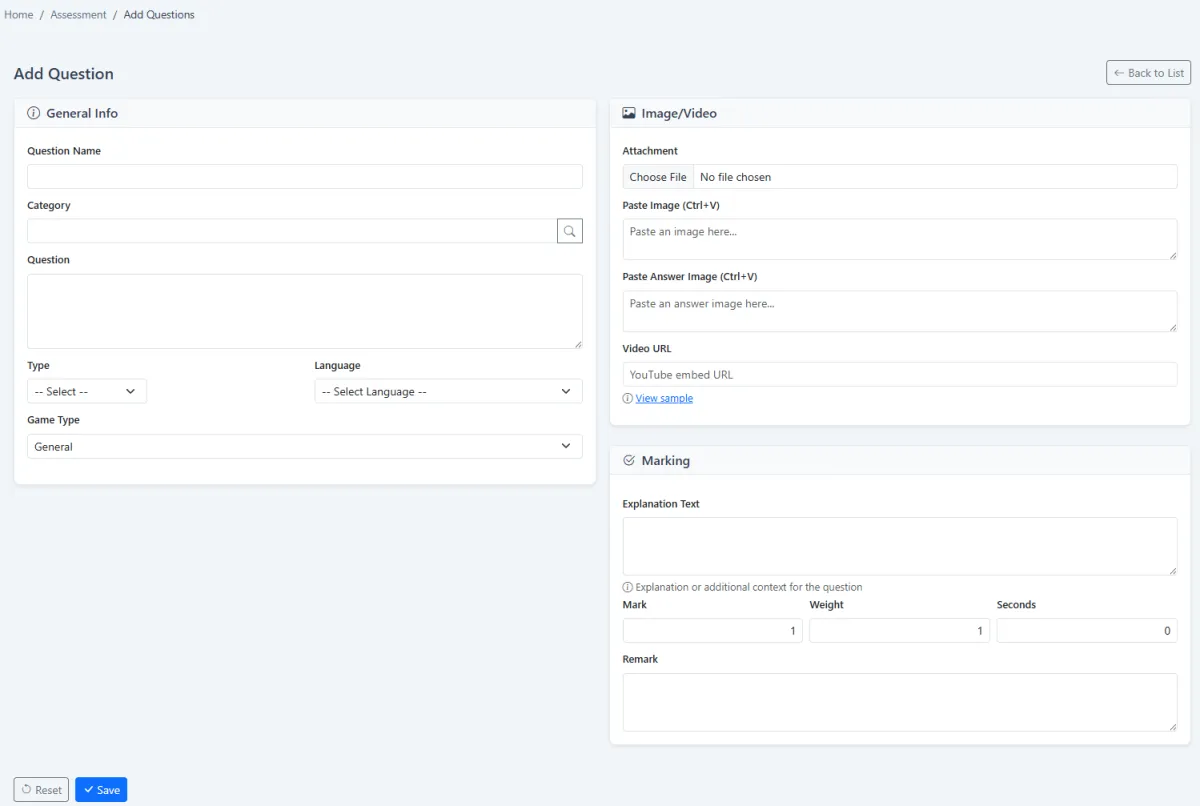
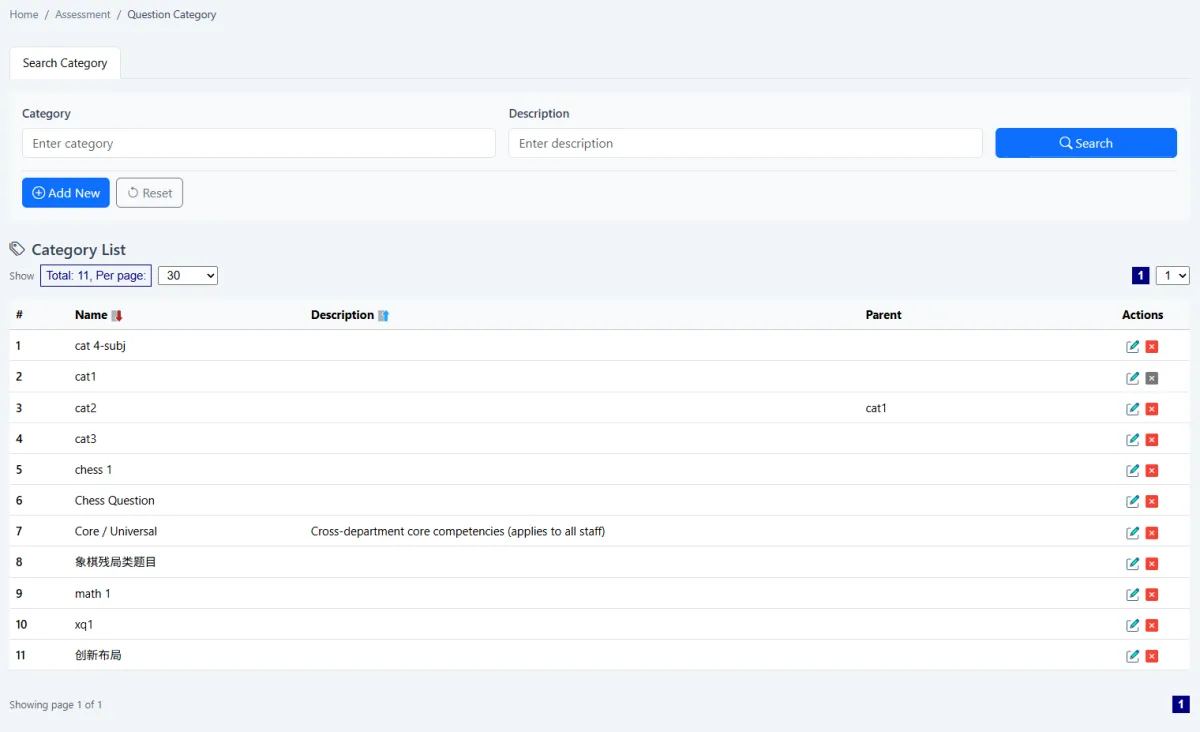
Start with question categories, add individual questions and maintain the full bank from one list. Categories make a larger library easier to search and support consistent assessment design across teams and job functions.
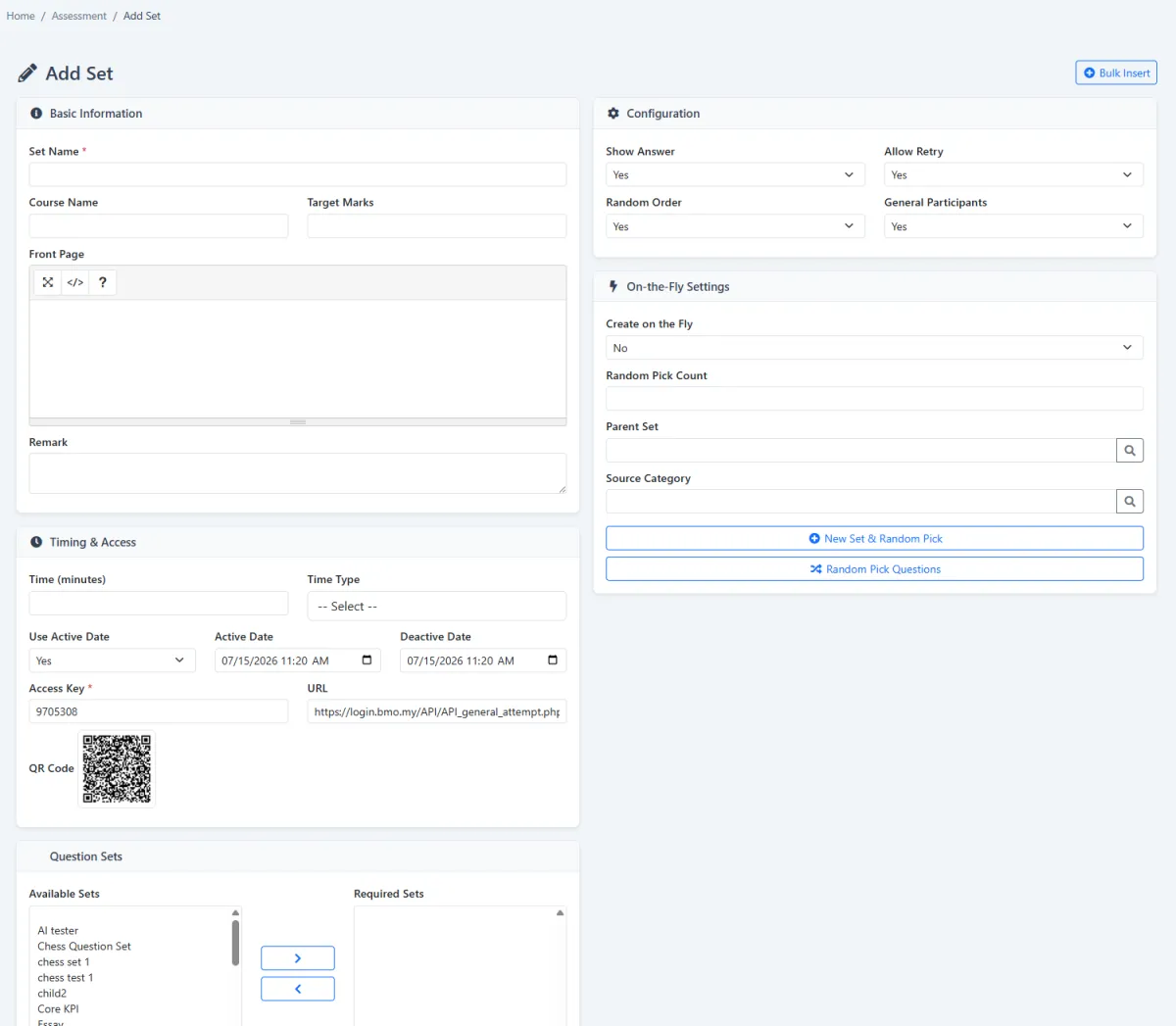
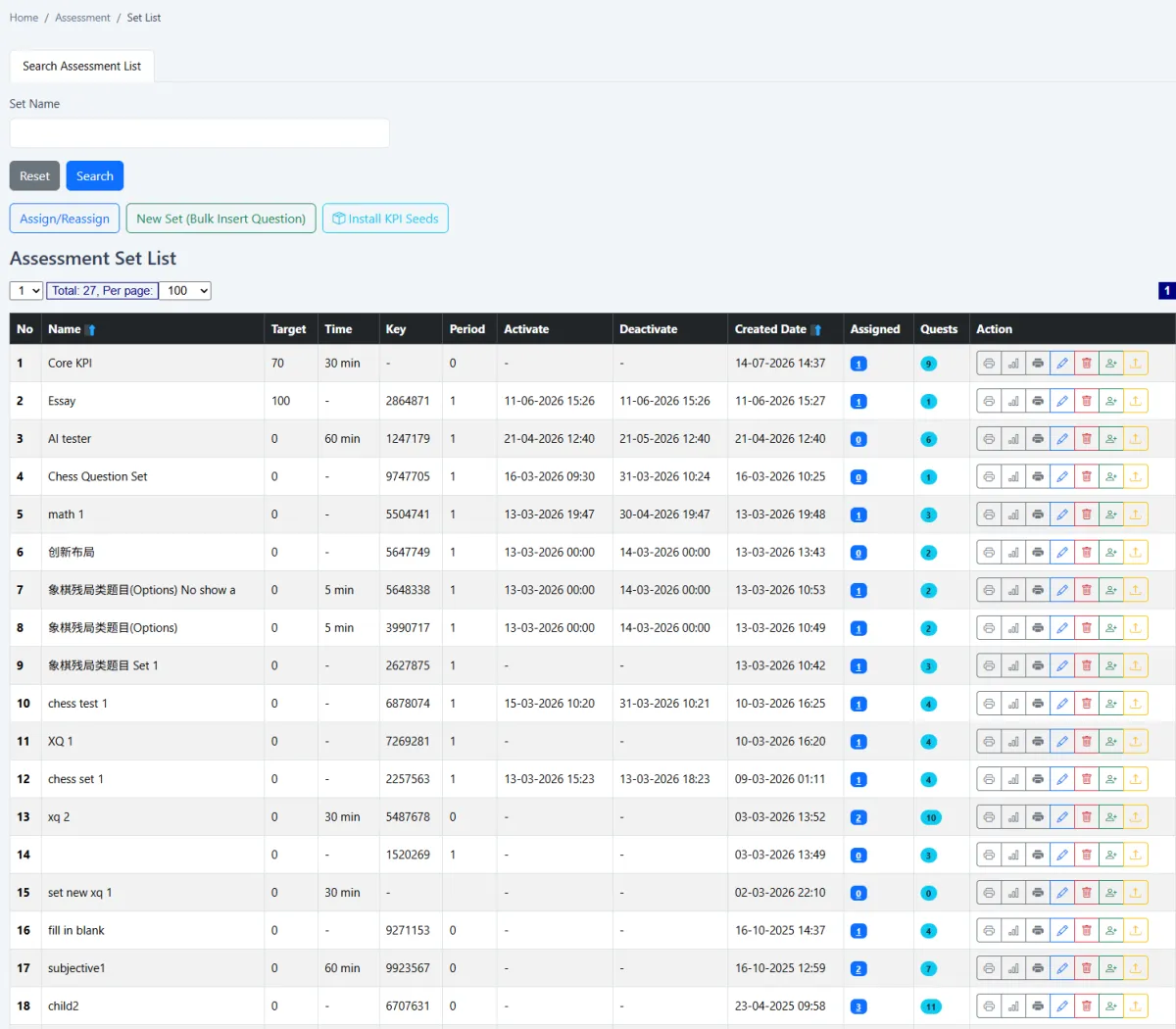
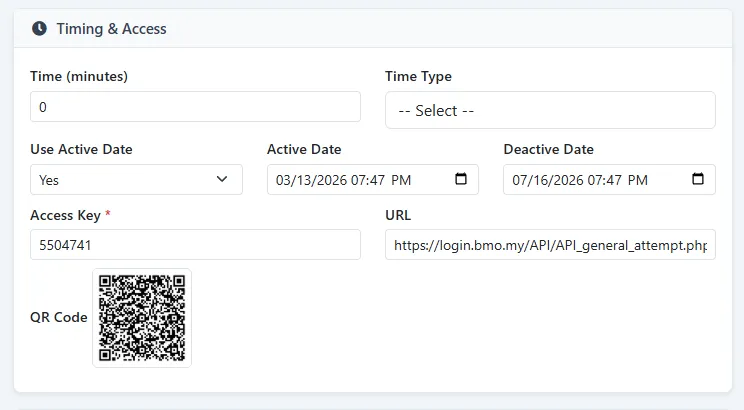
Create a set from the question library, configure its available options and maintain it from the set list. For general access, define the URL, access key, QR route, active date and deactive date so participation is available only during the intended window.
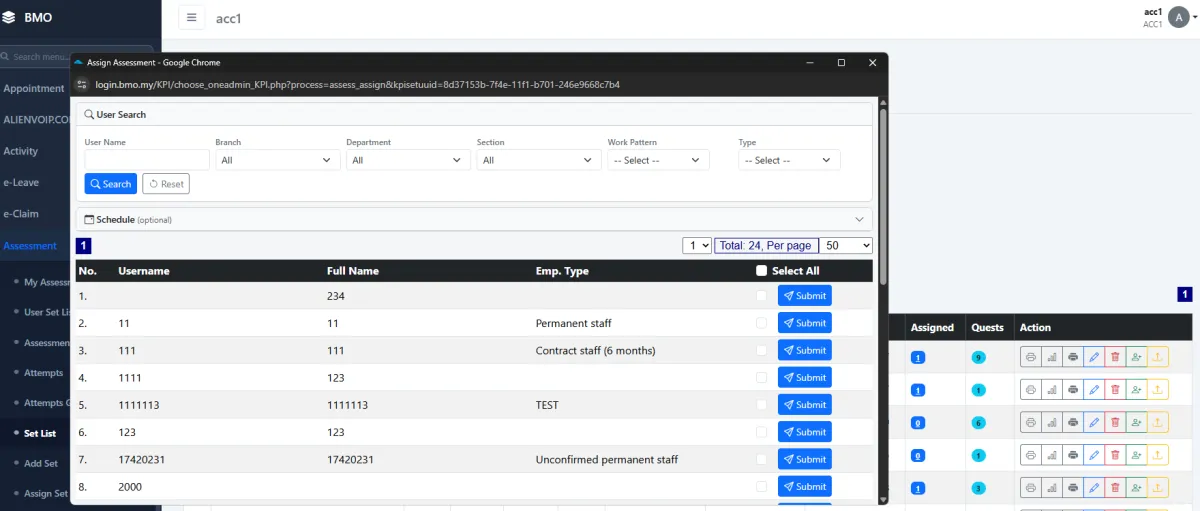
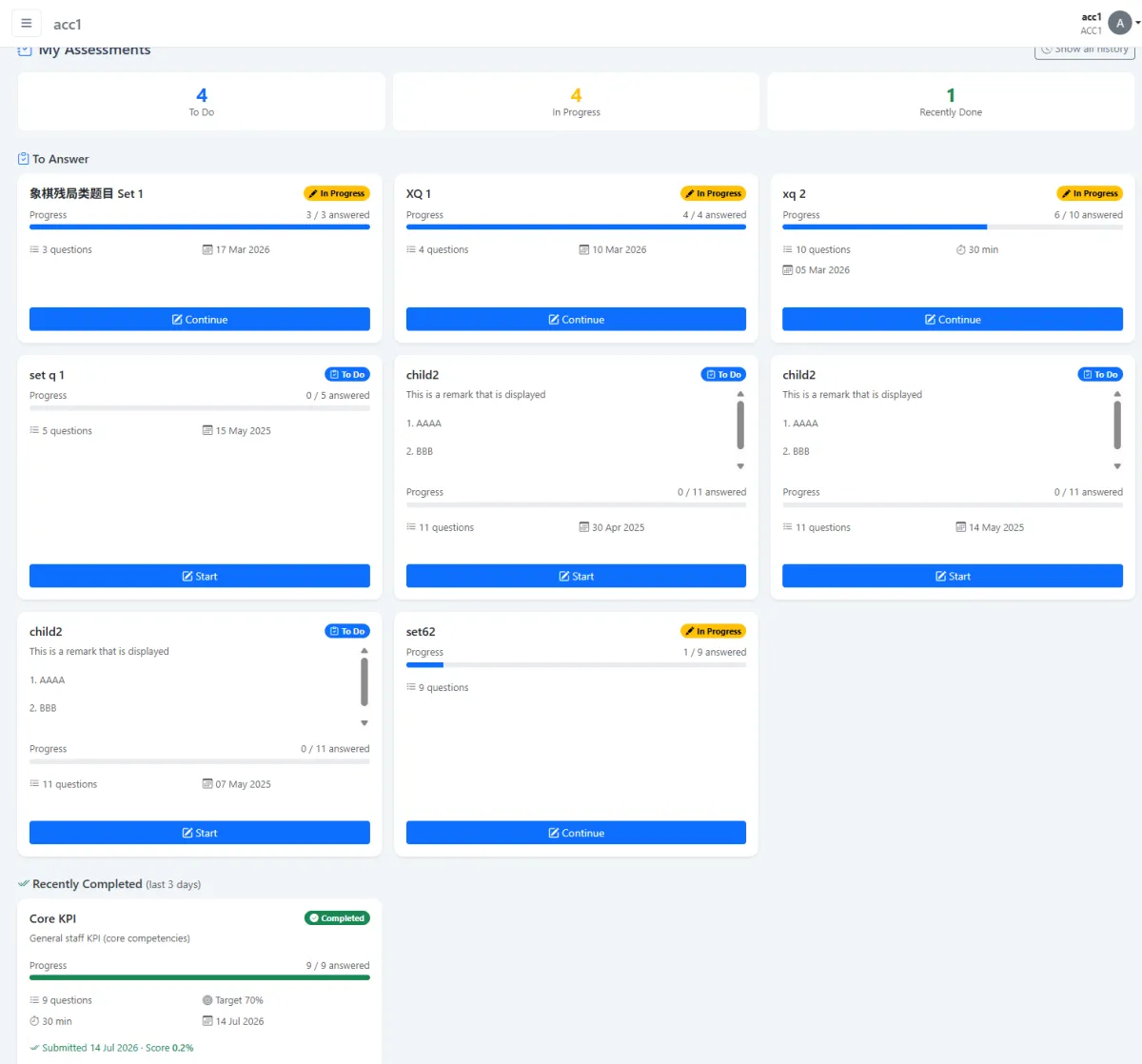
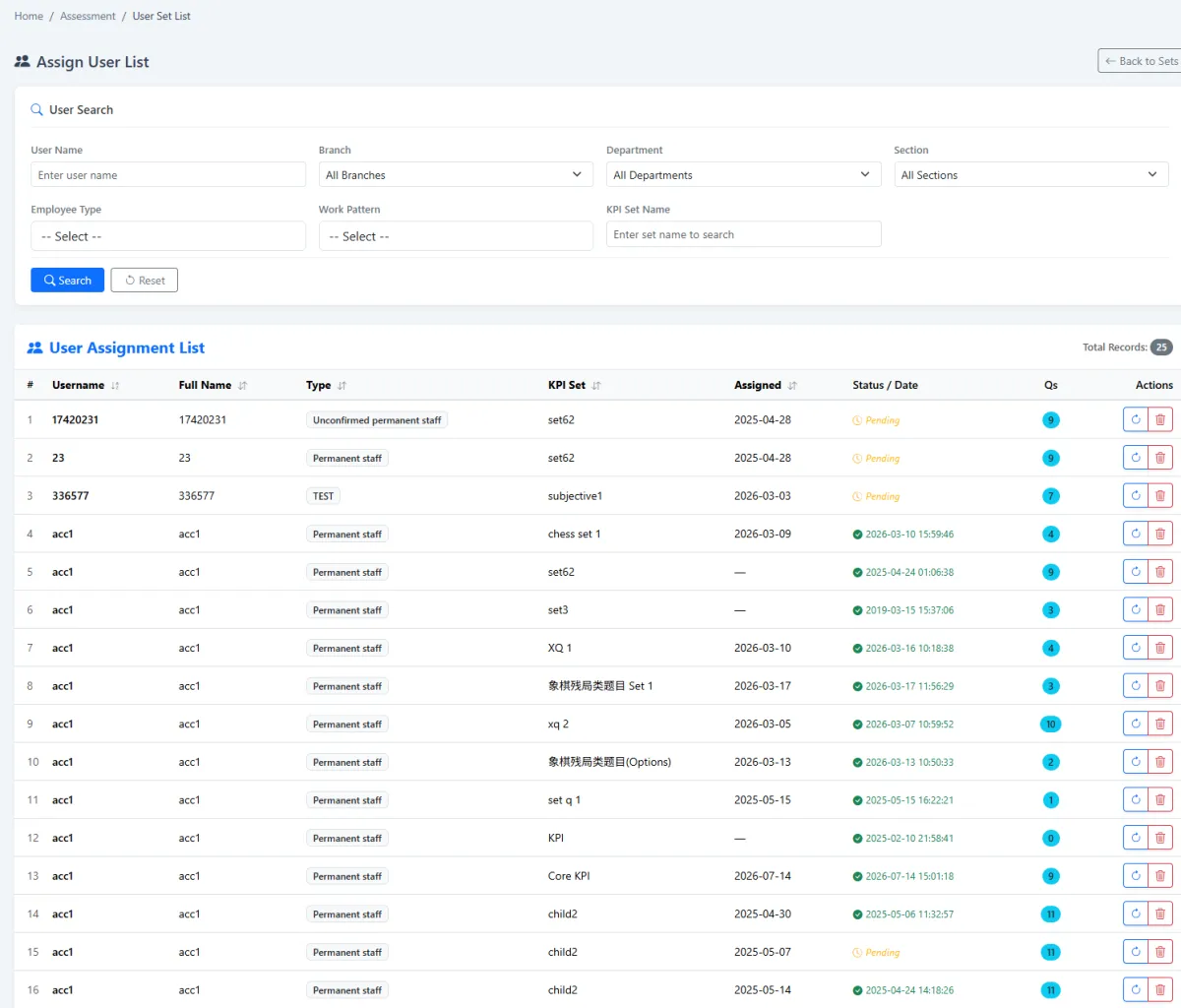
Select employees for the assessment set, review the complete assigned-user list and let each employee work from My Assessment. The lifecycle remains visible from initial assignment through answer and marking.
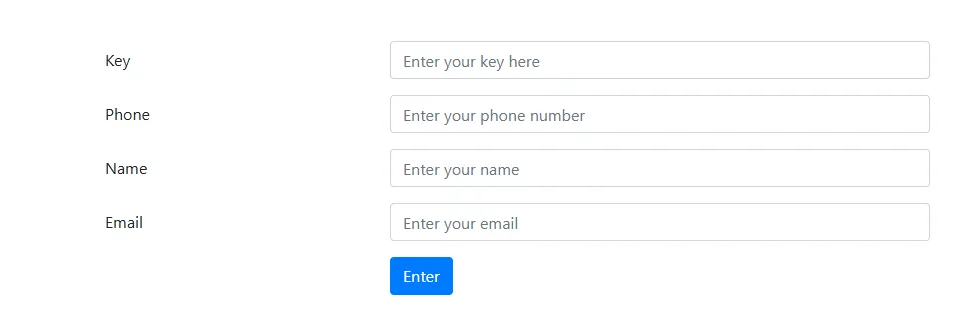
General respondents enter the access key and identifying information such as phone number, name and email. Their submissions appear in the general answer list, where authorised staff can search by respondent, set and answer date.
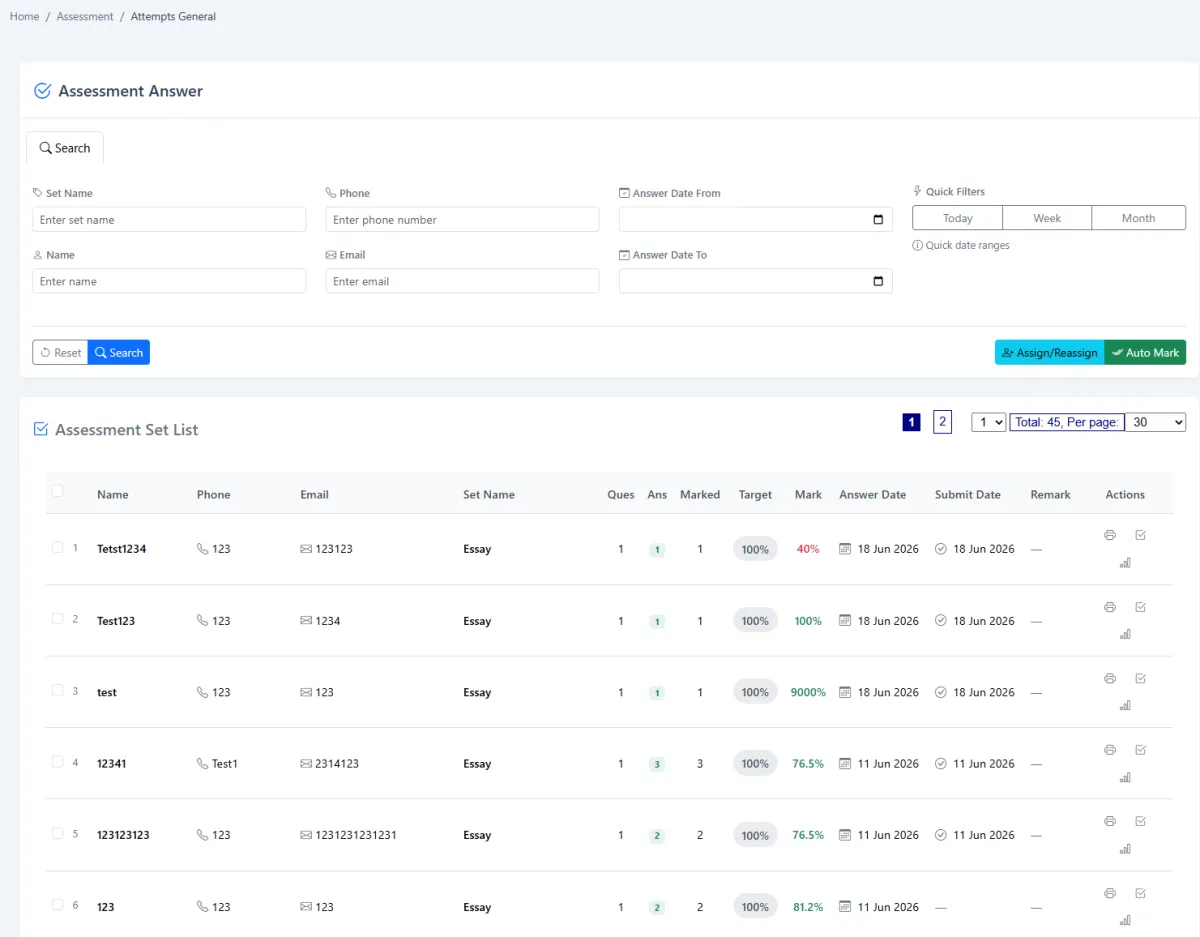
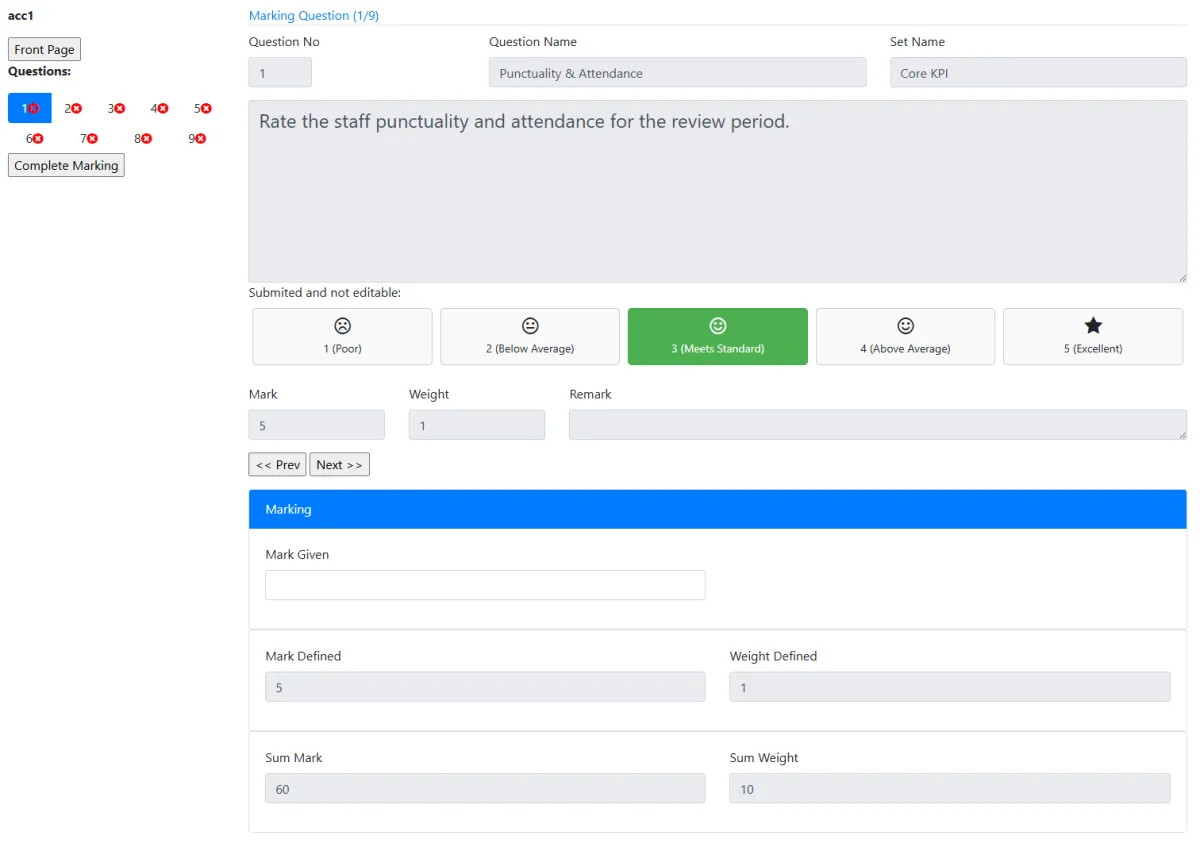
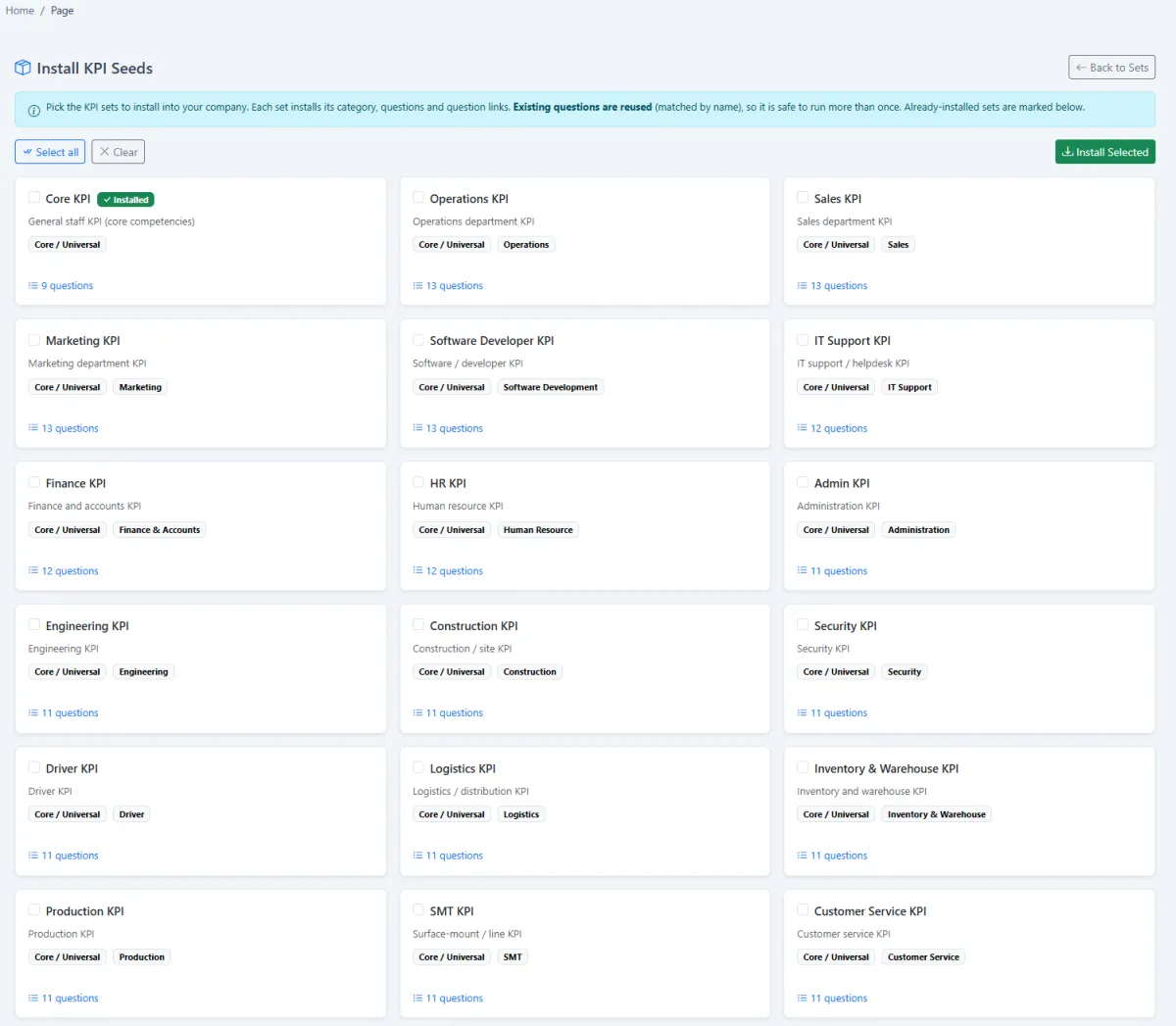
Supported answers can be marked automatically when an employee submits, or later when an administrator selects Auto Mark. Administrators, HR and supervisors can then review employee or general answers, apply manual marks and add the judgement required for qualitative responses.
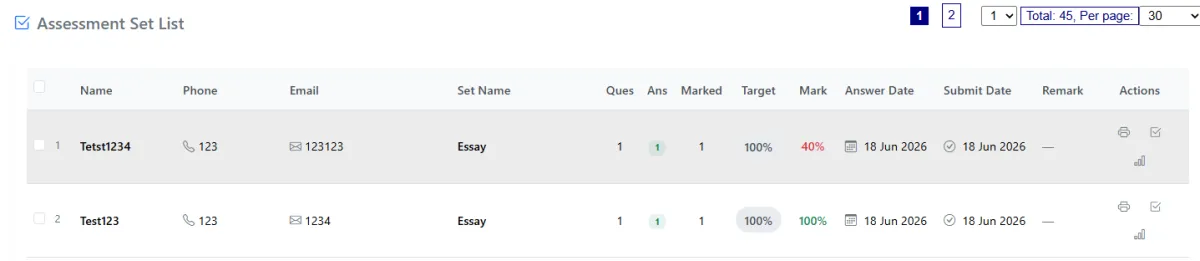
Generate seeded KPI assessment content across operations, marketing, software development, support, sales, finance, HR, administration, IT, engineering, construction, security, drivers, logistics, inventory, SMT, production and more.
Review and adjust generated questions, scoring and language before assigning them to employees or general respondents.
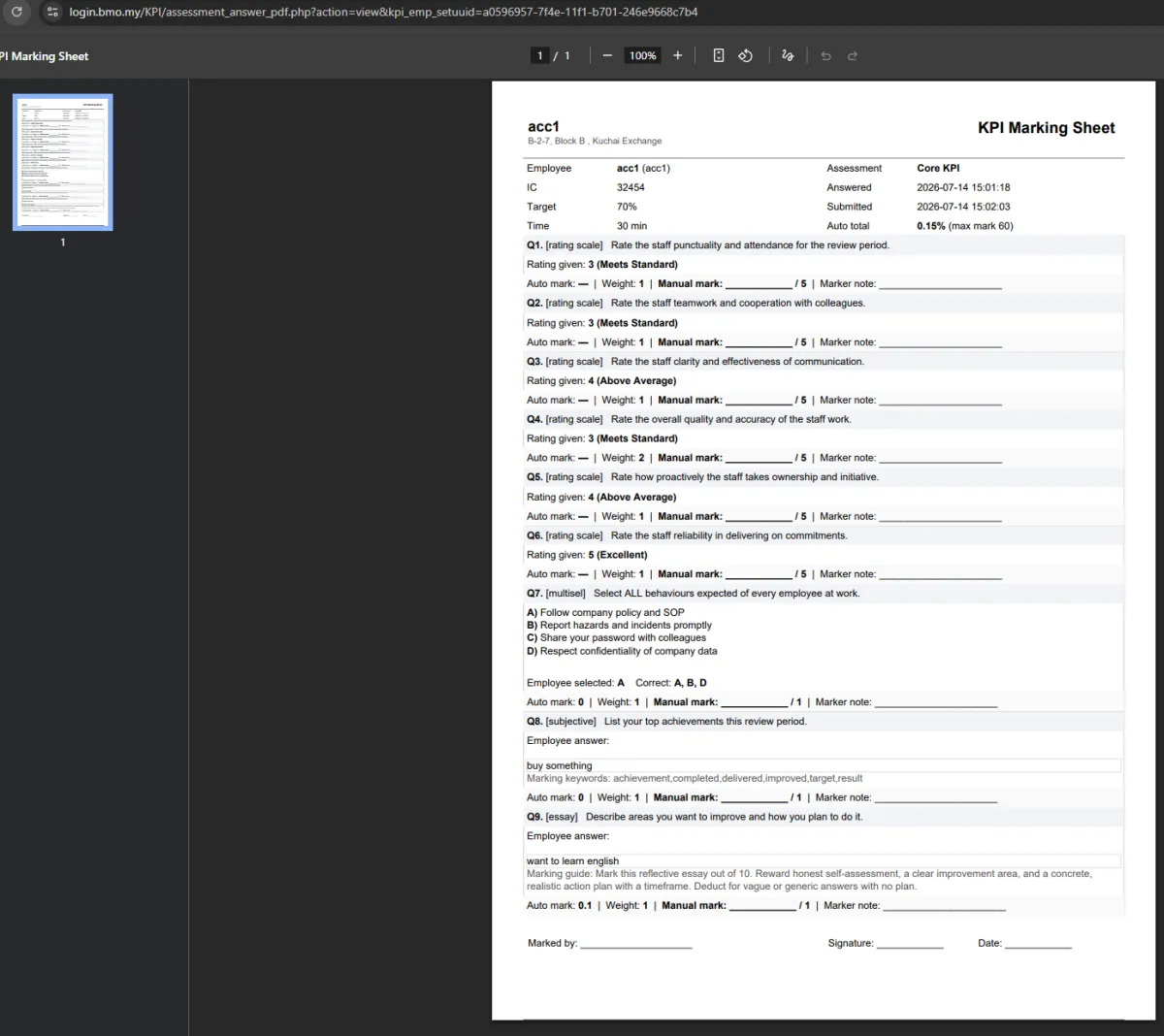
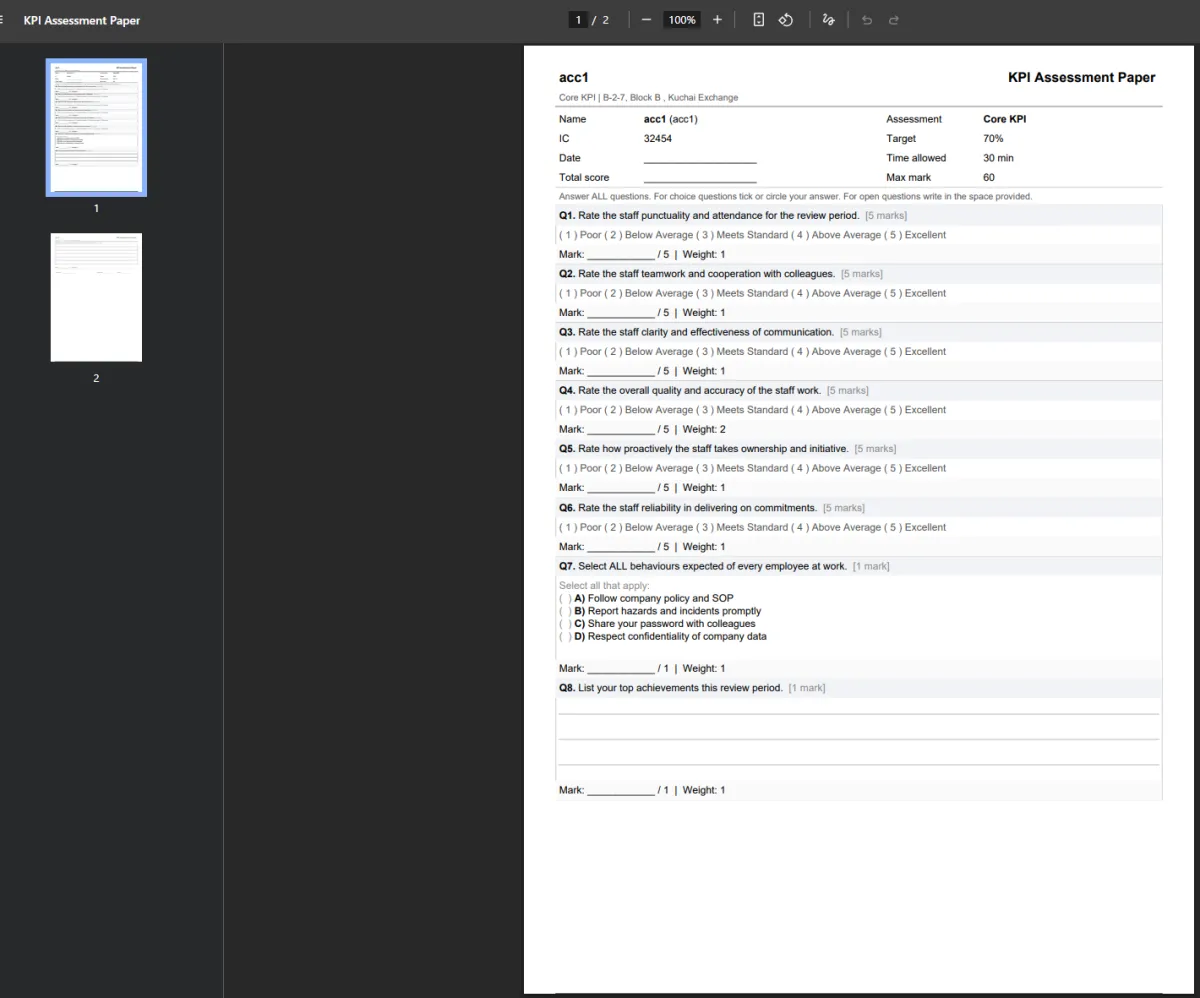
Print the completed KPI assessment with its responses, or produce a marking-oriented version for review. The printed output supports supervisor discussion, HR records and offline evaluation while the digital answer remains in iCRM.
Build reusable content first, then choose the assignment, access and marking path that matches the audience.
Structure the question bank by role, competency, topic or another useful assessment area.
Create questions manually or generate a role-based starting library for review.
Select questions, configure set options and define the intended assessment behaviour.
Assign employees or prepare a general QR/URL path for non-employee respondents.
Set the key plus active and deactive dates for the general assessment.
Employees answer from My Assessment while general users enter the required identity details.
Mark supported answers on submission or trigger automatic marking from administration.
Let HR, supervisors or administrators judge qualitative employee and general answers.
Produce the answered or marking copy and preserve the assessment evidence.
Explore how the screens and functions in Training & KPI support setup, daily operations and continuous improvement.
Maintain a reusable list of KPI, training and assessment questions.
Add questions with the information needed for later reuse in assessment sets.
Organise the bank into meaningful topics, disciplines or competency areas.
Build new assessments from established questions instead of recreating content.
Create a KPI or training assessment set from the available question library.
Configure the assessment options and behaviour required for each set.
Review and maintain the complete library of reusable sets.
Define the active and deactive dates that control when an assessment may be used.
Select employees and assign the appropriate assessment set.
See all users who have received each assessment set.
Give every employee a personal list of assessments waiting for completion or review.
Publish a set for people who are not employees.
Let general respondents scan a QR code to reach the assessment.
Provide a direct public URL when QR distribution is not suitable.
Protect the general assessment path with a set-specific key.
Open and close public access using the configured active and deactive dates.
Collect phone number, name, email or other required identifying information before entry.
Let administrators, supervisors or HR review submitted employee answers.
Apply marks and remarks when answers require human judgement.
Search and review answers submitted through the non-employee assessment path.
Mark general responses even when they are outside the employee database.
Automatically mark supported answers as soon as an employee submits the set.
Allow administrators to trigger automatic marking for employee or general answers.
Move selected general responses into the appropriate assessment handling flow.
Generate a starting KPI library across many job families and operating disciplines.
Support operations, marketing, software development, customer support, sales, finance, HR, administration, IT, engineering, construction, security, drivers, logistics, inventory, SMT, production and more.
Print the answered KPI assessment as a formal review record.
Produce a marking-oriented printout for offline assessment or discussion.
Keep questions, assignments, answers, marks and printed review material connected through one lifecycle.
Create question categories, questions and reusable assessment sets.
Issue sets to employees or publish a dated QR/URL path with an access key.
Collect employee or general responses with the required identification.
Auto-mark where supported, complete human review and print the result.
Tell us how your team works today. We’ll demonstrate the modules that matter most.
Book your personalised demo →