Employee database
Maintain a central, searchable list of workforce records.
Manage a searchable employee database, comprehensive personal and employment records, employee self-service, lifecycle dates, type-based leave and document rules, files, groups, permissions, birthday reminders and email signatures.
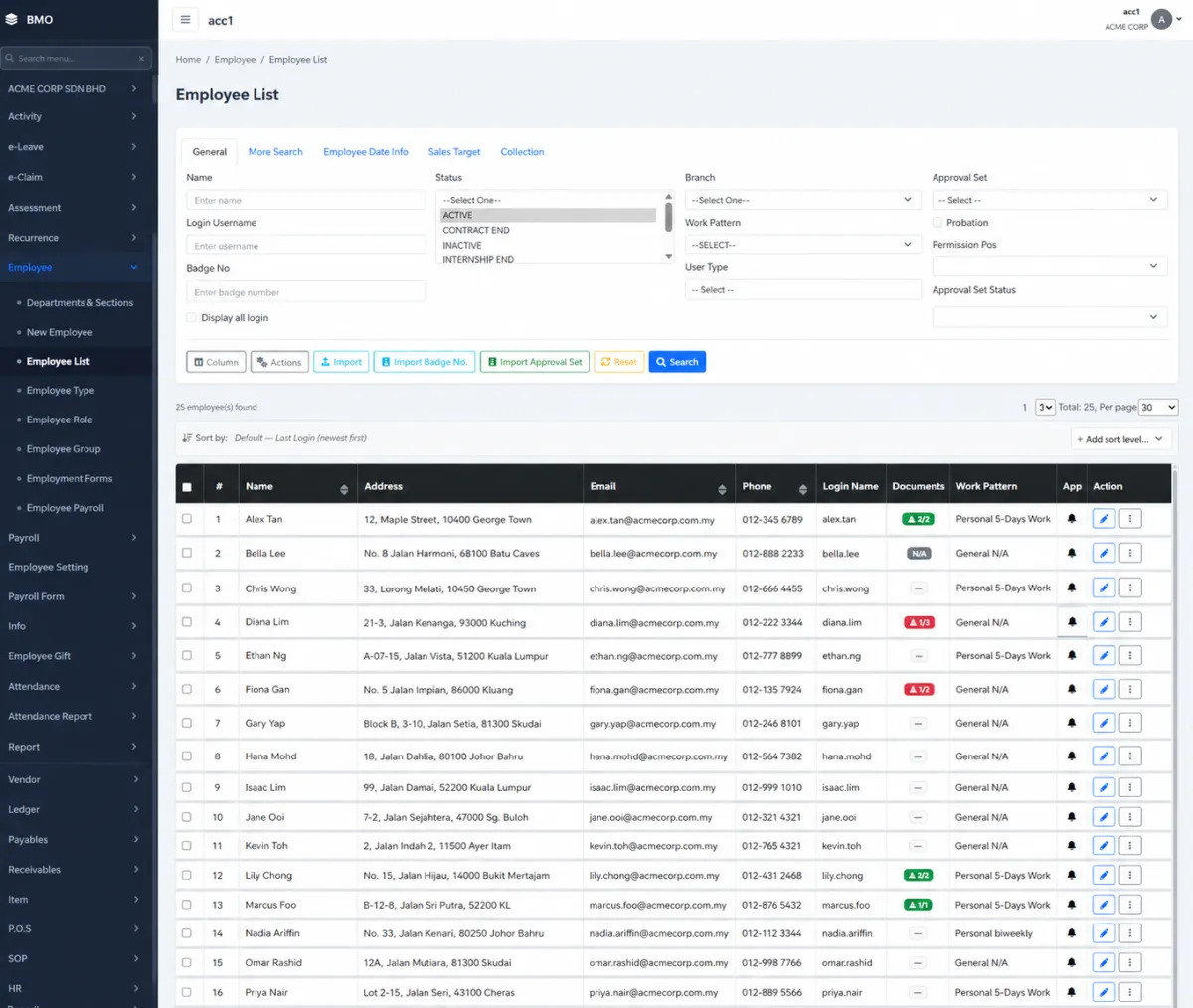
Manage a searchable employee database, comprehensive personal and employment records, employee self-service, lifecycle dates, type-based leave and document rules, files, groups, permissions, birthday reminders and email signatures.
Maintain a central, searchable list of workforce records.
Find employees by identity, status, branch, work pattern, user type, approval set and other employee information.
Choose the employee information shown in the working list.
Bring employee, badge-number and approval-set information into the database in bulk.
Maintain personal, bank, emergency, family, medical, education, employment and other operational information.
Upload an employee photograph from a file or supported camera capture.
Let employees securely edit their own permitted personal information.
Maintain identity, date of birth, phone, email, address and other profile information.
Record account status, branch, department, section, job title, description, badge and employee type.
Track hire or join date, contract start and end, confirmation, resignation, retirement and increment dates.
Store resignation reason and supporting resignation letter where applicable.
Assign the approval sets and authorised-superior flow used for leave and claims.
Define probation, contract duration, half-day leave, work pattern, work days and attendance-related conditions.
Set leave entitlement rules on the employee type so new employees inherit the correct eligibility.
Define which document categories each employee type must fulfil.
Mark certificates, agreements, forms and other records as mandatory and set a minimum file count.
See required-document completion directly from the employee list.
Store employee-related files with the employee record.
Keep education, professional and other employee certificates in the employee document area.
Group employees by geography, function, team or another operational purpose.
Adjust group membership for multiple employees at the same time.
Show upcoming employee birthdays to administrators.
Schedule an email to administrators through the reminder channel.
Assign the employee to the access group that matches their responsibility.
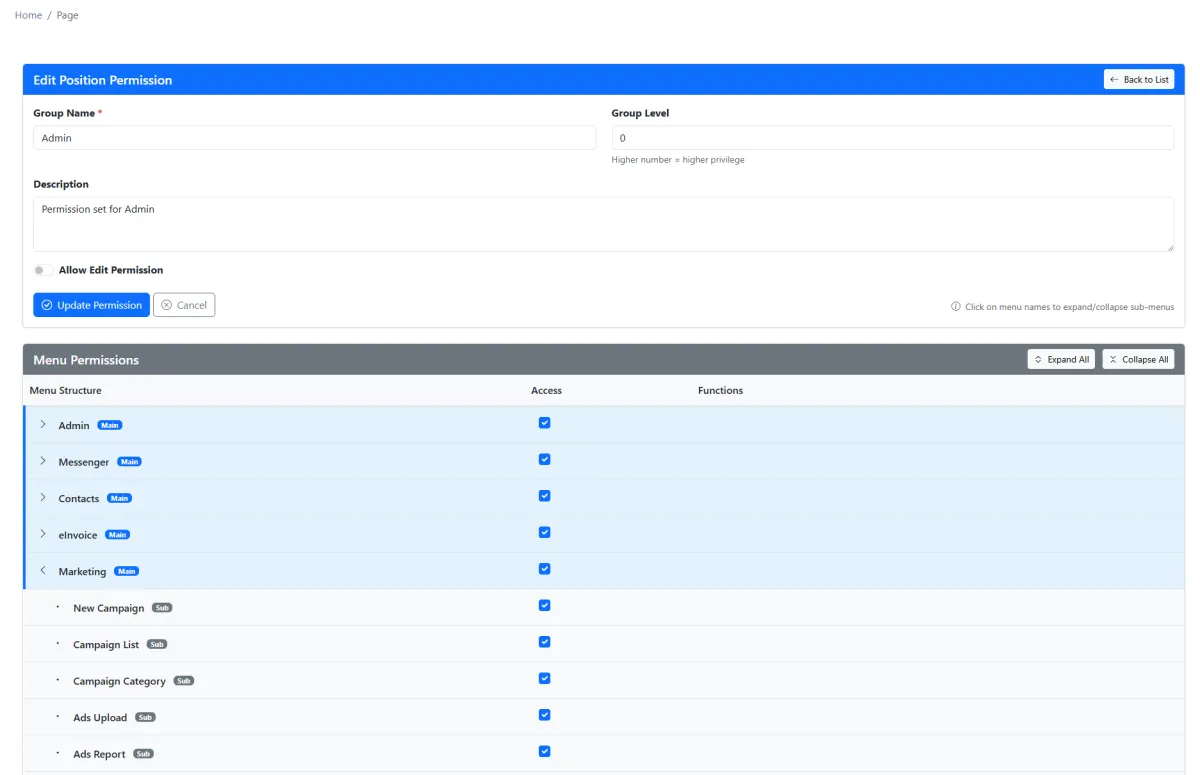
Choose the specific iCRM menu pages available to each permission group.
Maintain the employee’s business email-signature information with the workforce profile.
Keep employee information, documents, dates and access decisions connected in one controlled record.
iCRM connects employee-type policies, personal and employment information, required documents, groups, approvals, access rights and automated reminders so HR and administrators can see what is complete, what is changing and what needs attention.
The employee list supports detailed filtering by status, branch, work pattern, user type, approval information and more. Configure visible columns, perform bulk actions and import employee, badge-number or approval-set data when the workforce must be updated at scale.
Maintain profile, bank, emergency, family, medical, education, documents, portal and other operational information through one tabbed employee record. Employees can update permitted personal details through self-service while controlled HR information remains managed by authorised users.
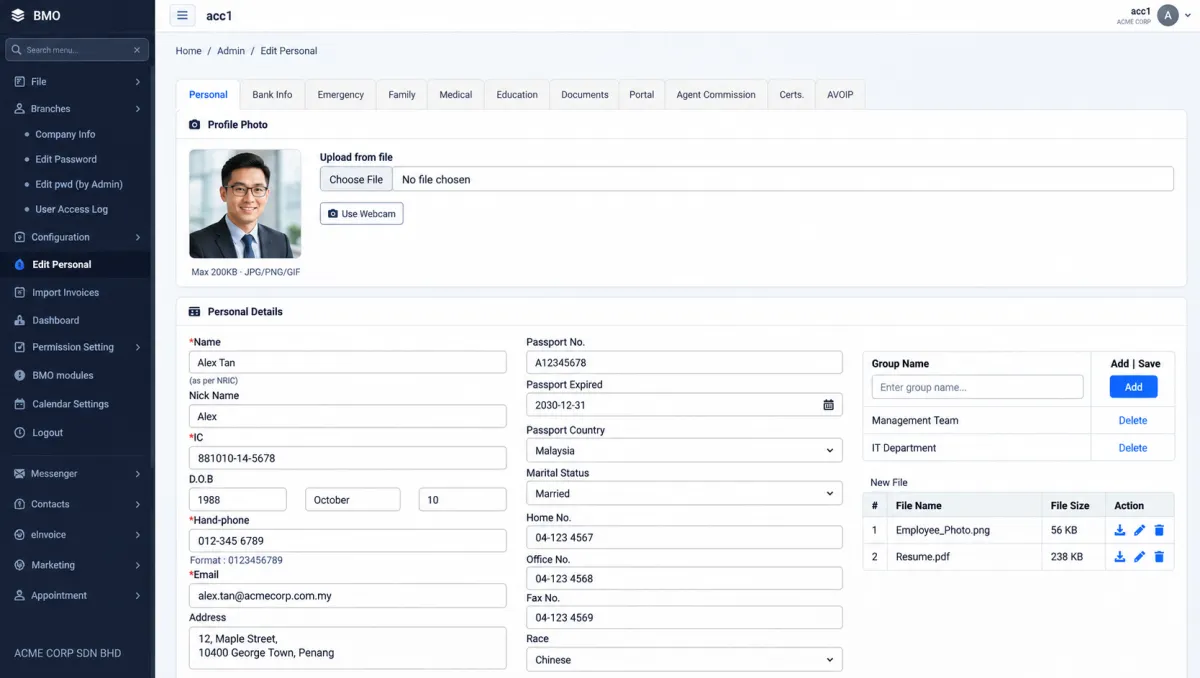
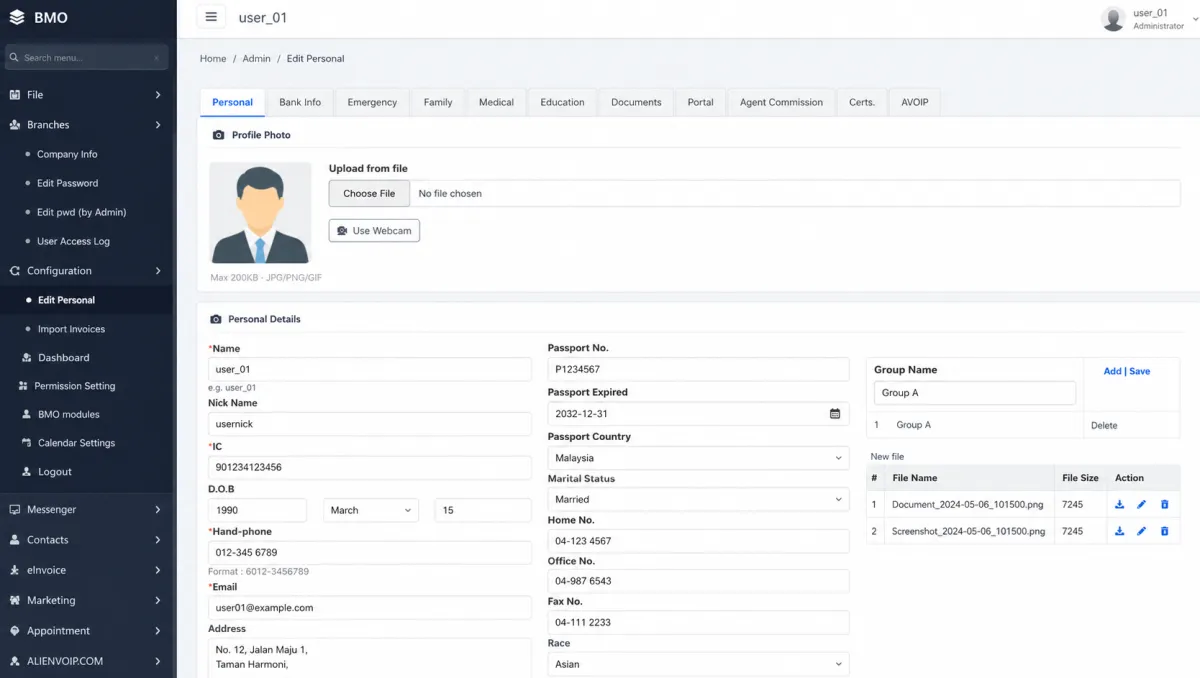
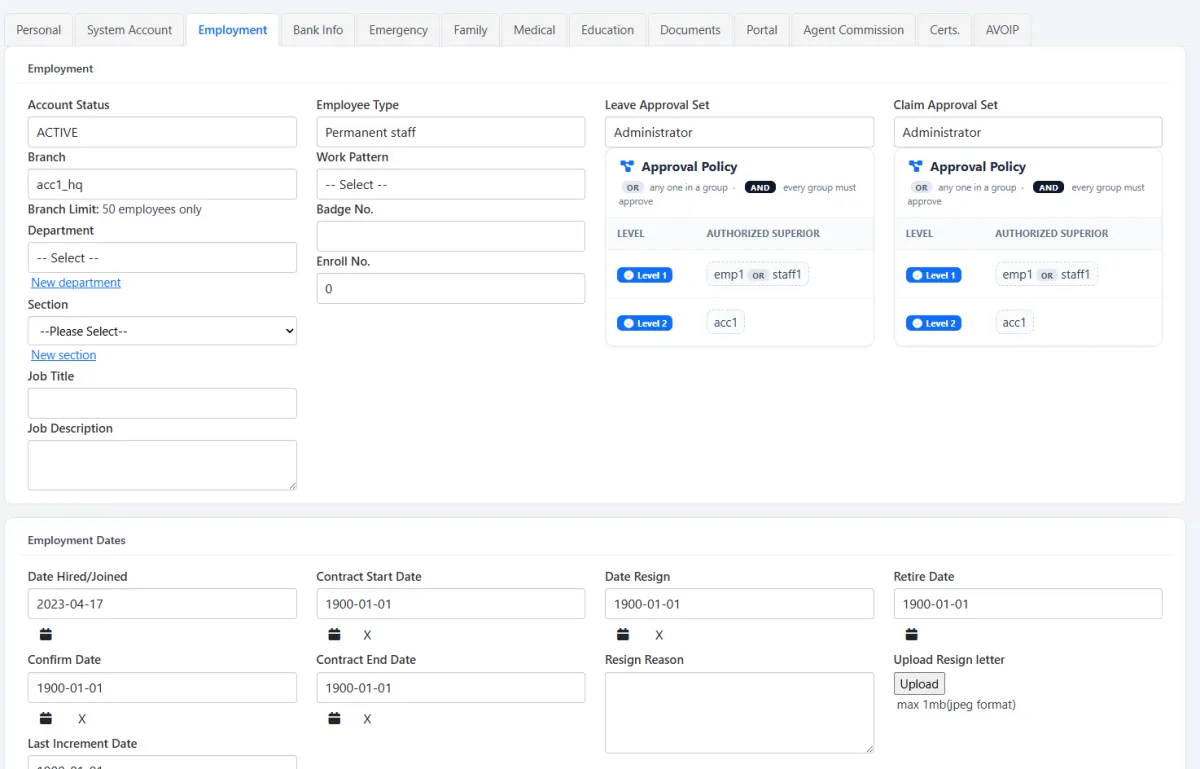
Record employee type, account status, branch, department, section, role and work pattern, then preserve the dates that explain the relationship over time.
Leave and claim approval sets can also be assigned with the authorised-superior route required by the organisation.
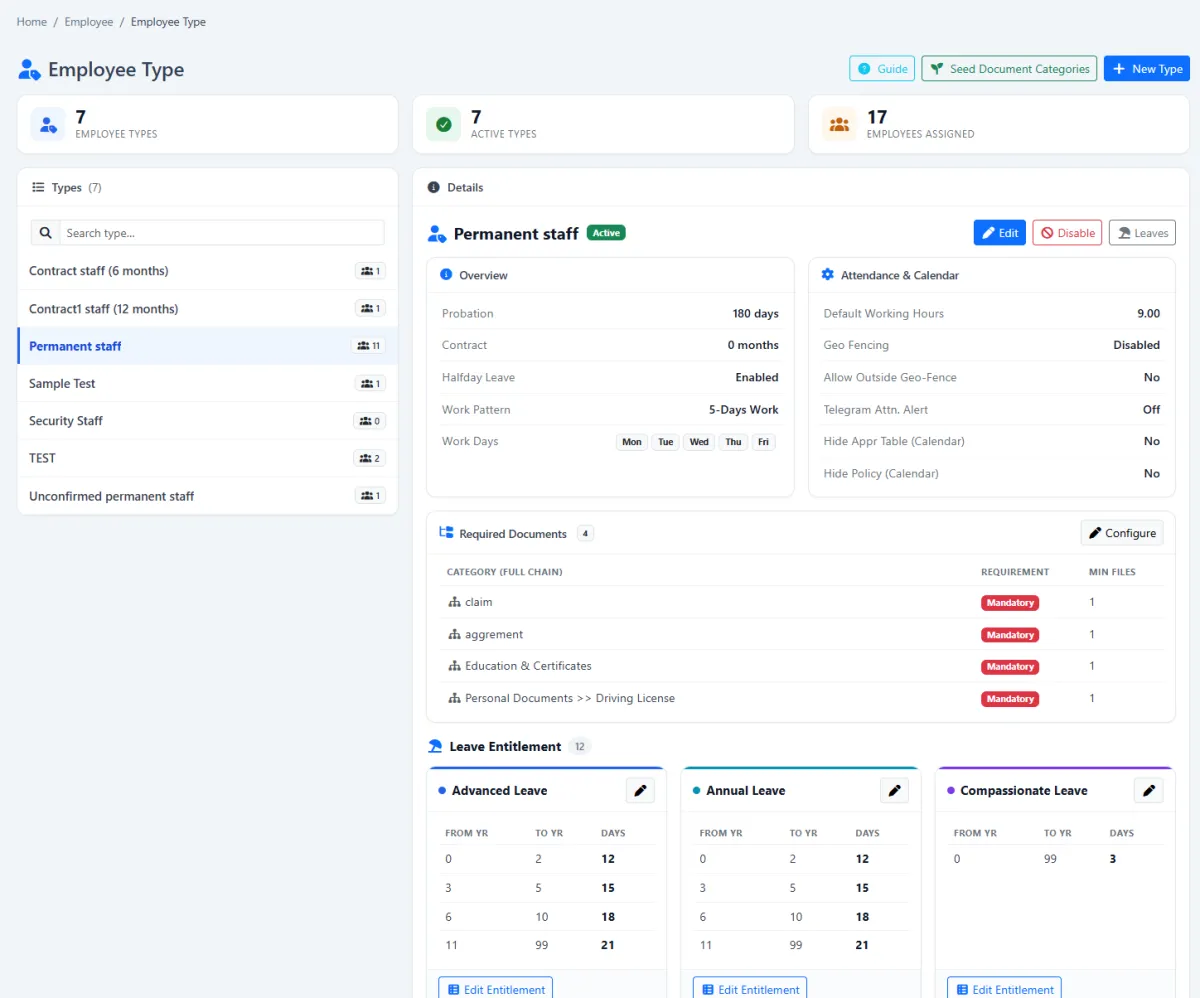
Define probation, contract duration, work pattern, working days, half-day leave and attendance conditions on the employee type. The same type carries leave-entitlement bands and the document categories each employee must fulfil.
Assigning the employee type gives the new employee the corresponding leave eligibility and document-fulfilment requirements.
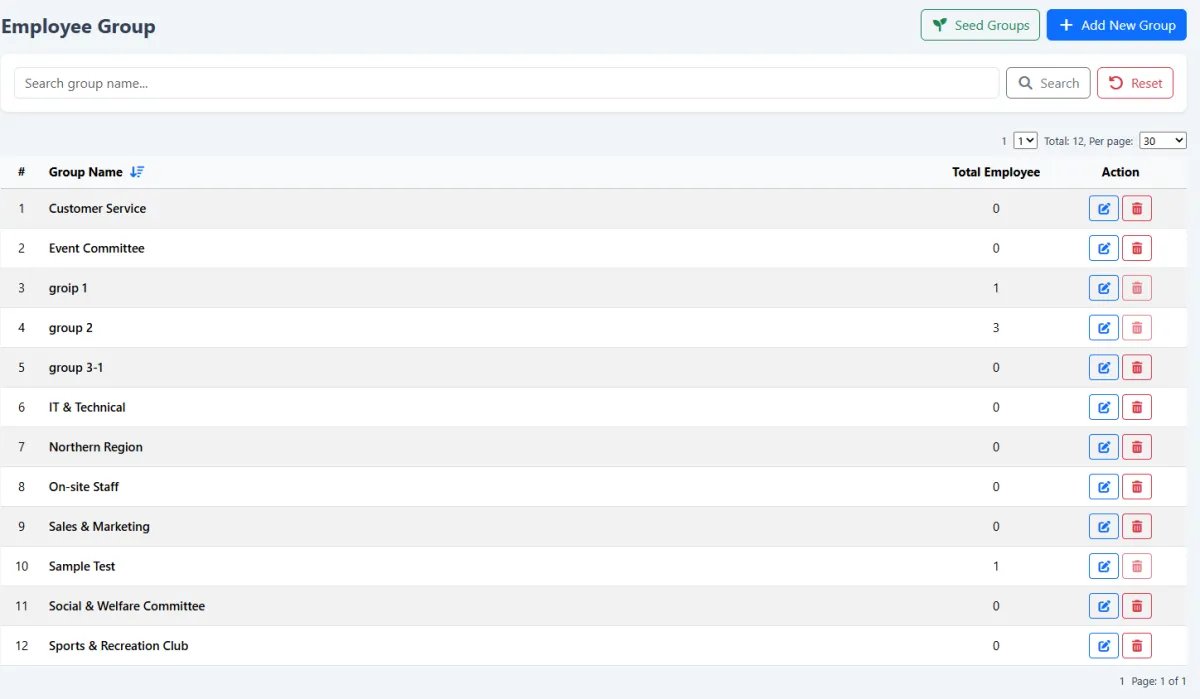
Employee groups provide a flexible layer beyond formal departments and sections. Select multiple employees and adjust group membership together, making it practical to maintain regional, functional or project-based audiences.
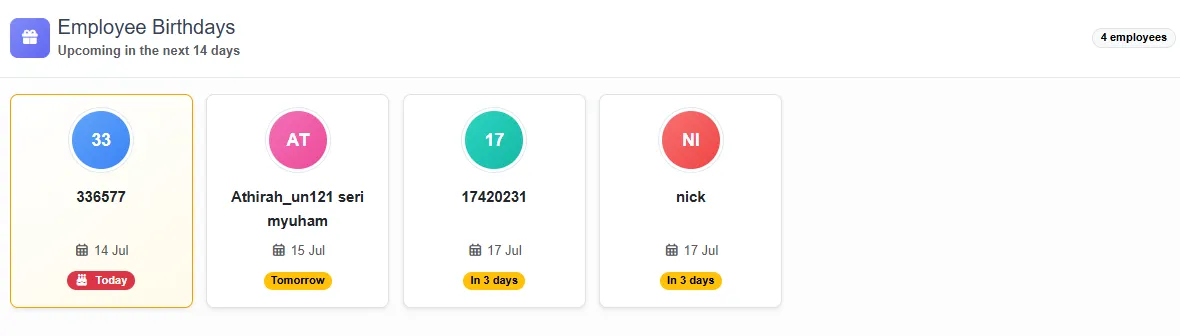
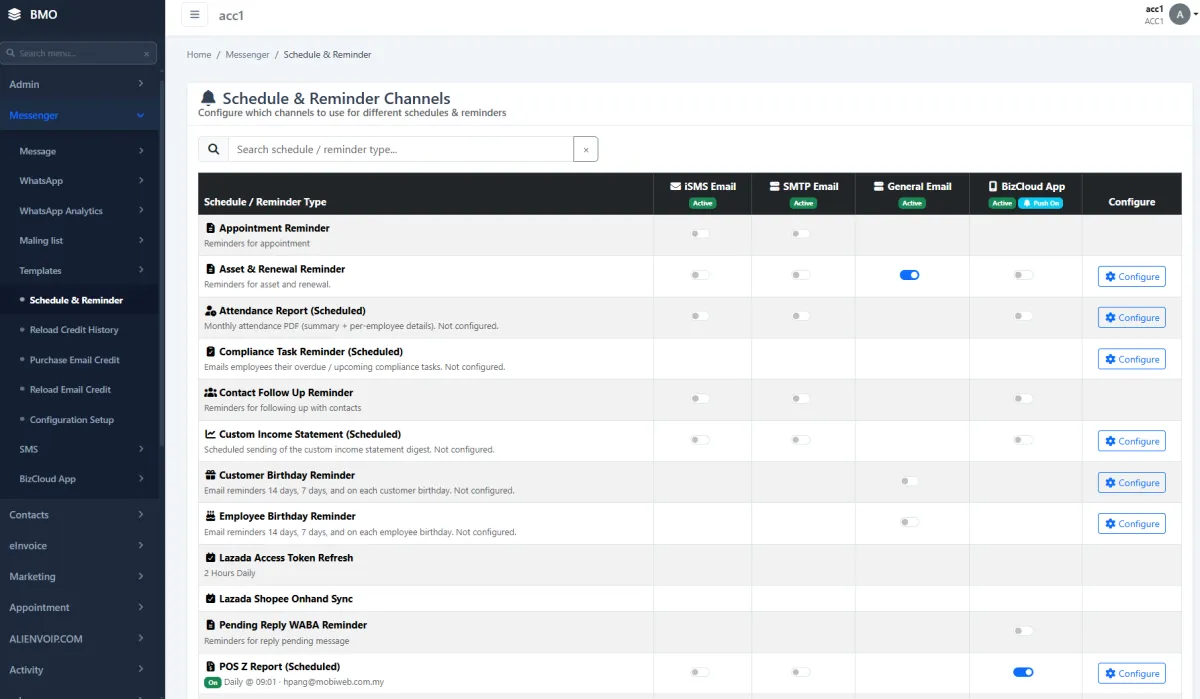
Upcoming employee birthdays can appear in the administrator widget. The central reminder channel can also schedule an automatic email to administrators, creating a dependable prompt without requiring someone to inspect the employee database every day.
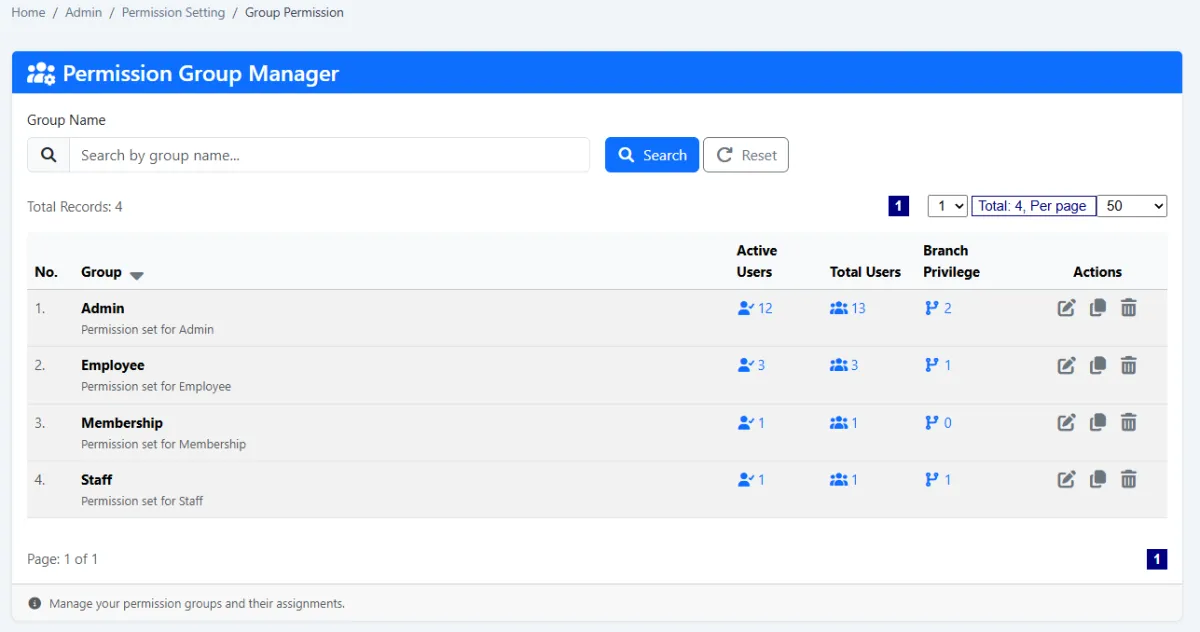
Create permission groups that represent real job responsibilities, choose the specific menu pages each group may use and assign the correct group from the employee record. Established groups make onboarding and responsibility changes more consistent.
Configure the reusable HR rules first, then let each employee record inherit a consistent foundation.
Set probation, contract, work-pattern, attendance and other type conditions.
Configure entitlement bands plus mandatory document categories and minimum files.
Create the employee record or import workforce and related assignment data in bulk.
Add personal, employment, lifecycle-date, approval, file and certificate information.
Assign branch, department, section and flexible geographic or functional groups.
Choose the permission group that provides the employee’s required menu pages.
Use employee self-service for permitted data and keep email-signature information current.
Check document fulfilment, employment milestones and automatic birthday notifications.
Explore how the screens and functions in Employee Management support setup, daily operations and continuous improvement.
Maintain a central, searchable list of workforce records.
Find employees by identity, status, branch, work pattern, user type, approval set and other employee information.
Choose the employee information shown in the working list.
Bring employee, badge-number and approval-set information into the database in bulk.
Maintain personal, bank, emergency, family, medical, education, employment and other operational information.
Upload an employee photograph from a file or supported camera capture.
Let employees securely edit their own permitted personal information.
Maintain identity, date of birth, phone, email, address and other profile information.
Record account status, branch, department, section, job title, description, badge and employee type.
Track hire or join date, contract start and end, confirmation, resignation, retirement and increment dates.
Store resignation reason and supporting resignation letter where applicable.
Assign the approval sets and authorised-superior flow used for leave and claims.
Define probation, contract duration, half-day leave, work pattern, work days and attendance-related conditions.
Set leave entitlement rules on the employee type so new employees inherit the correct eligibility.
Define which document categories each employee type must fulfil.
Mark certificates, agreements, forms and other records as mandatory and set a minimum file count.
See required-document completion directly from the employee list.
Store employee-related files with the employee record.
Keep education, professional and other employee certificates in the employee document area.
Group employees by geography, function, team or another operational purpose.
Adjust group membership for multiple employees at the same time.
Show upcoming employee birthdays to administrators.
Schedule an email to administrators through the reminder channel.
Assign the employee to the access group that matches their responsibility.
Choose the specific iCRM menu pages available to each permission group.
Maintain the employee’s business email-signature information with the workforce profile.
Keep employee information, documents, dates and access decisions connected in one controlled record.
Create employee types, work conditions, leave rules and mandatory documents.
Add or import the employee and complete personal, employment, date and file information.
Assign department, section, groups, approval sets and menu permissions.
Use self-service, document checks, birthday reminders and lifecycle updates.
Tell us how your team works today. We’ll demonstrate the modules that matter most.
Book your personalised demo →