Quotation items
Use the item master when building customer quotations and analysing quoted-item closing performance.
Build items for quotations and service records, organise parent-child categories and types, add configurable options and composite sets, control prices across locations and periods, and trace stock through serials, receiving batches, on-hand summaries and transactions.
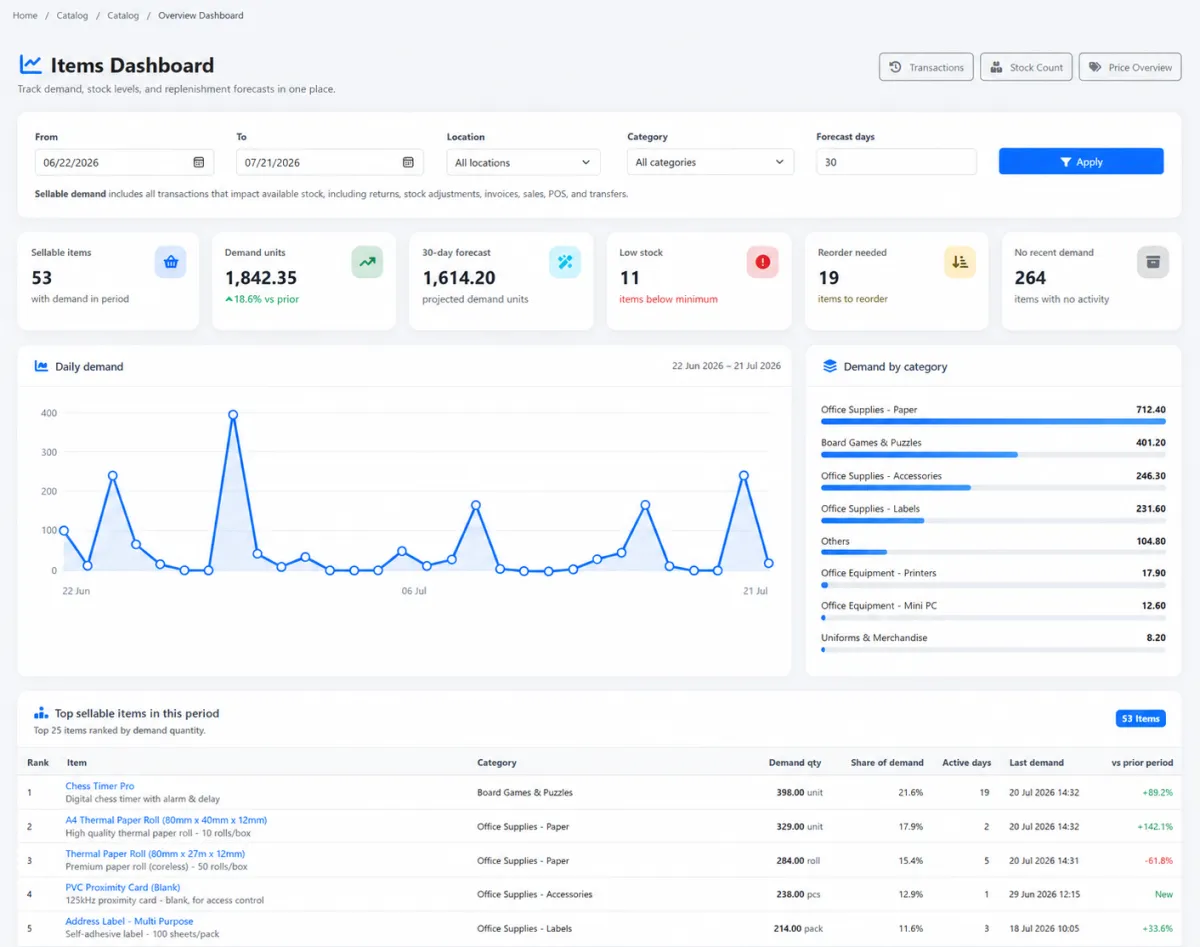
Build items for quotations and service records, organise parent-child categories and types, add configurable options and composite sets, control prices across locations and periods, and trace stock through serials, receiving batches, on-hand summaries and transactions.
Use the item master when building customer quotations and analysing quoted-item closing performance.
Link products and items to service records, problem management and after-sales work.
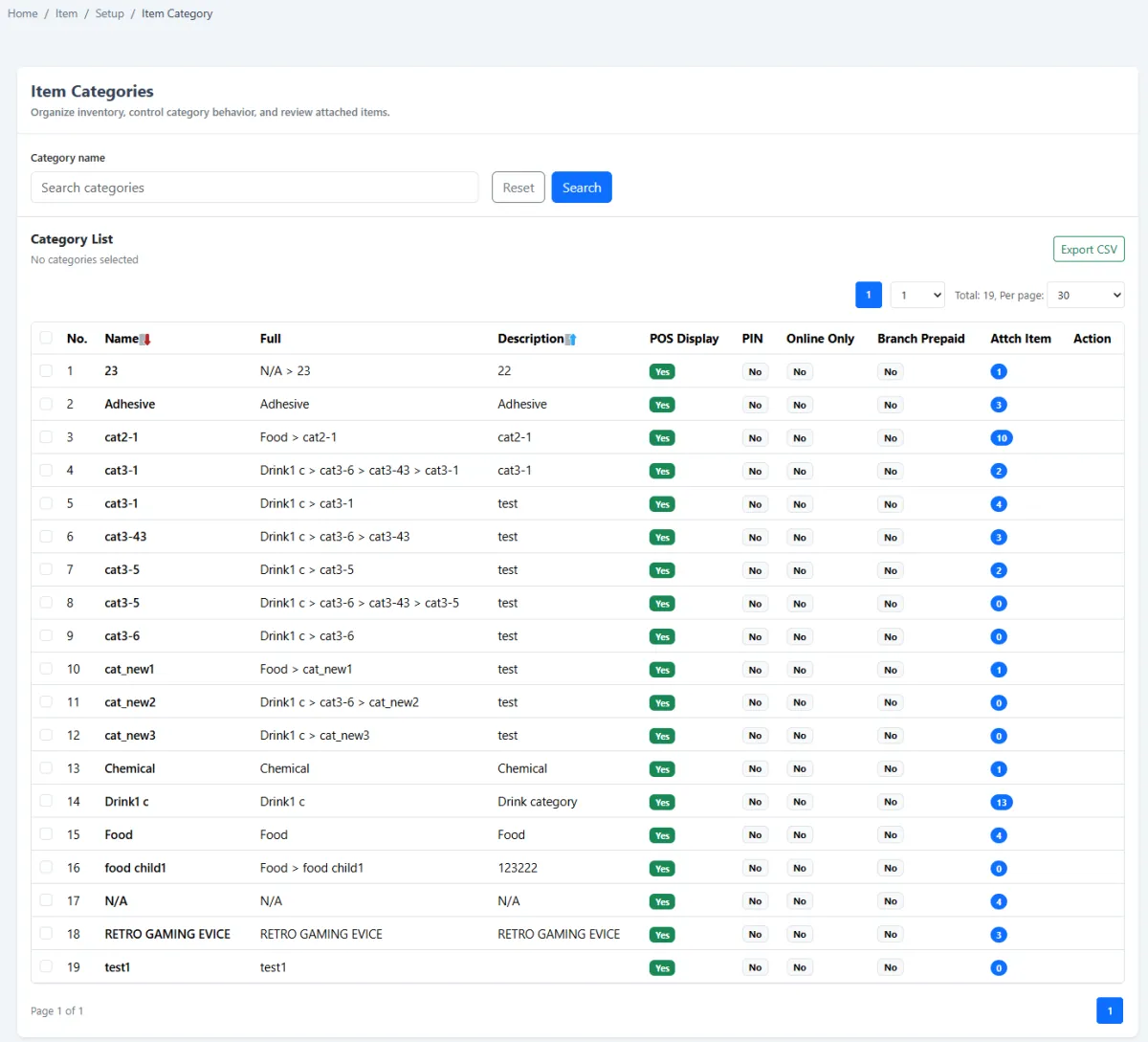
Create item categories with parent categories for a scalable catalogue hierarchy.
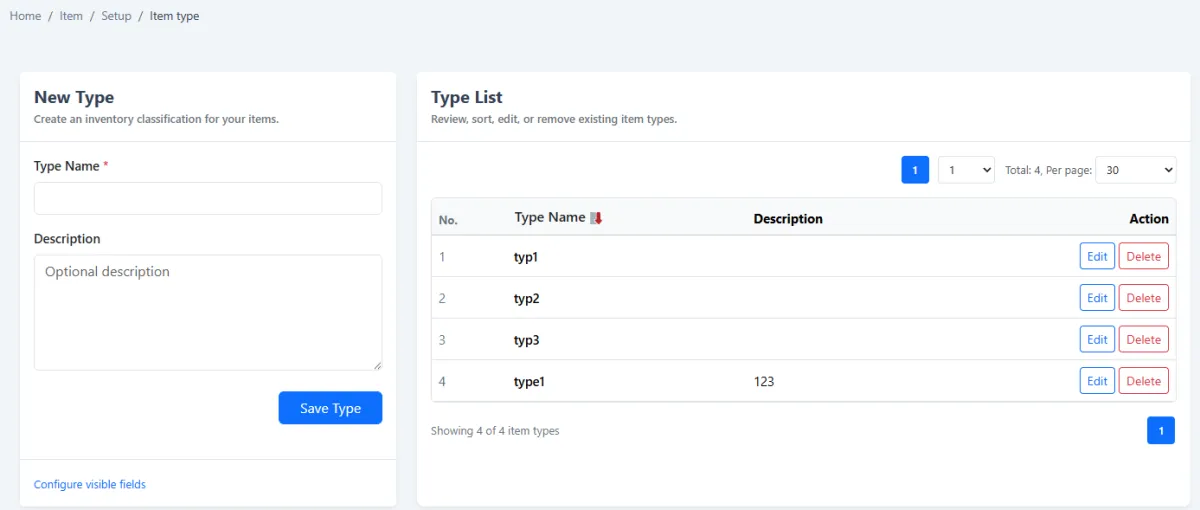
Define the types used to classify how different items behave.
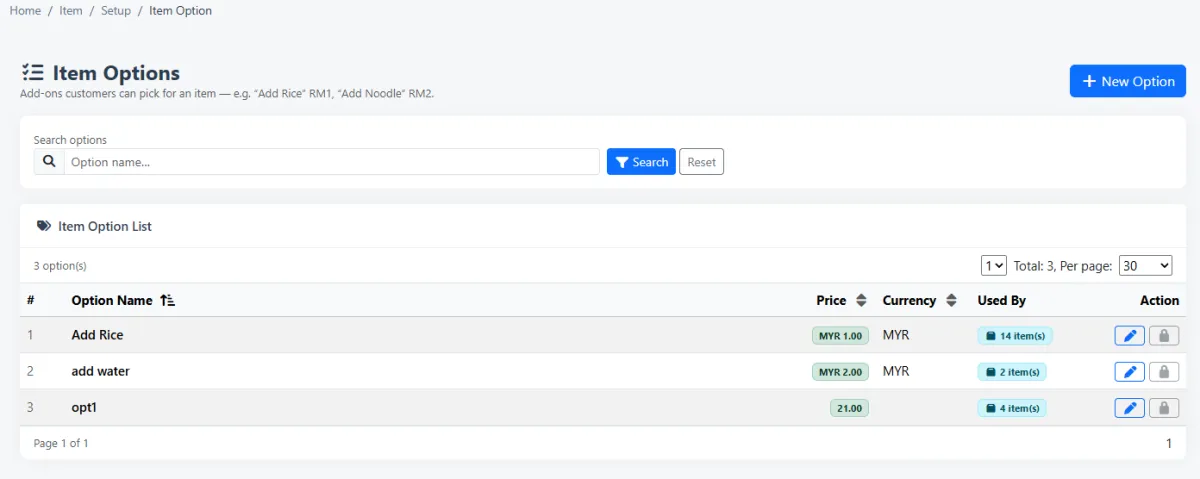
Let a sellable item offer selectable additions, substitutions or upgrades.
Attach a price change to an option—for example add rice for RM 1 or noodles for RM 2.
Collect several items and sell them together as one set.
Create the sellable set as a composite item from the composite tab in the item editor.
Assign more than one valid price to the same item.
Apply different prices by branch or stock location.
Control item prices for a defined time period.
Apply item prices according to membership category.
Review the prices assigned across the item catalogue.
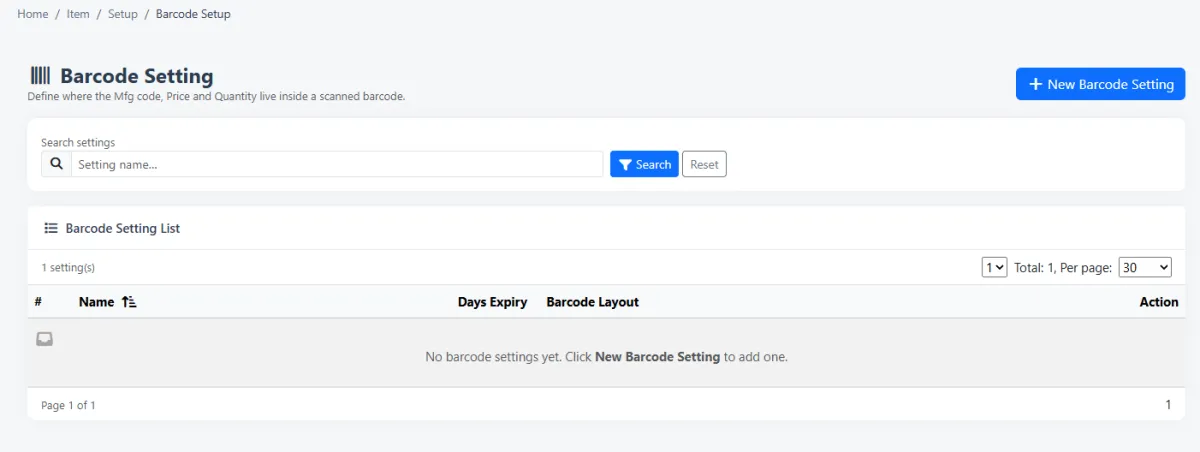
Set the barcode positions used when a scanned code must be split into meaningful parts.
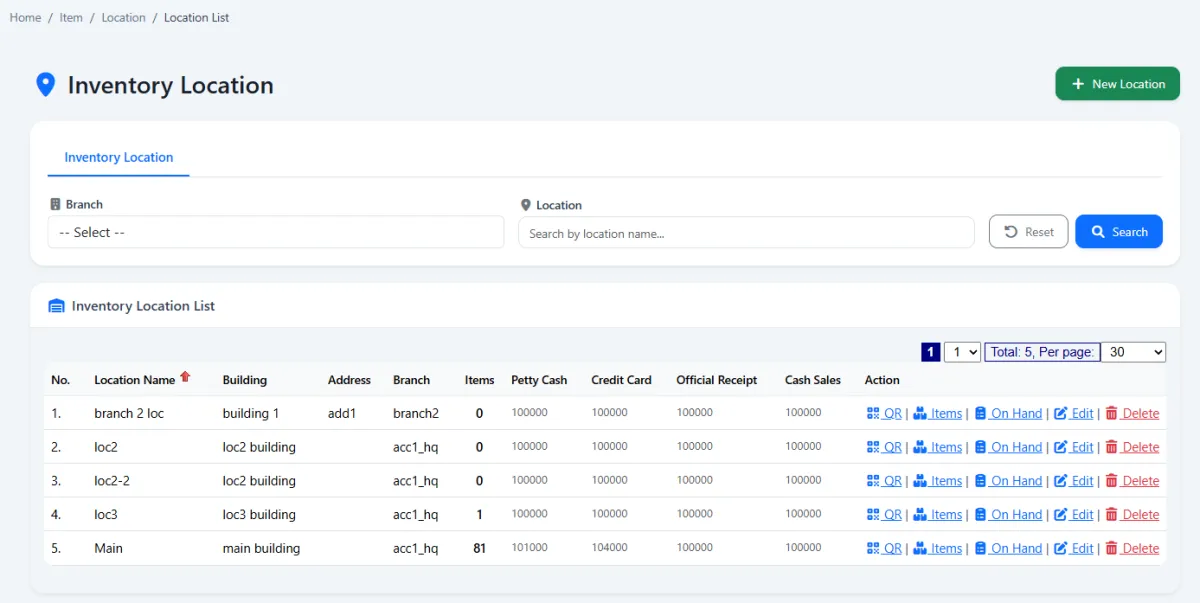
Define where items are held, typically using locations as branches.
Search, maintain and print the full item catalogue.
Control item information, sales behaviour, stock settings, serial control and composite structure.
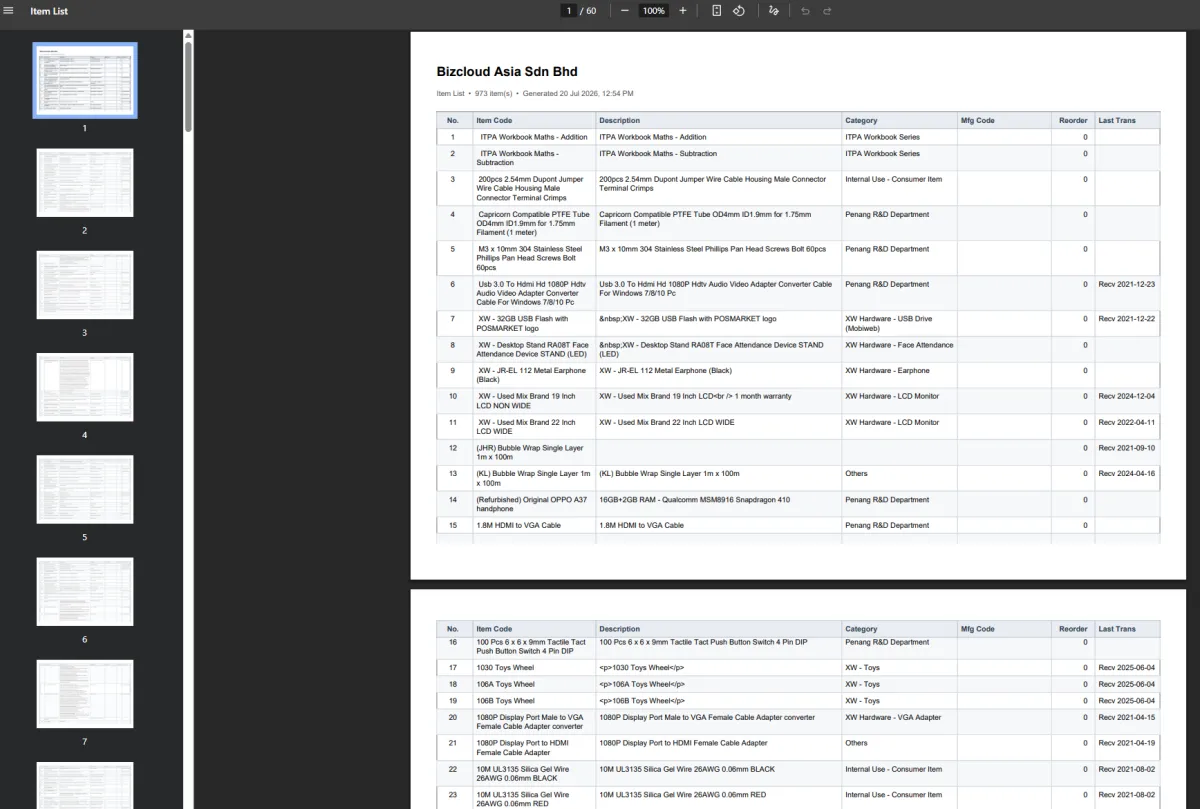
Produce a printable PDF of the item list for sharing or offline reference.
Enable serial control on the item before receiving individually traceable units.
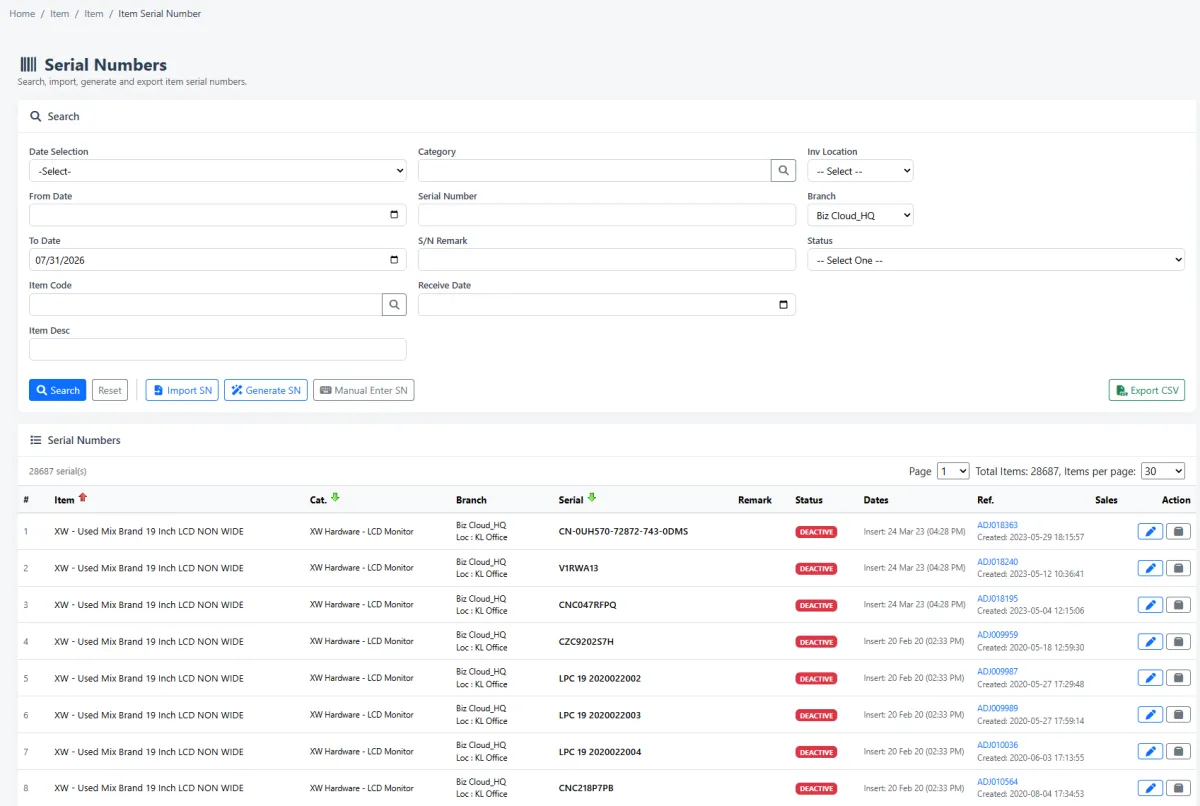
Review the serial numbers recorded for controlled items.
Enter the serial-number list when serial-controlled items are received.
Treat every receipt as one batch regardless of the number of items included.
Review received batches as a traceable record of stock intake.
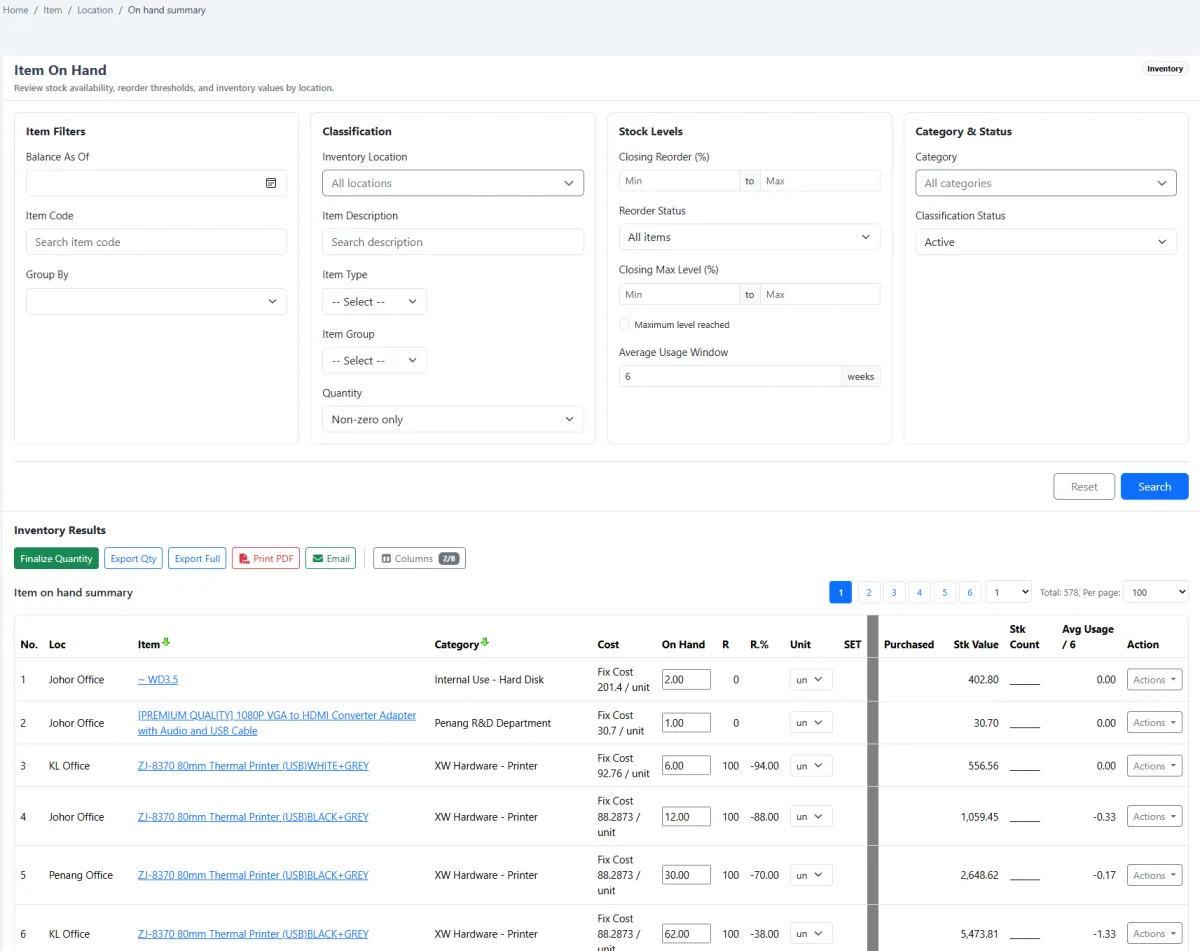
See item quantities currently available across the inventory.
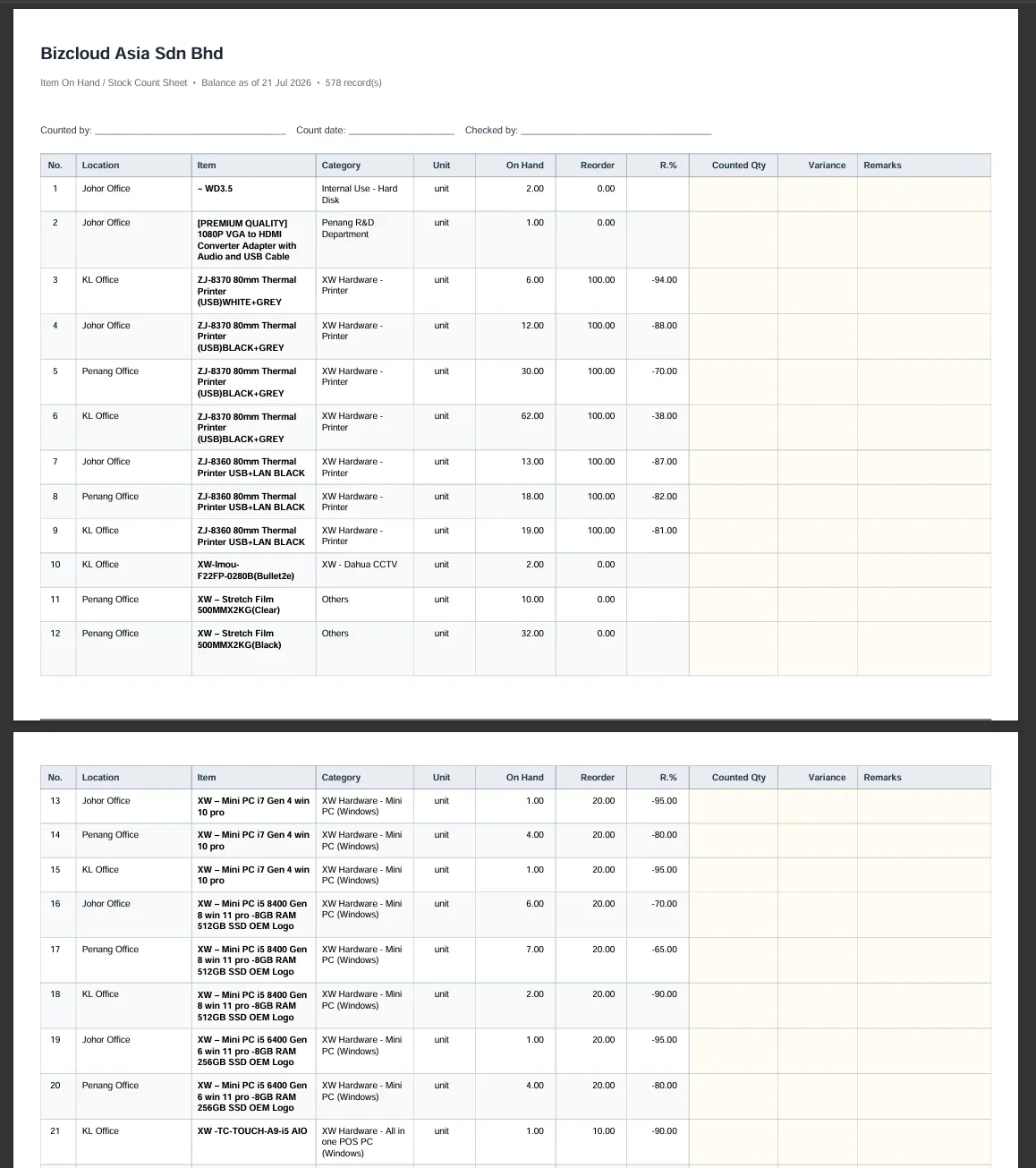
Print the on-hand summary as the working document for a physical stock count.
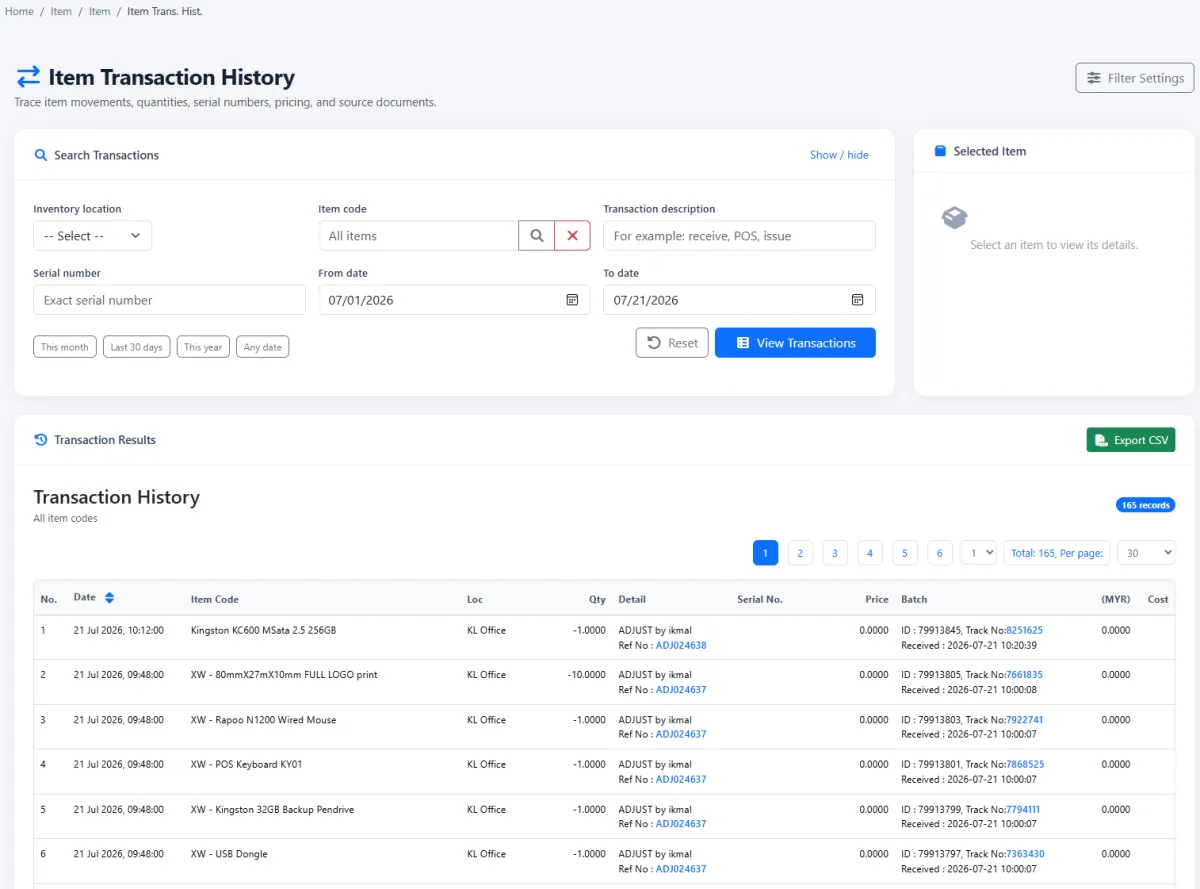
Trace item movements and understand how stock reached its current balance.
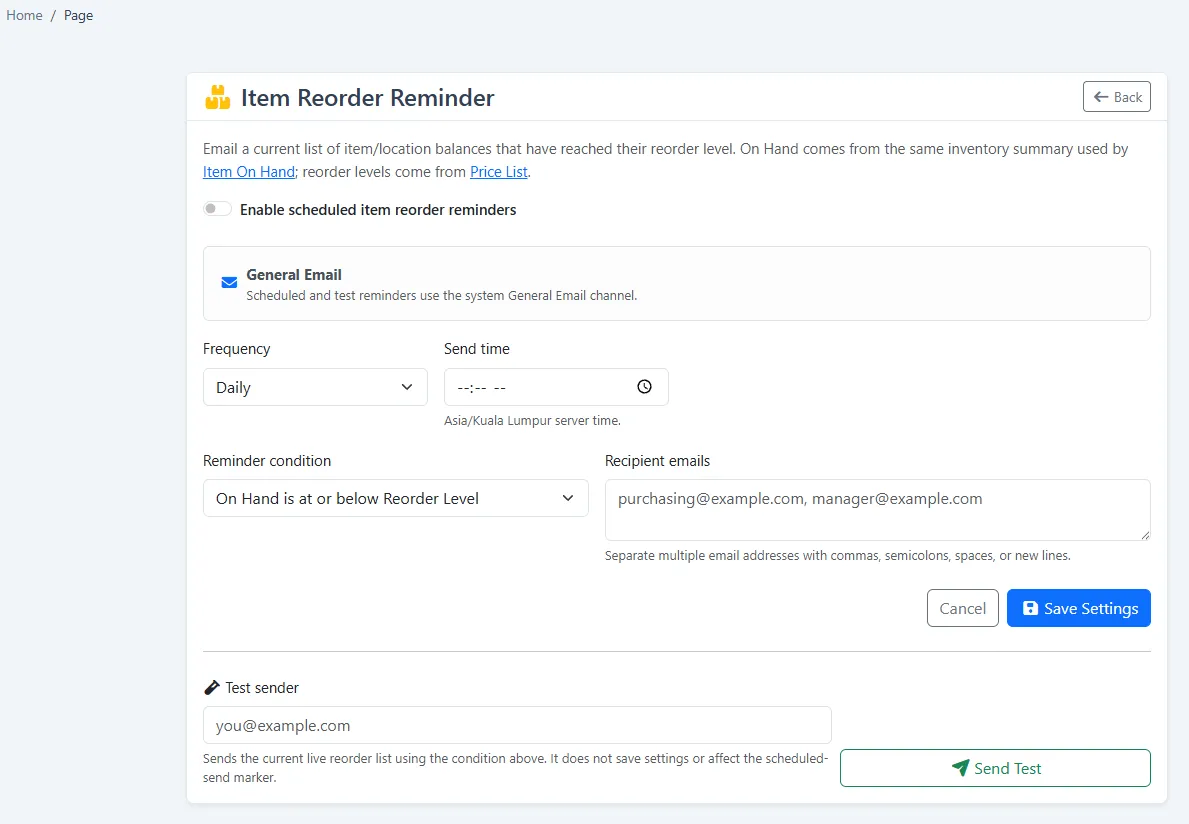
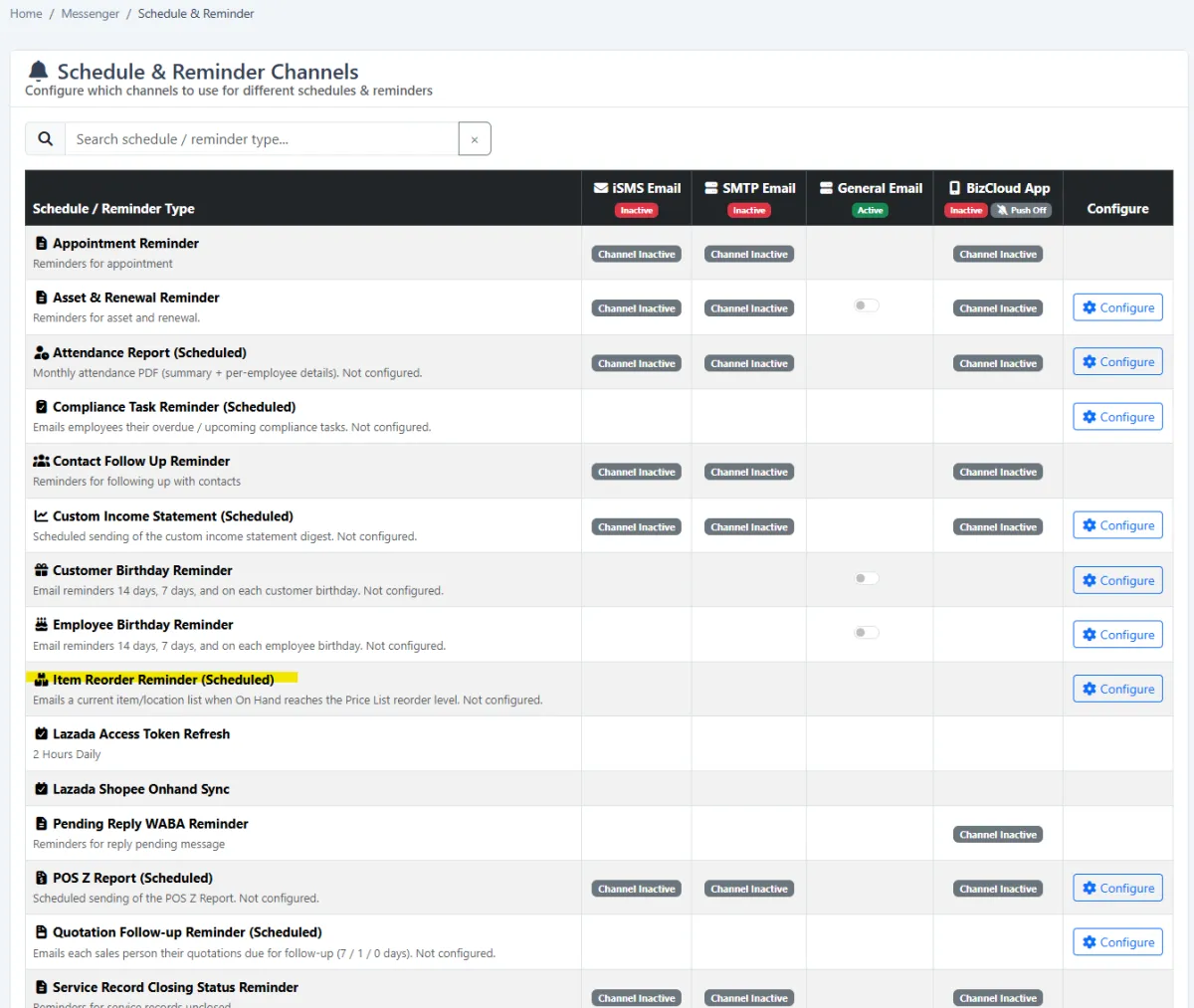
Schedule reorder alerts through the reminder-channel configuration.
Notify the responsible team when item stock requires replenishment.
See which items are sellable in the selected period.
Use selling, stock and transaction data to plan the next period and investigate fast movers, slow movers, location demand and replenishment needs.
iCRM connects the item master to quotations, service records, pricing, serial and batch control, branch stock, reorder communication and period-based performance insight.
Select consistent catalogue items and prices when preparing proposals, then review item-level closing performance.
Explore quotation management → AFTER-SALES CONNECTIONConnect the product, known problems and service history so support work retains the commercial context.
Explore service records →Create a catalogue structure that can grow. Categories may have parent categories, while item types provide another clear definition for how the organisation classifies its products and services.
Use item options when a customer can customise the purchase—for example adding rice for RM 1 or noodles for RM 2. Collect several items into a set by creating a composite item, then maintain multiple prices by location, valid period or membership category.
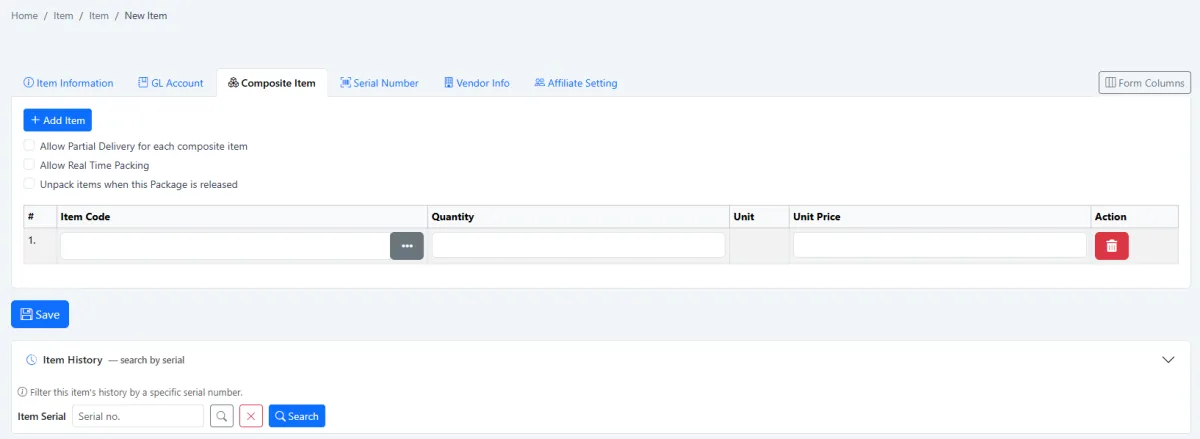
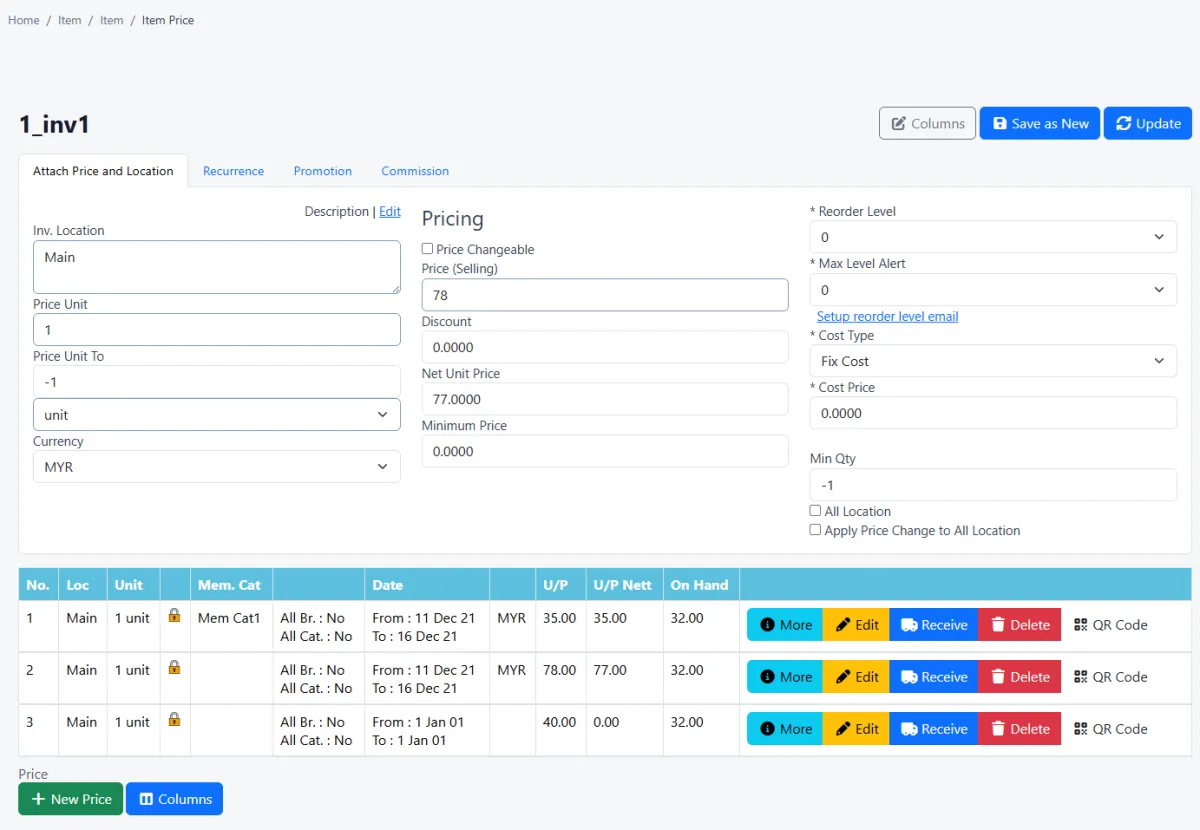
Use the item list as the central working view, open the detailed editor to control sales, stock, serial and composite settings, and generate a PDF item list when an offline or shareable reference is required.
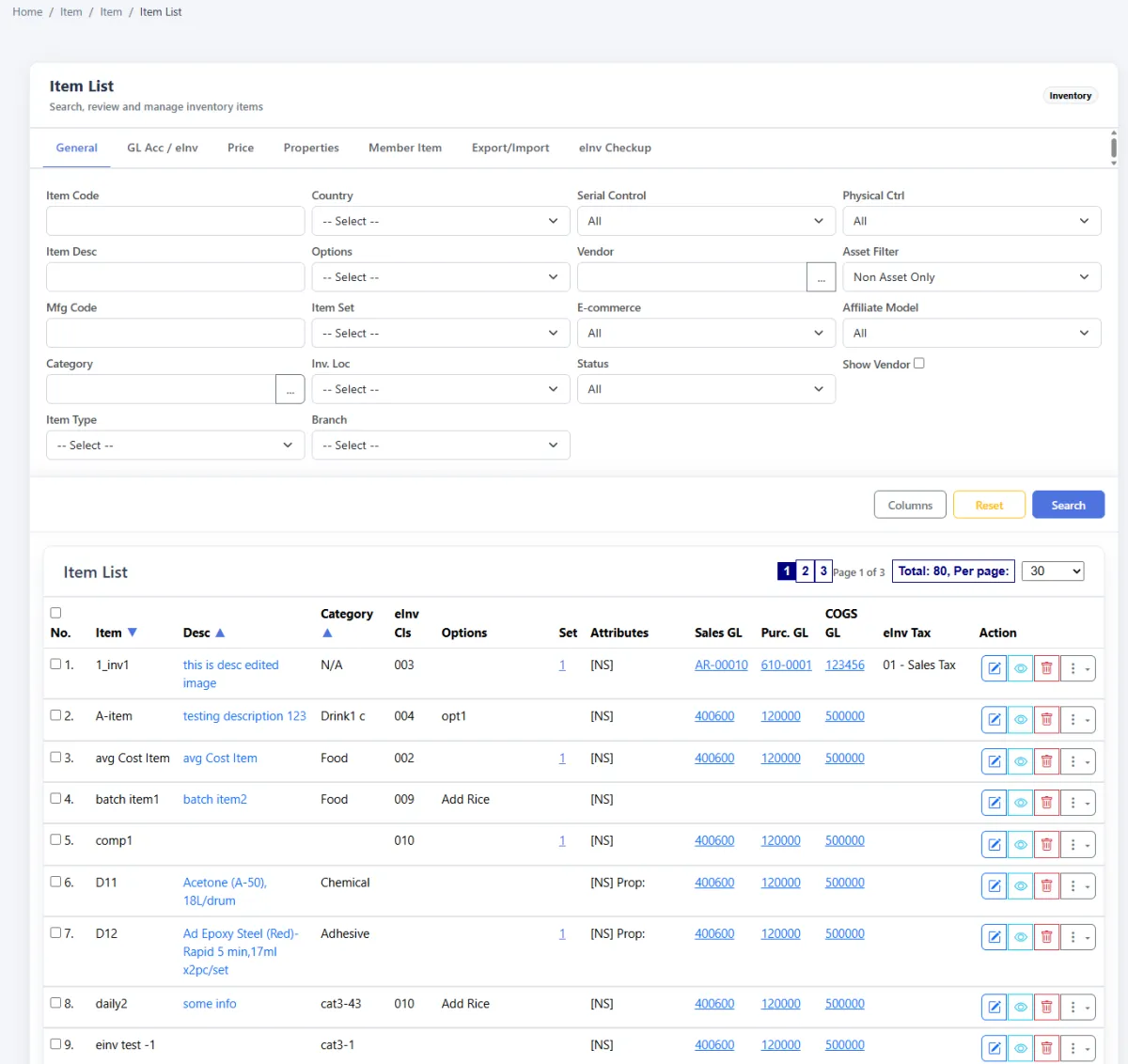
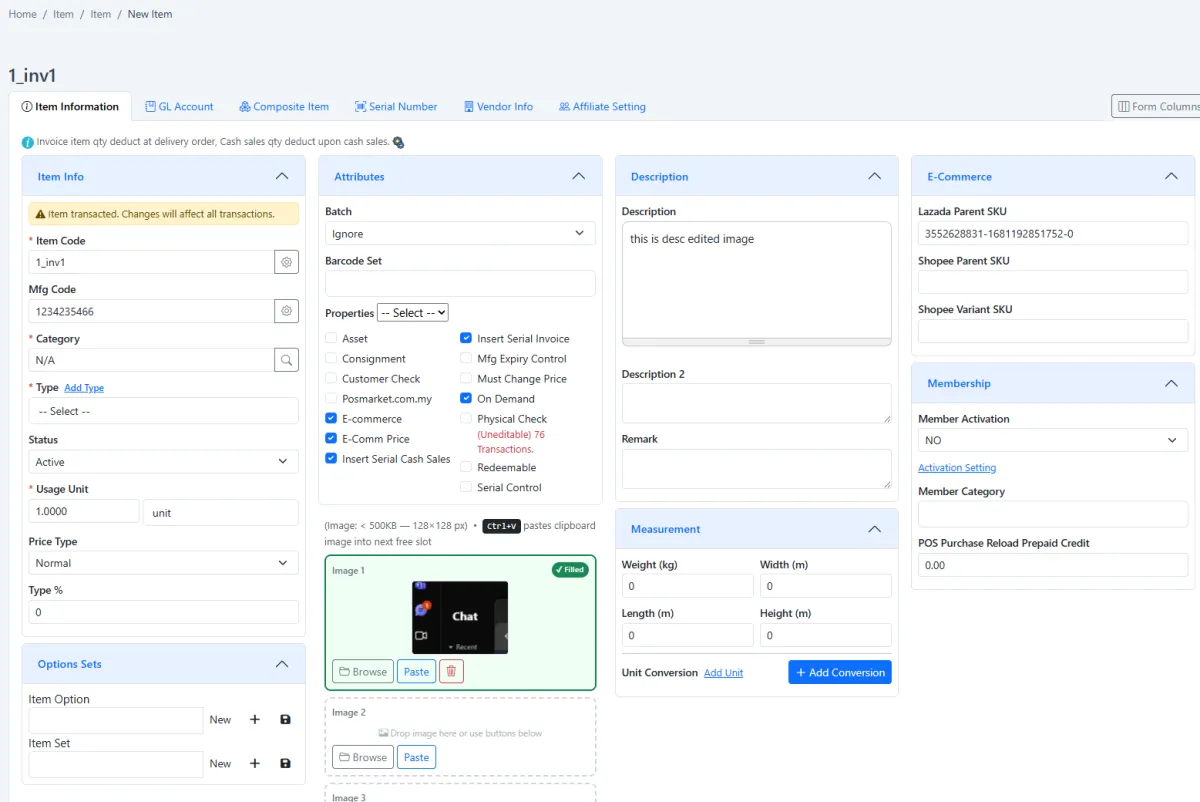
Configure barcode splitting positions when sections of a scanned code carry different information. Define the locations where items are held—most commonly branches—so pricing and on-hand quantities can be understood in the right operational context.
Enable the serial-control flag in the item editor before receiving. When stock arrives, enter its serial-number list. Every receiving transaction becomes one batch, regardless of how many items it contains, giving the team a clear intake history.
One receiving transaction = one batch, whether the receipt contains one unit or many units.
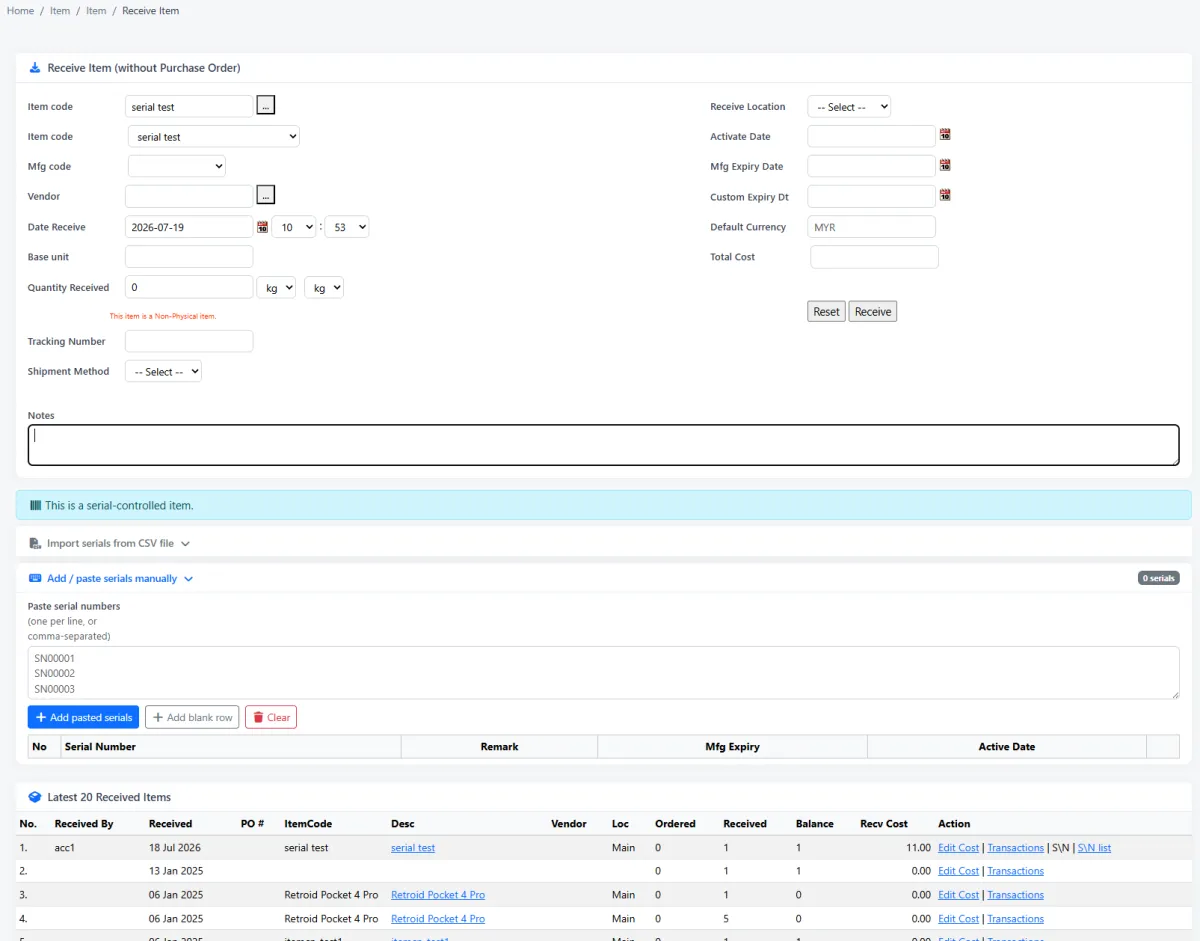
Use the on-hand summary for stock visibility and print it as a physical stock-count worksheet. Configure reorder reminders through the central reminder channel so responsible colleagues receive an email when replenishment action is needed.
Transaction history explains how an item reached its current balance. The items dashboard then shows sellability and period performance for forward planning.
Build a reliable item master first, then let pricing, receiving and reporting use the same connected information.
Create parent-child categories and the item types used by the organisation.
Complete the item profile and set sales, stock and serial-control behaviour.
Configure paid choices or build a composite item when several items sell together.
Create the prices required by location, valid period and membership category.
Define stock locations and barcode splitting rules where applicable.
Record each receipt as a batch and enter serial numbers for controlled items.
Review available quantity and print the summary for a physical stock count.
Configure reminder rules and email the responsible team when stock needs attention.
Use transactions and the items dashboard to plan sellability, stock and pricing for the next period.
Explore how the screens and functions in Items & Inventory support setup, daily operations and continuous improvement.
Use the item master when building customer quotations and analysing quoted-item closing performance.
Link products and items to service records, problem management and after-sales work.
Create item categories with parent categories for a scalable catalogue hierarchy.
Define the types used to classify how different items behave.
Let a sellable item offer selectable additions, substitutions or upgrades.
Attach a price change to an option—for example add rice for RM 1 or noodles for RM 2.
Collect several items and sell them together as one set.
Create the sellable set as a composite item from the composite tab in the item editor.
Assign more than one valid price to the same item.
Apply different prices by branch or stock location.
Control item prices for a defined time period.
Apply item prices according to membership category.
Review the prices assigned across the item catalogue.
Set the barcode positions used when a scanned code must be split into meaningful parts.
Define where items are held, typically using locations as branches.
Search, maintain and print the full item catalogue.
Control item information, sales behaviour, stock settings, serial control and composite structure.
Produce a printable PDF of the item list for sharing or offline reference.
Enable serial control on the item before receiving individually traceable units.
Review the serial numbers recorded for controlled items.
Enter the serial-number list when serial-controlled items are received.
Treat every receipt as one batch regardless of the number of items included.
Review received batches as a traceable record of stock intake.
See item quantities currently available across the inventory.
Print the on-hand summary as the working document for a physical stock count.
Trace item movements and understand how stock reached its current balance.
Schedule reorder alerts through the reminder-channel configuration.
Notify the responsible team when item stock requires replenishment.
See which items are sellable in the selected period.
Use selling, stock and transaction data to plan the next period and investigate fast movers, slow movers, location demand and replenishment needs.
Define categories, types, options, item details and composite sets.
Assign location, period or membership pricing and configure branches and barcodes.
Receive serial-controlled items by batch and monitor on-hand stock and transactions.
Use items in quotations and service, then review reorder signals and dashboard performance.
Tell us how your team works today. We’ll demonstrate the modules that matter most.
Book your personalised demo →