Two connected companion experiences
Serve external learners through Tutor Companion and mobile employees through BizCloud App without exposing the main administrative workspace.
Give students a branded Tutor Companion web app for login, payments, attendance, live interaction and assessments, while mobile employees use BizCloud App to create service records and monitor service performance from Android or iPhone.
Give students a branded Tutor Companion web app for login, payments, attendance, live interaction and assessments, while mobile employees use BizCloud App to create service records and monitor service performance from Android or iPhone.
Serve external learners through Tutor Companion and mobile employees through BizCloud App without exposing the main administrative workspace.
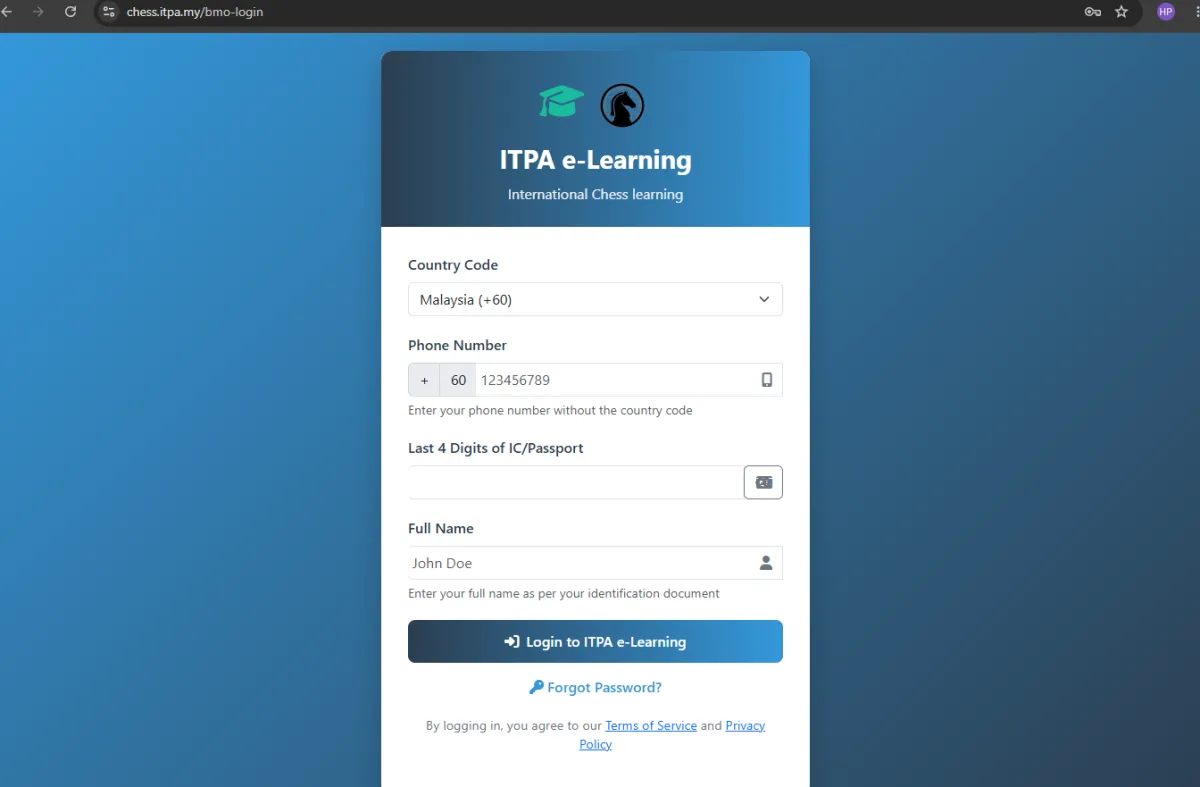
Provide a programme-specific web address such as chess.itpa.my with the organisation’s learning identity.
Let students enter with their country code, phone number, identification check and registered name.
Provide a direct recovery route when a participant cannot access the companion portal.
Use the participant’s event or class validity to control how long companion access remains active.
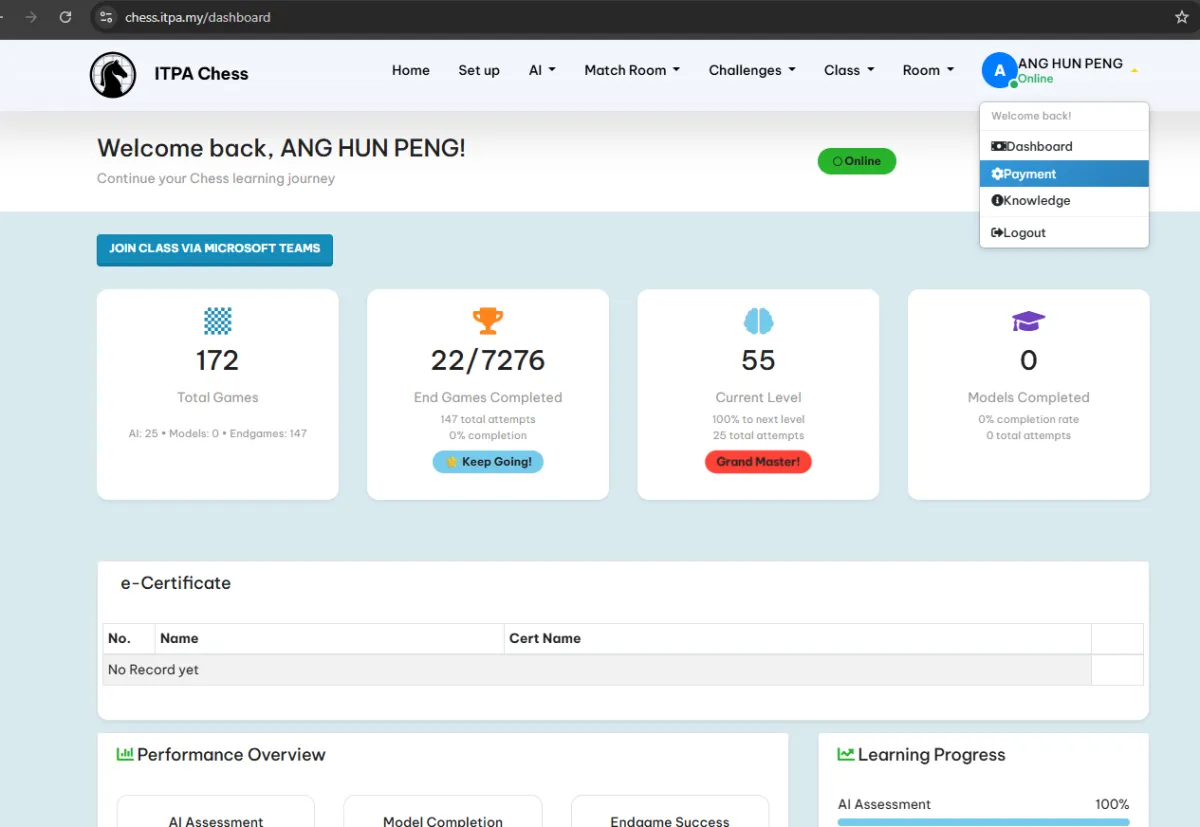
Let an authenticated participant open the payment area and settle programme charges.
Return successful companion payment to the participant record when the configured payment gateway is used.
Give signed-in participants a route to view or download their payment receipt.
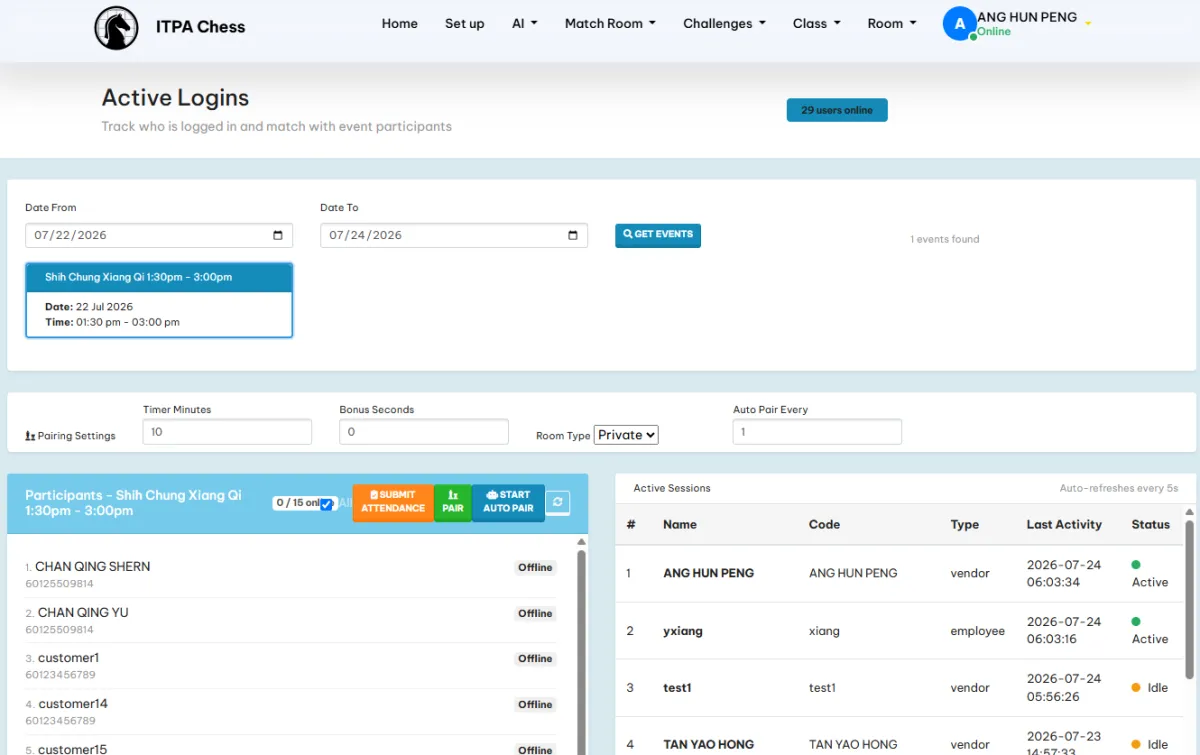
Use current portal logins as an automatic attendance signal for the corresponding class or event.
Review who is presently signed in, their access time and the related participation activity.
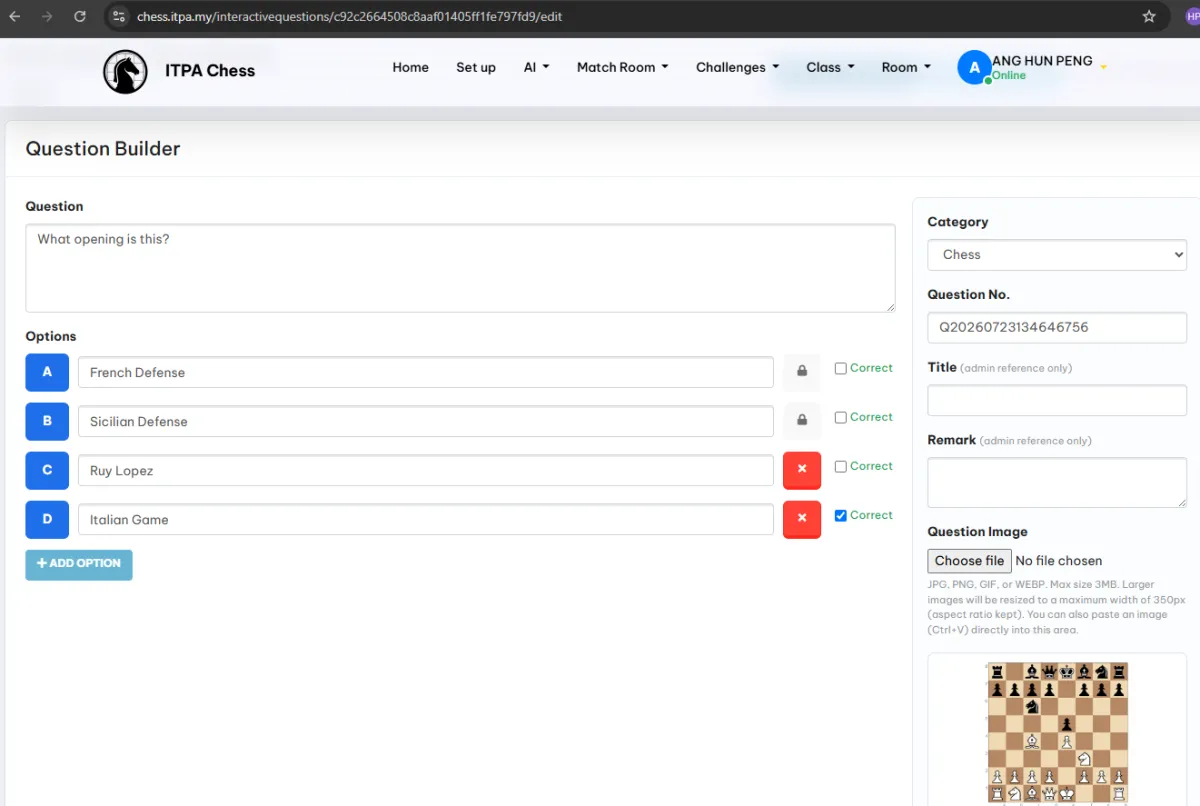
Build reusable interactive questions for use during a live lesson.
Prepare response choices and supporting question content for the session.
Open a session and publish the current question to connected students.
Let each student respond from their own phone, tablet or browser.
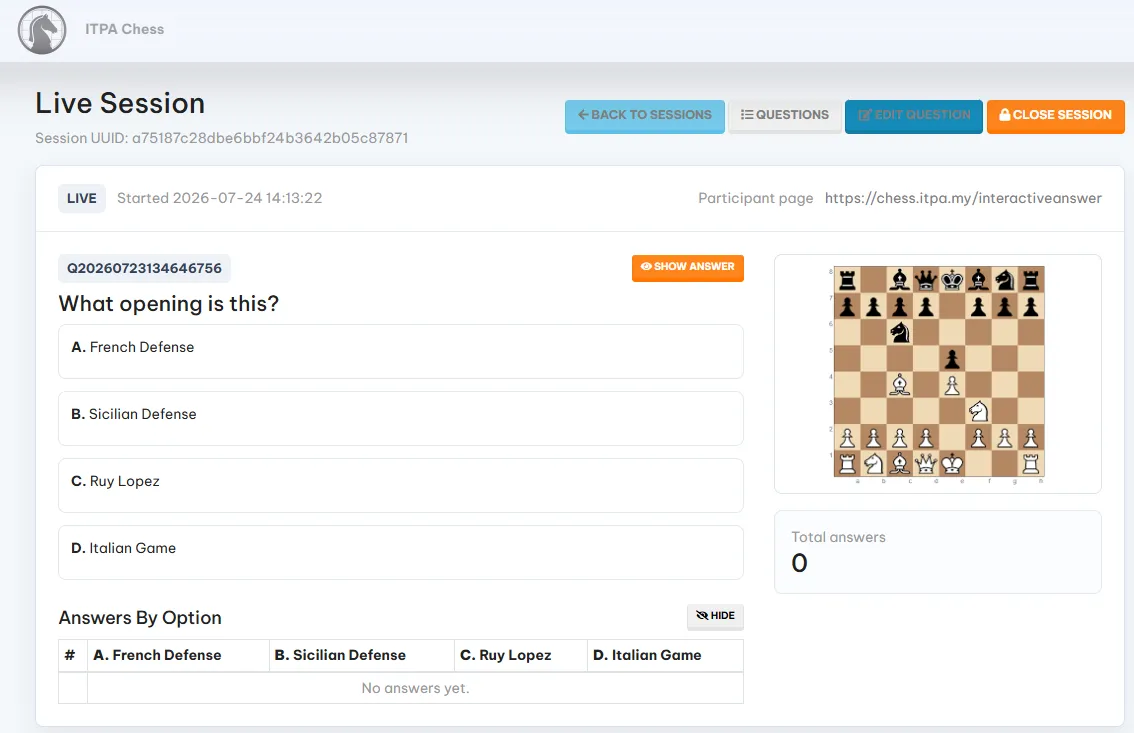
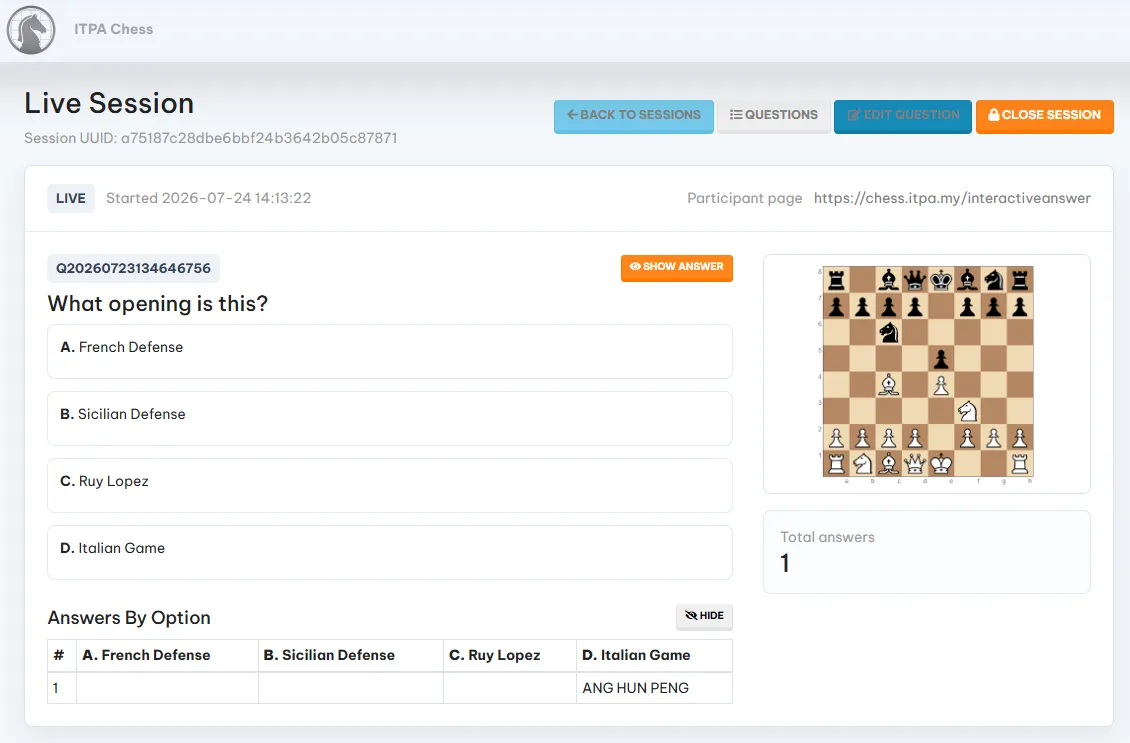
See how many answers have arrived while the session is running.
Display participant responses under each answer option for immediate teaching feedback.
Show the correct answer when the instructor is ready to discuss it.
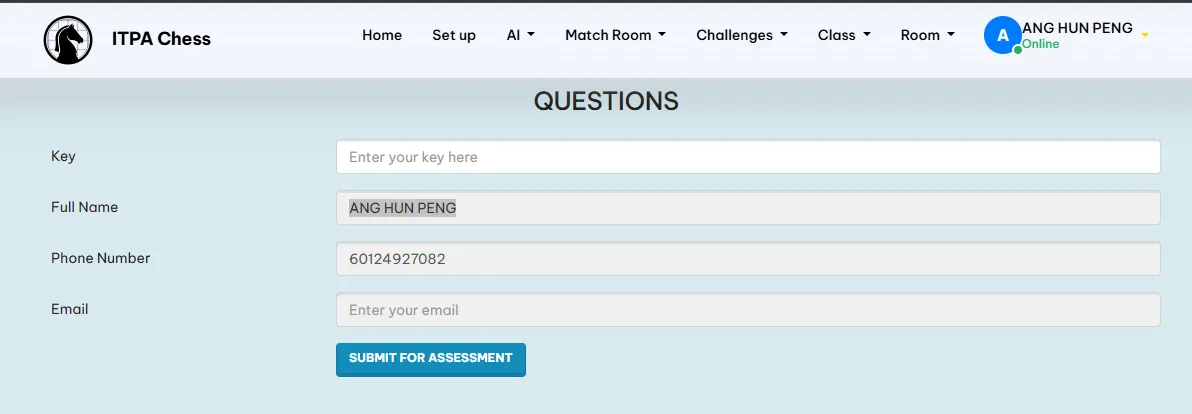
Let participants answer formal questions assigned from the Training and KPI assessment module.
Keep live participation, assessment answers, attendance and payment connected to the same learner journey.
Give employees a mobile companion for essential iCRM operations away from the desk.
Create a service record at the point of the visit, call or customer issue.
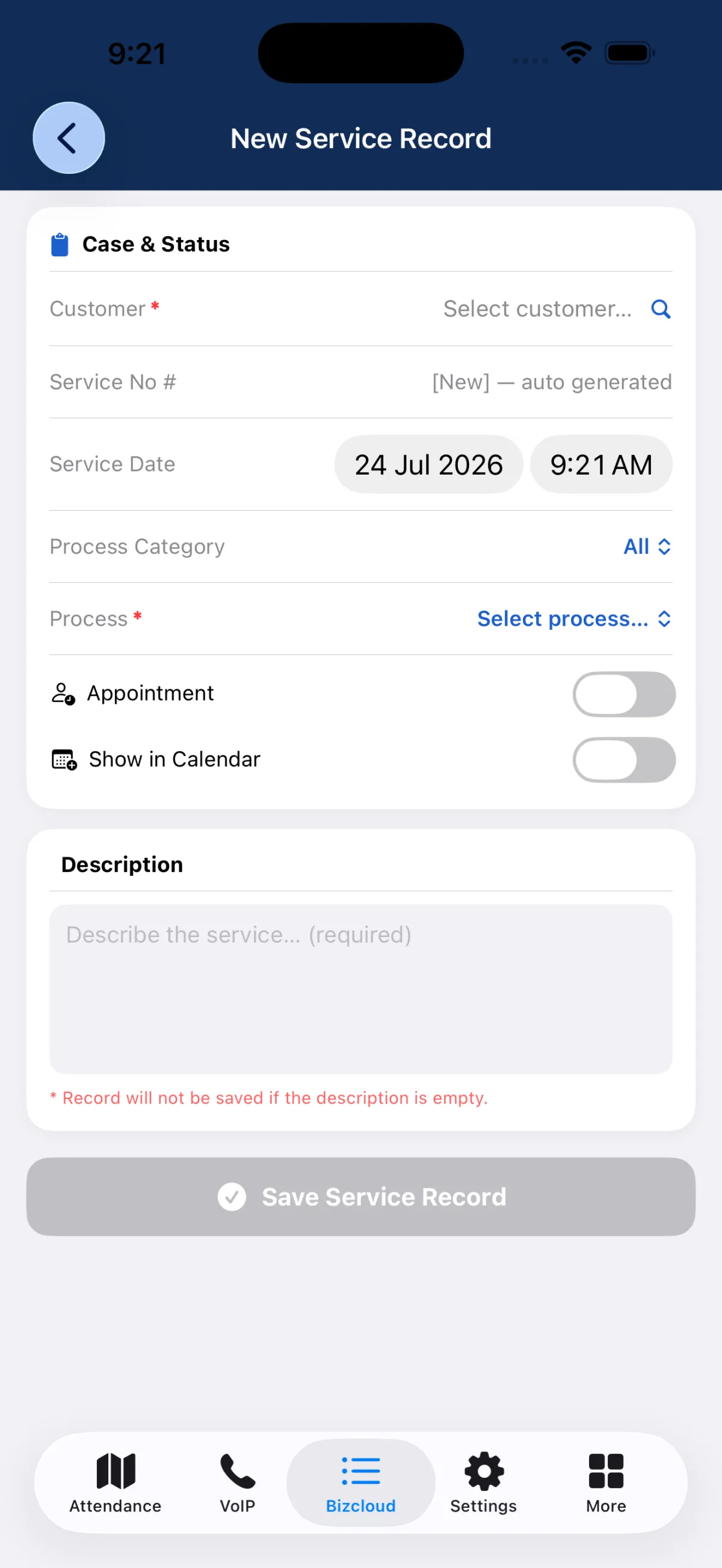
Search and attach the correct customer before saving a new mobile service record.
Choose the process category and service process that should govern the record.
Mark the work as an appointment and optionally show it in the calendar.
Capture the service details before the mobile record can be saved.
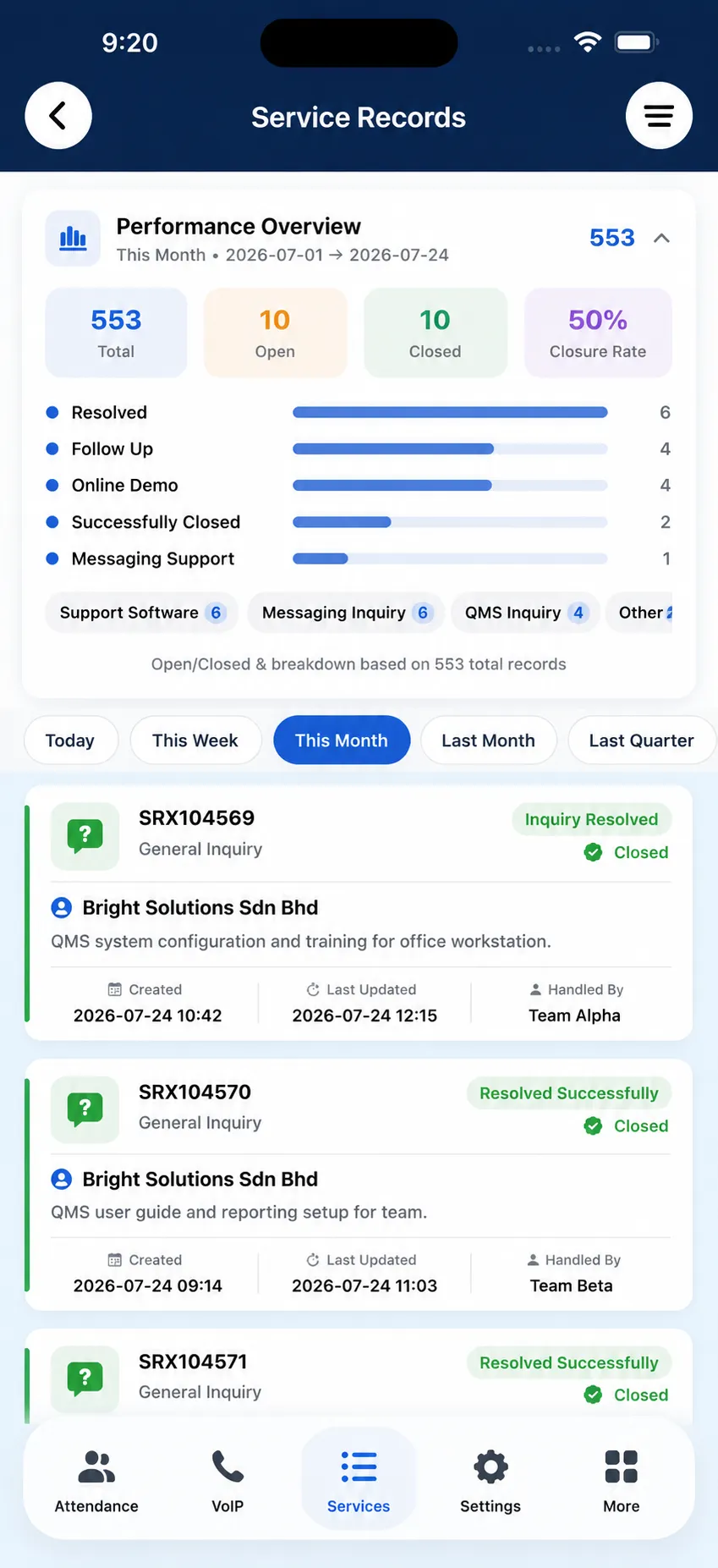
Review total, open, closed and closure-rate performance from the app.
See service-record distribution by status and service or enquiry category.
Switch mobile analytics between today, this week, this month, last month and last quarter.
Review record number, customer, description, status, creation, last update and handler from the phone.
Keep records created or reviewed in BizCloud App connected to the same iCRM service history used by office teams.
Tutor Companion creates a focused self-service and learning journey for participants, while BizCloud App puts essential service operations in employees’ hands. Both return activity to the central iCRM records used by administrators and managers.
Branded login, programme access, online payment, automatic attendance, interactive questions, live results and formal assessments.
Browser-based · Example: chess.itpa.myAndroid and iPhone access for service-record creation, process selection, appointment options and mobile service analytics.
Mobile app · Connected to central iCRMA Tutor Companion deployment can use a branded address such as chess.itpa.my. Participants authenticate with their country code, phone number, identification check and registered name, while a recovery path helps them regain access when needed.
After login, participants can open the payment area and settle programme charges. Active sessions can also act as an attendance signal, giving administrators another path to recognise participation alongside QR and manually marked event attendance.
The instructor builds interactive questions and opens a live session. Students answer the current question from their own device, while the live result screen shows response count and answers grouped by option. The instructor controls when the answer is revealed.
Tutor Companion also gives participants access to question sets assigned from Training and KPI. This creates a clear progression from informal live participation to a formal answered assessment that can be marked and retained in iCRM.
BizCloud App lets an employee create a service record from Android or iPhone while the customer issue is happening. Select the customer, process and date, add a required description and optionally treat the work as an appointment or calendar activity. The analytics view then summarises open, closed, closure rate, status and service-category performance across useful periods.
The companion interface stays simple because iCRM handles the surrounding event, training, customer and service structures.
Participant recurrence determines who can enter the programme portal and for how long.
An active class login can become attendance evidence for the participant.
Successful payment updates the participant’s event accounting position.
Interactive and formal answers contribute to the connected learning journey.
The field employee chooses the CRM customer before capturing the work.
The selected service process places the new record in the established workflow.
The office and field team continue from the same customer and service context.
Current service activity becomes mobile workload and closure insight.
Provision Tutor Companion around the participant journey; use BizCloud App around the employee’s service workflow.
Connect the learner to the relevant recurring class or event.
Align the portal login period with the learner’s recurrence.
Authenticate at the branded portal and settle any programme charges.
Use active login evidence where it suits the class attendance policy.
Build the question, open the session and collect student answers.
Review answers by option and reveal the correct response.
Answer the assigned Training and KPI set and retain the result.
Start the service entry while the customer issue is current.
Connect the record to the right customer and service workflow.
Add the required service details and optional appointment settings.
Monitor open, closed, closure-rate, status and category performance.
Explore how the screens and functions in Companion Apps support setup, daily operations and continuous improvement.
Serve external learners through Tutor Companion and mobile employees through BizCloud App without exposing the main administrative workspace.
Provide a programme-specific web address such as chess.itpa.my with the organisation’s learning identity.
Let students enter with their country code, phone number, identification check and registered name.
Provide a direct recovery route when a participant cannot access the companion portal.
Use the participant’s event or class validity to control how long companion access remains active.
Let an authenticated participant open the payment area and settle programme charges.
Return successful companion payment to the participant record when the configured payment gateway is used.
Give signed-in participants a route to view or download their payment receipt.
Use current portal logins as an automatic attendance signal for the corresponding class or event.
Review who is presently signed in, their access time and the related participation activity.
Build reusable interactive questions for use during a live lesson.
Prepare response choices and supporting question content for the session.
Open a session and publish the current question to connected students.
Let each student respond from their own phone, tablet or browser.
See how many answers have arrived while the session is running.
Display participant responses under each answer option for immediate teaching feedback.
Show the correct answer when the instructor is ready to discuss it.
Let participants answer formal questions assigned from the Training and KPI assessment module.
Keep live participation, assessment answers, attendance and payment connected to the same learner journey.
Give employees a mobile companion for essential iCRM operations away from the desk.
Create a service record at the point of the visit, call or customer issue.
Search and attach the correct customer before saving a new mobile service record.
Choose the process category and service process that should govern the record.
Mark the work as an appointment and optionally show it in the calendar.
Capture the service details before the mobile record can be saved.
Review total, open, closed and closure-rate performance from the app.
See service-record distribution by status and service or enquiry category.
Switch mobile analytics between today, this week, this month, last month and last quarter.
Review record number, customer, description, status, creation, last update and handler from the phone.
Keep records created or reviewed in BizCloud App connected to the same iCRM service history used by office teams.
Connect the learner portal or employee mobile app to the relevant iCRM records.
Authenticate the participant or employee in the appropriate companion experience.
Pay, attend, answer, assess, create service work or review analytics.
Return activity to the central event, training, customer or service history.
Use live results and mobile operational insight to guide the next action.
Tell us how your team works today. We’ll demonstrate the modules that matter most.
Book your personalised demo →