Complete recurrence list
View all members participating in recurrence from one central account list.
Manage every recurring member from one list, create recurrence directly or from an existing contact, organise programmes by status and category, and keep administrators and expiring members informed with scheduled reminders.
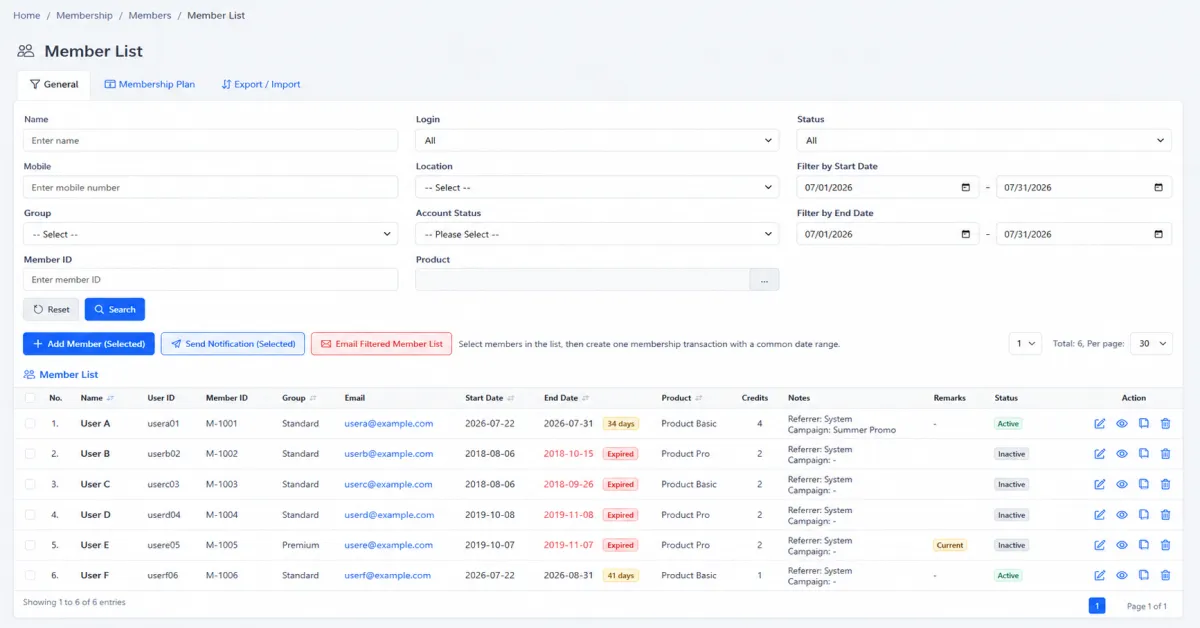
Manage every recurring member from one list, create recurrence directly or from an existing contact, organise programmes by status and category, and keep administrators and expiring members informed with scheduled reminders.
View all members participating in recurrence from one central account list.
Review the member, recurrence period and current lifecycle position before taking action.
Identify recurrence that is approaching its end date before the relationship lapses.
Send renewal reminders to expiring members from the recurrence list.
Register a new member directly in the recurrence workflow.
Record the information and period needed to manage the new recurring relationship.
Turn an existing customer or contact into a recurrence member without rebuilding the relationship.
Keep membership activity associated with the original contact information and customer history.
Define statuses that reflect the membership lifecycle used by the organisation.
Use the current member status to separate active, pending, expired or other operational stages.
Build programme, tier or relationship categories that make the member base easier to organise.
Use categories to create clearer operational lists and more relevant member communication.
Schedule internal reminders so administrators know which membership actions are due.
Create reminder schedules for individual members and their recurrence milestones.
Deliver scheduled communication through the organisation’s enabled reminder channels.
Connect expiry visibility, reminders and renewal follow-up into one repeatable process.
iCRM brings member setup, recurrence enrolment, expiry monitoring and reminder scheduling into one connected workflow—whether the relationship starts as a new member or an existing customer contact.
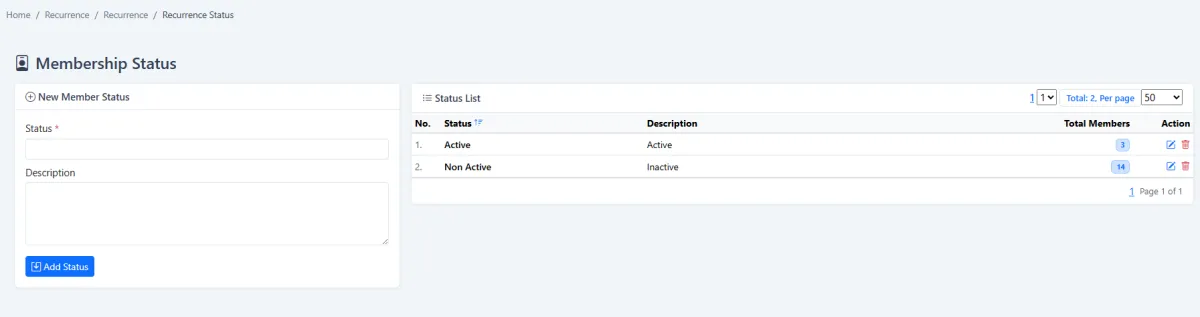
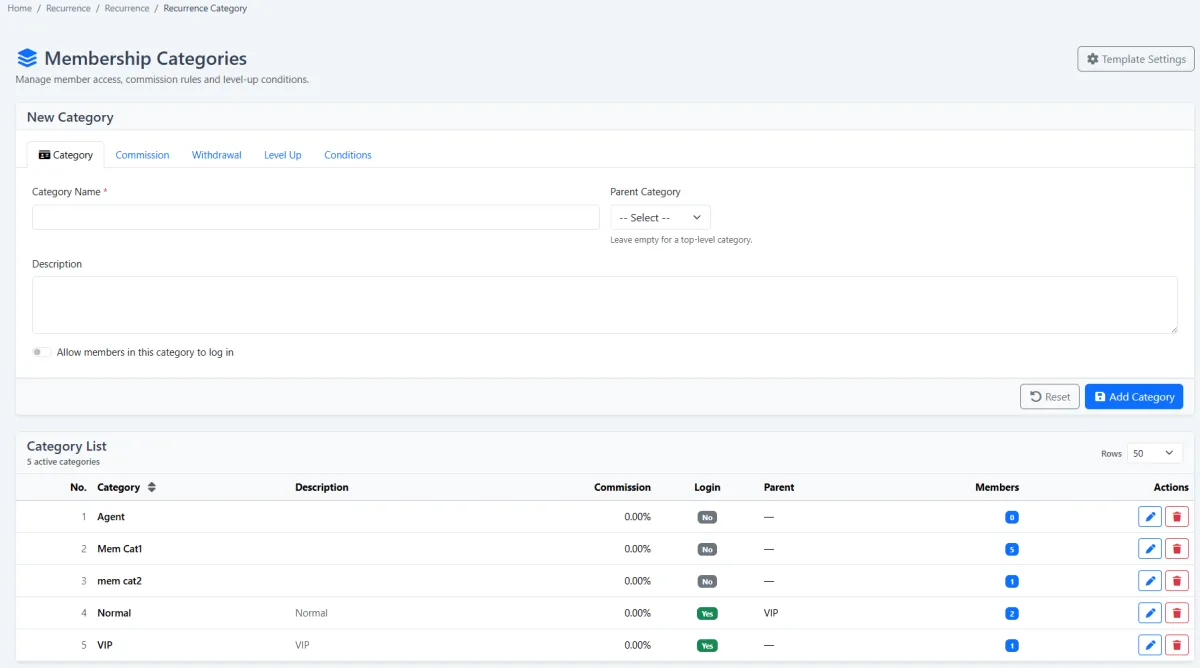
Configure the labels your team needs before enrolment begins. Statuses reflect where each member sits in the lifecycle, while categories organise programmes, tiers or other meaningful segments.
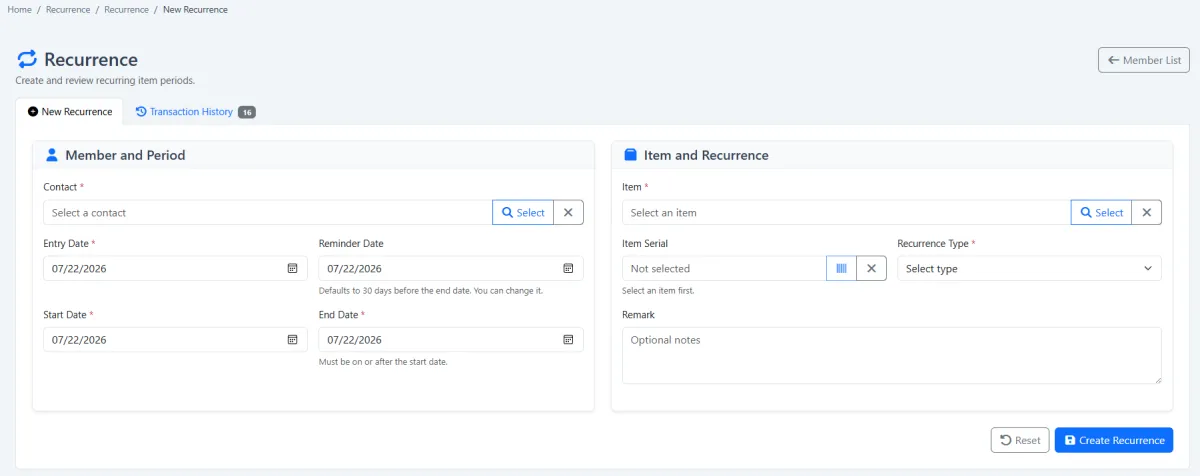
Add a completely new recurrence member from the membership workflow. If the person already exists in Customer CRM, create the recurrence from that contact so the team keeps one connected relationship record.
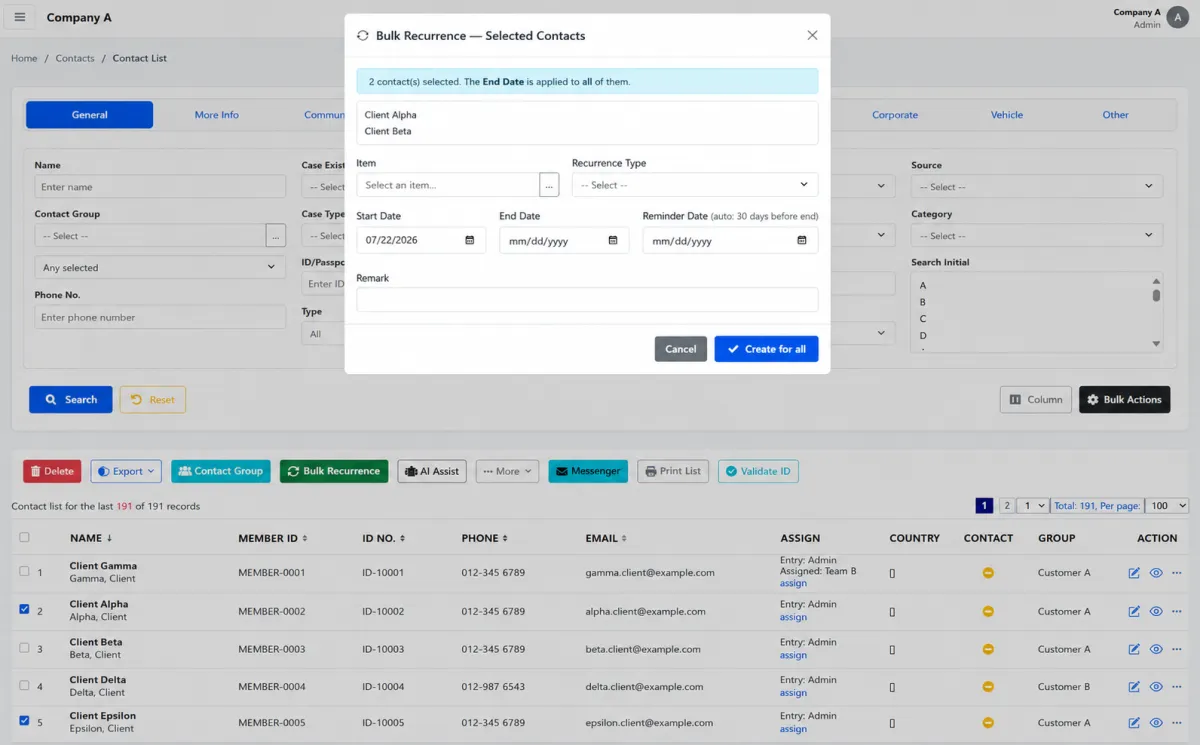
The member list brings every account participating in recurrence into one place. Administrators can review the current relationship, understand upcoming expiry and move directly into reminder or renewal action.
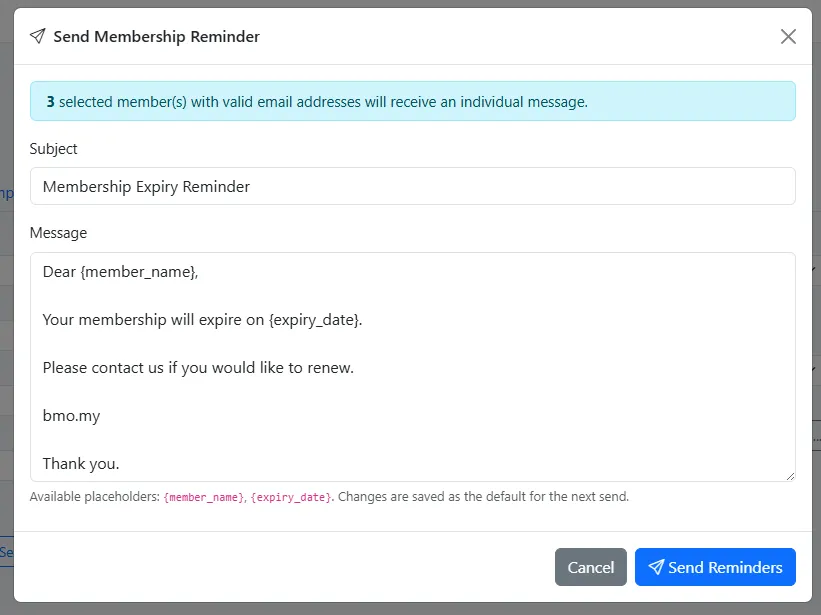
Work from the recurrence list to identify expiring members and send the appropriate reminder. The member, expiry context and communication action remain part of the same operational flow.
Review upcoming expiries on a regular schedule and contact members early enough for questions, payment or renewal action to be completed before the end date.
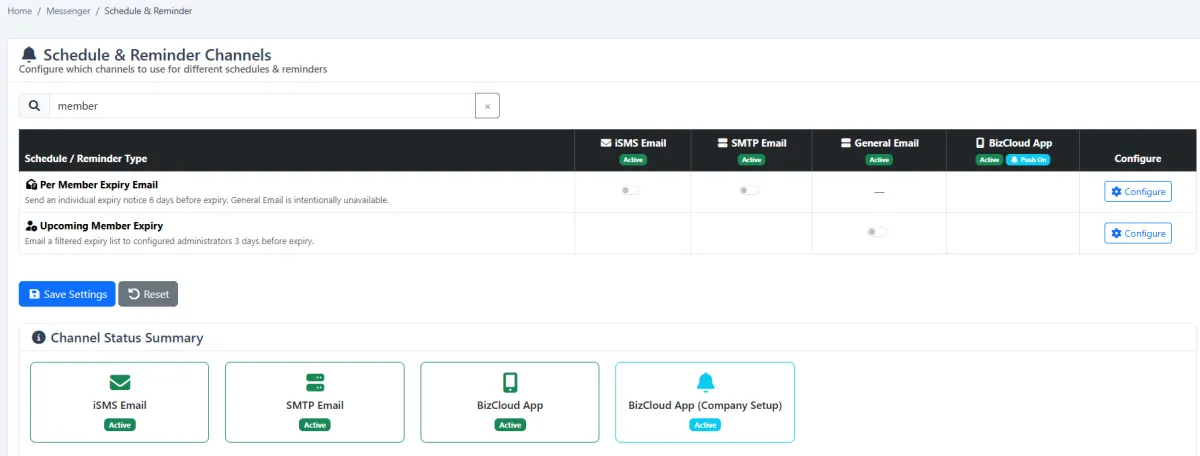
Set scheduled reminders for the administrator responsible for the programme and for each member. This creates an internal action prompt and an external communication path around important recurrence dates.
Configure the membership structure once, then use the same clear process for every recurring relationship.
Create the membership stages administrators need to recognise and manage.
Organise members by programme, tier or another meaningful relationship segment.
Add a new recurrence record or create it directly from an existing customer contact.
Review all recurring members, their current position and upcoming expiry dates.
Configure action prompts for administrators and communication for individual members.
Send expiry reminders early, complete the next action and continue the recurrence.
Explore how the screens and functions in Membership & Recurrence support setup, daily operations and continuous improvement.
View all members participating in recurrence from one central account list.
Review the member, recurrence period and current lifecycle position before taking action.
Identify recurrence that is approaching its end date before the relationship lapses.
Send renewal reminders to expiring members from the recurrence list.
Register a new member directly in the recurrence workflow.
Record the information and period needed to manage the new recurring relationship.
Turn an existing customer or contact into a recurrence member without rebuilding the relationship.
Keep membership activity associated with the original contact information and customer history.
Define statuses that reflect the membership lifecycle used by the organisation.
Use the current member status to separate active, pending, expired or other operational stages.
Build programme, tier or relationship categories that make the member base easier to organise.
Use categories to create clearer operational lists and more relevant member communication.
Schedule internal reminders so administrators know which membership actions are due.
Create reminder schedules for individual members and their recurrence milestones.
Deliver scheduled communication through the organisation’s enabled reminder channels.
Connect expiry visibility, reminders and renewal follow-up into one repeatable process.
Set member statuses, categories and reminder rules.
Add a new recurrence member or create one from an existing contact.
Review all members and upcoming expiries from the recurrence list.
Notify administrators and members, then follow through on renewal.
Tell us how your team works today. We’ll demonstrate the modules that matter most.
Book your personalised demo →