Custom campaign data entry
Create a structured marketing campaign record using the information relevant to the initiative.
Create structured custom campaigns, organise them with useful categories, upload exported Google Ads and Facebook campaign reports, maintain an import history and review consolidated advertising performance inside iCRM.
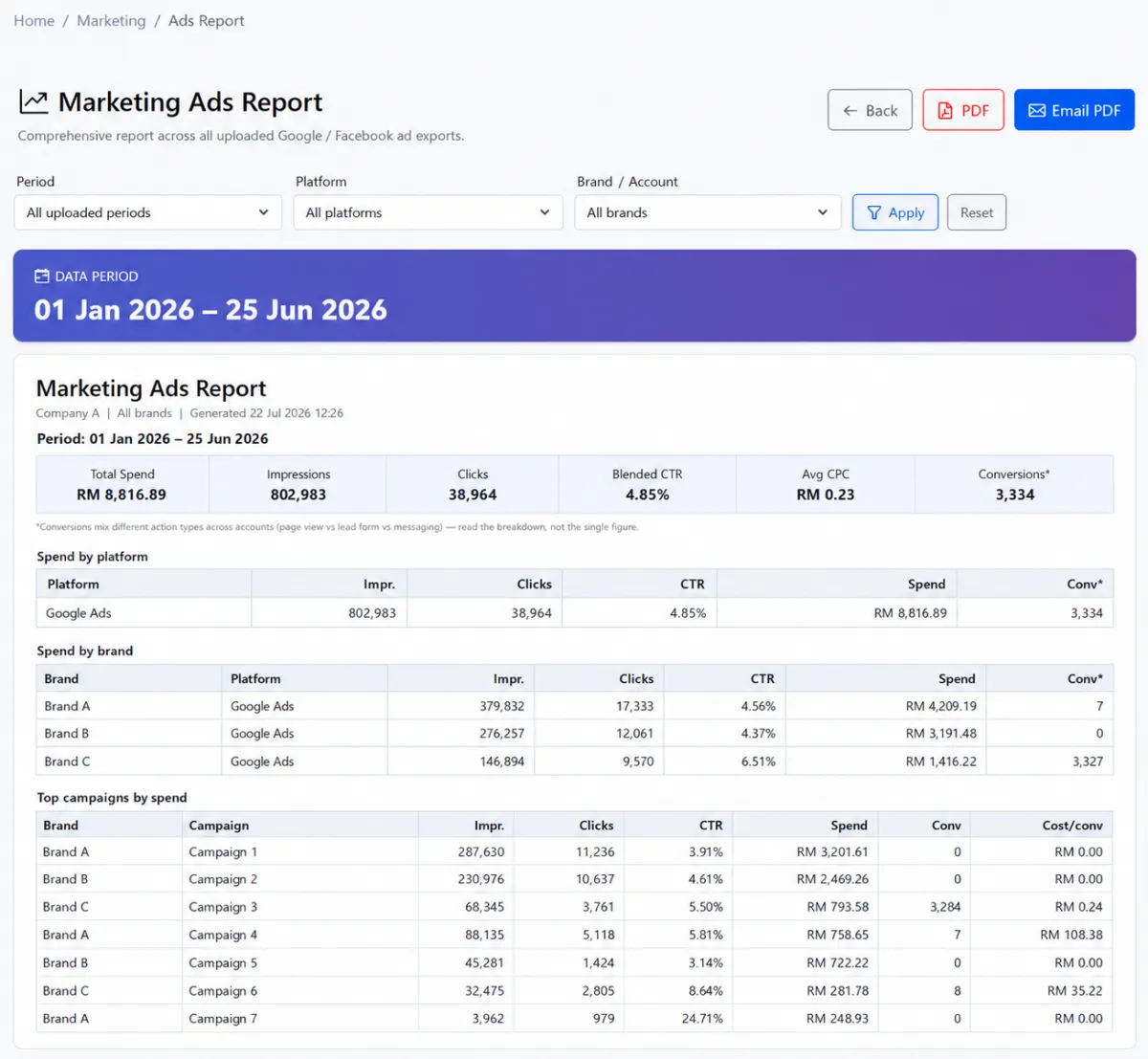
Create structured custom campaigns, organise them with useful categories, upload exported Google Ads and Facebook campaign reports, maintain an import history and review consolidated advertising performance inside iCRM.
Create a structured marketing campaign record using the information relevant to the initiative.
Keep the campaign’s key information together instead of relying on disconnected notes or files.
See current and historical custom campaigns from one central working list.
Open the campaign record from the list whenever details need to be checked or maintained.
Create categories that reflect the organisation’s channels, initiatives or marketing structure.
Apply a repeatable category structure across custom campaign records.
Bring exported Google advertising report data into iCRM for central analysis.
Upload exported Facebook campaign data through the same marketing workflow.
Use one import screen for supported Google and Facebook advertising reports.
Review the advertising report files that have already been added.
Keep visibility of prior uploads before adding or reviewing the next reporting period.
Turn uploaded advertising data into an iCRM performance report.
Bring Google and Facebook campaign results into one reporting environment.
Create a consistent route from campaign setup and platform export to management review.
Use historical campaign records and uploaded performance data to guide future planning.
iCRM gives marketing teams a structured place for their own campaign records and a repeatable process for bringing exported Google Ads and Facebook campaign data into one reporting environment.
Start by defining the campaign categories used by your organisation. When a new initiative begins, create a custom campaign record so its key information is stored in a consistent format and can be found again later.
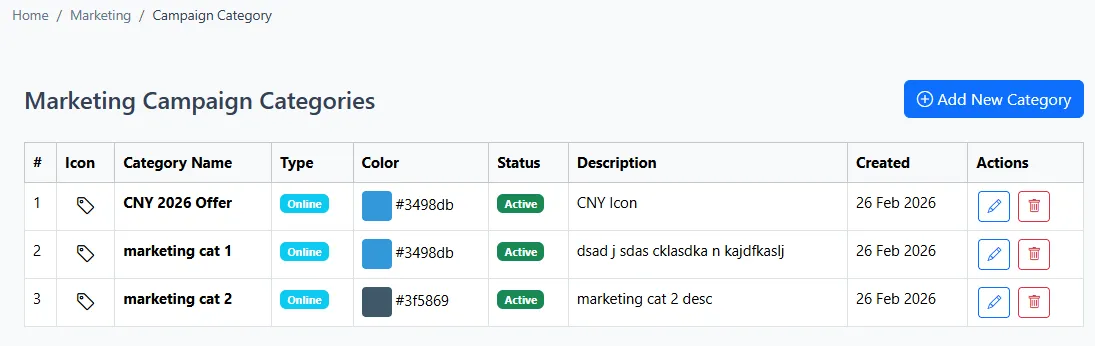
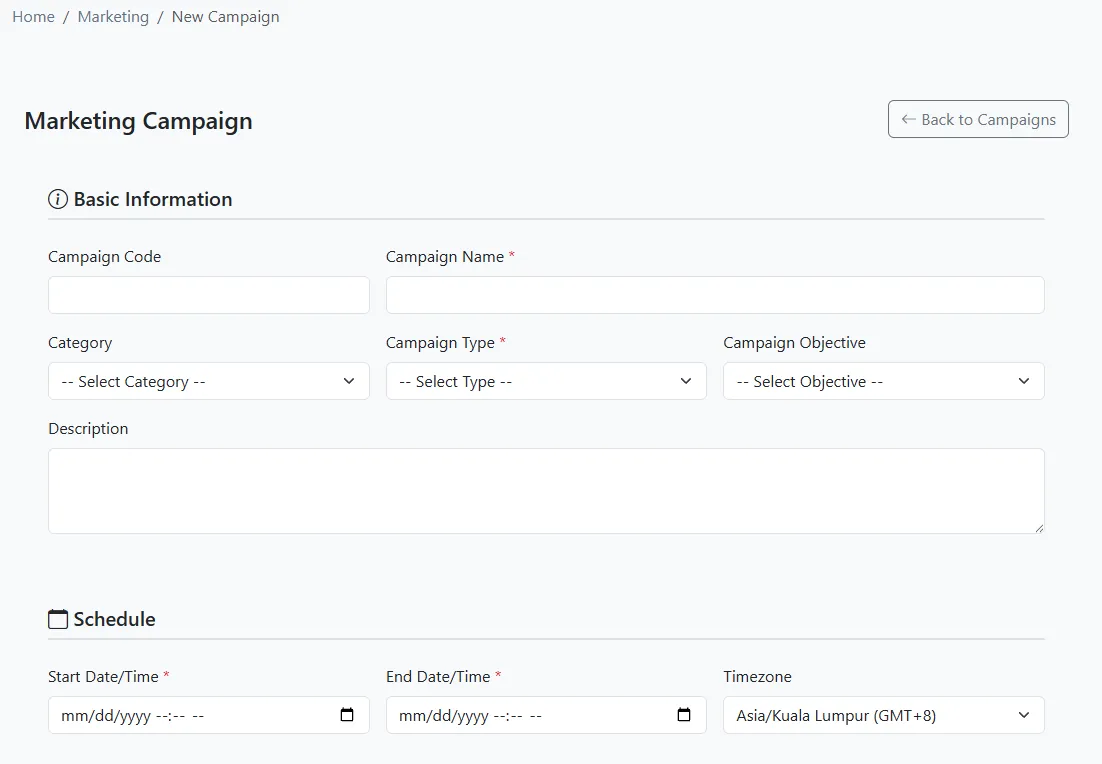
The custom campaign list becomes the team’s working index. Use it to locate earlier initiatives, review campaign information and maintain continuity between planning, execution and later reporting.
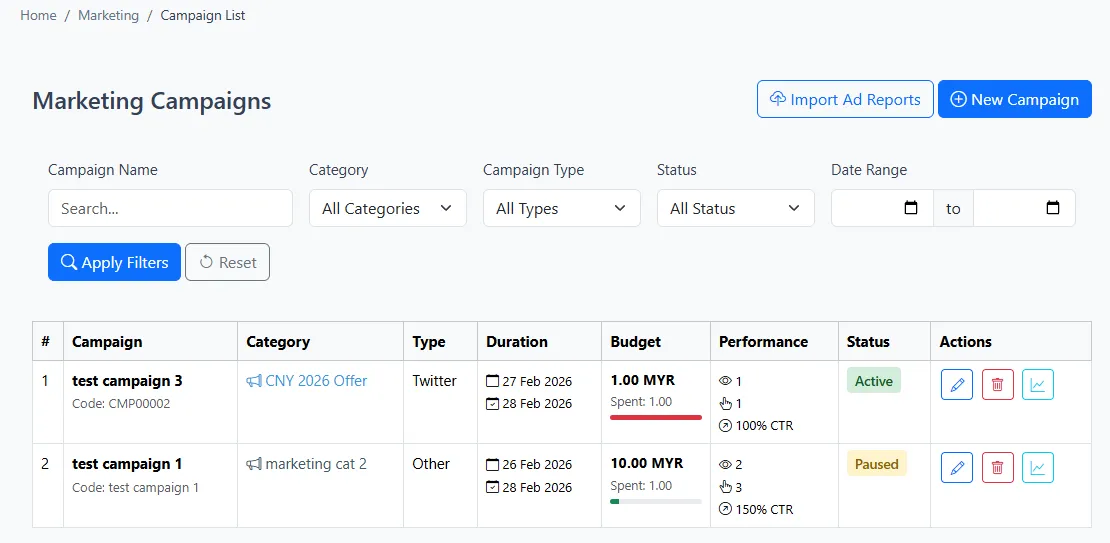
Export the required advertising report from the source platform, then upload it through the marketing ads import screen. One workflow supports both Google and Facebook campaign report files.
Use a consistent export period and naming convention before each upload. This makes the upload history easier to review and reduces confusion when results are compared over time.
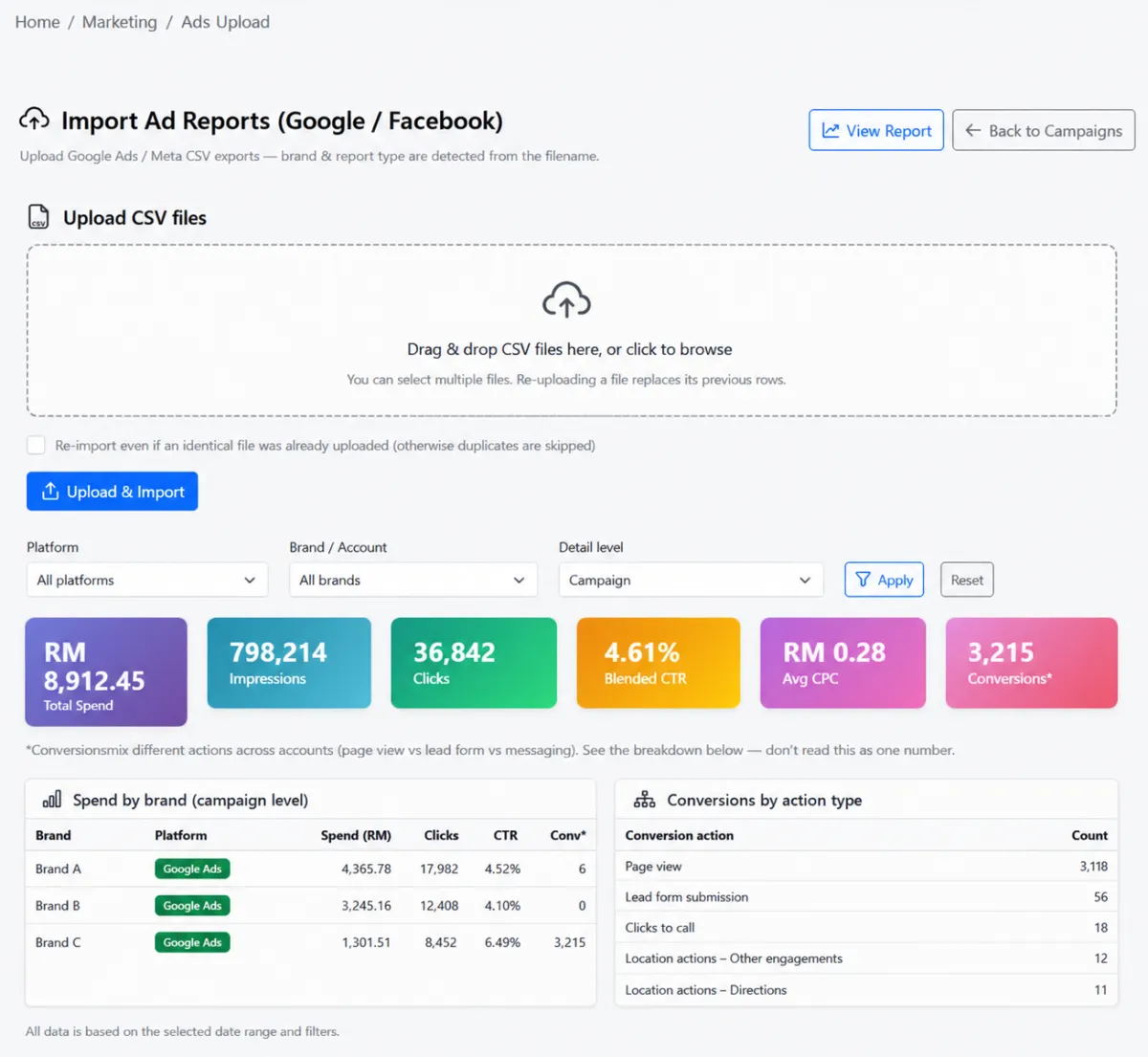
Review the uploaded ads list before adding the next report or preparing an analysis. The history provides a clear operational checkpoint for the files already imported into iCRM.
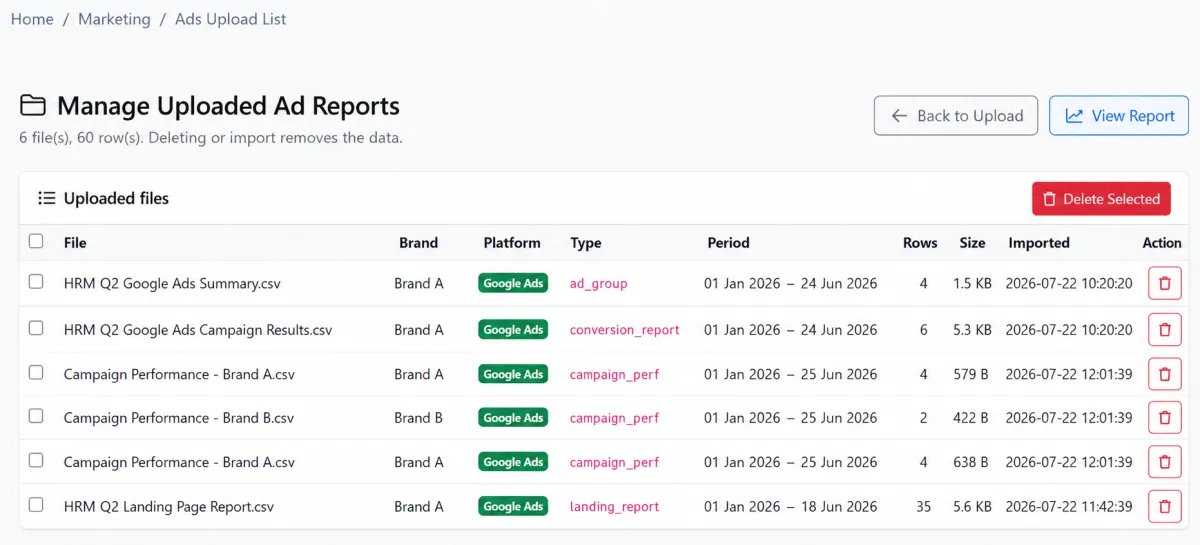
Use the uploaded ads report to review campaign performance inside iCRM. Bringing Google and Facebook data into one environment makes it easier to examine channel activity alongside the organisation’s custom campaign records.
Keep the campaign record and platform-reporting cycle consistent so each new initiative contributes to a useful history.
Define the campaign groups that match the organisation’s marketing structure.
Create the custom campaign record and complete its key information.
Use the central campaign list to review current and historical initiatives.
Prepare the required report from Google Ads or Facebook for the chosen reporting period.
Import the report into iCRM, then check that it appears in the uploaded ads list.
Review the ads report and apply what the team learns to future campaign planning.
Explore how the screens and functions in Marketing Campaigns support setup, daily operations and continuous improvement.
Create a structured marketing campaign record using the information relevant to the initiative.
Keep the campaign’s key information together instead of relying on disconnected notes or files.
See current and historical custom campaigns from one central working list.
Open the campaign record from the list whenever details need to be checked or maintained.
Create categories that reflect the organisation’s channels, initiatives or marketing structure.
Apply a repeatable category structure across custom campaign records.
Bring exported Google advertising report data into iCRM for central analysis.
Upload exported Facebook campaign data through the same marketing workflow.
Use one import screen for supported Google and Facebook advertising reports.
Review the advertising report files that have already been added.
Keep visibility of prior uploads before adding or reviewing the next reporting period.
Turn uploaded advertising data into an iCRM performance report.
Bring Google and Facebook campaign results into one reporting environment.
Create a consistent route from campaign setup and platform export to management review.
Use historical campaign records and uploaded performance data to guide future planning.
Create the campaign categories used by the marketing team.
Register each custom campaign and maintain it from the central list.
Upload exported Google Ads and Facebook campaign reports.
Review upload history and consolidated advertising performance.
Tell us how your team works today. We’ll demonstrate the modules that matter most.
Book your personalised demo →