Service-process setup
Create reusable processes for the different kinds of service work handled by the organisation.
Build service processes from ordered status steps, create connected parent-child records, classify problems by product, detect long open chains and verify closure only when the workflow reaches its defined final step.
Build service processes from ordered status steps, create connected parent-child records, classify problems by product, detect long open chains and verify closure only when the workflow reaches its defined final step.
Create reusable processes for the different kinds of service work handled by the organisation.
Build each process from several steps arranged in the sequence work should follow.
Treat every process step as a service status so progress is visible and consistent.
Mark the status that represents the final step of a service process.
Consider the complete parent-child chain closed only when the defined final step has been reached.
Group related service processes into clear operational categories.
Set the appropriate process category when configuring service-case structure.
Review service work as a list of individual records when case-level detail is needed.
Switch to a hierarchical view that shows how follow-on records belong to the original case.
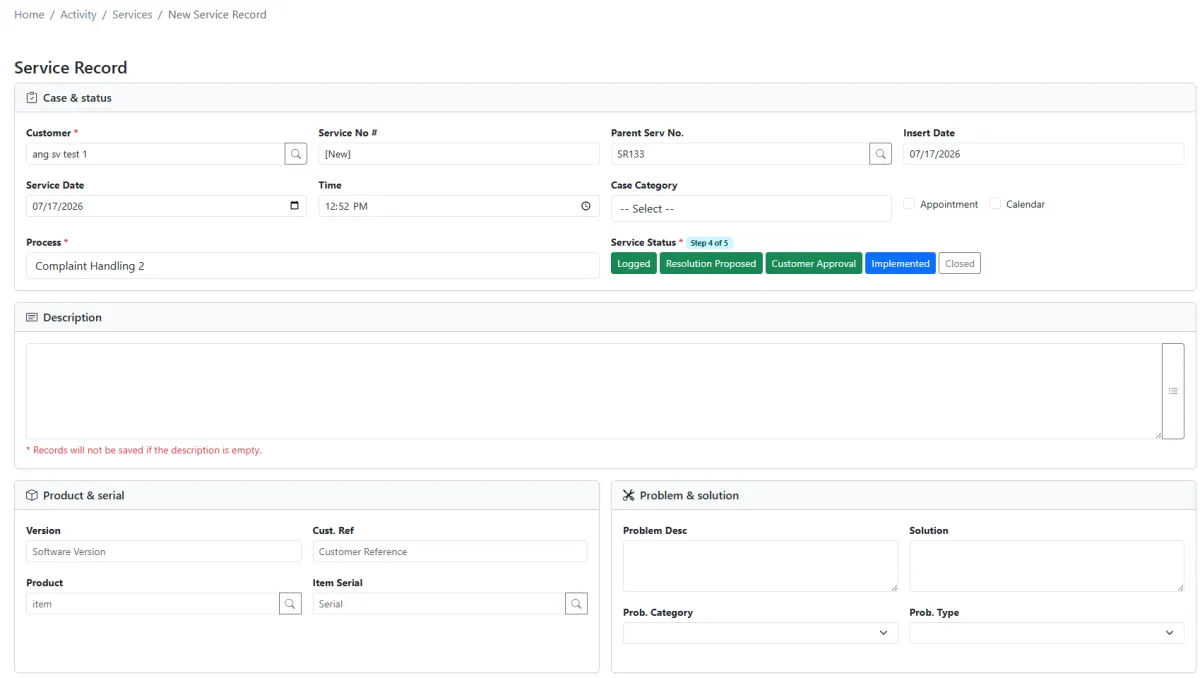
Create the first record with the relevant customer, product, process and service information.
Create linked follow-on work without losing the original parent context.
See the current process step and service status on each record in the chain.
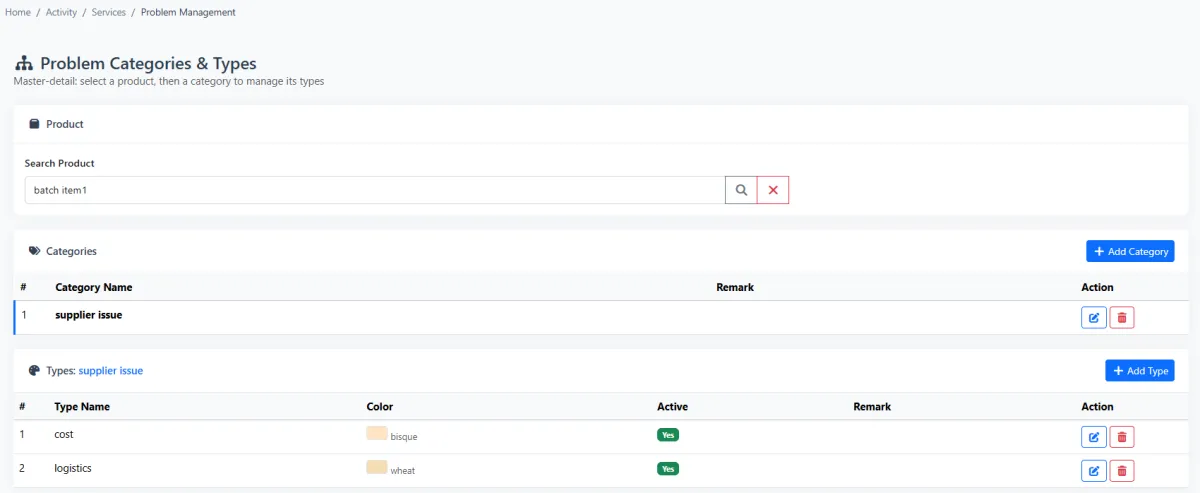
Start with a product, add multiple problem categories and define multiple problem types beneath each category.
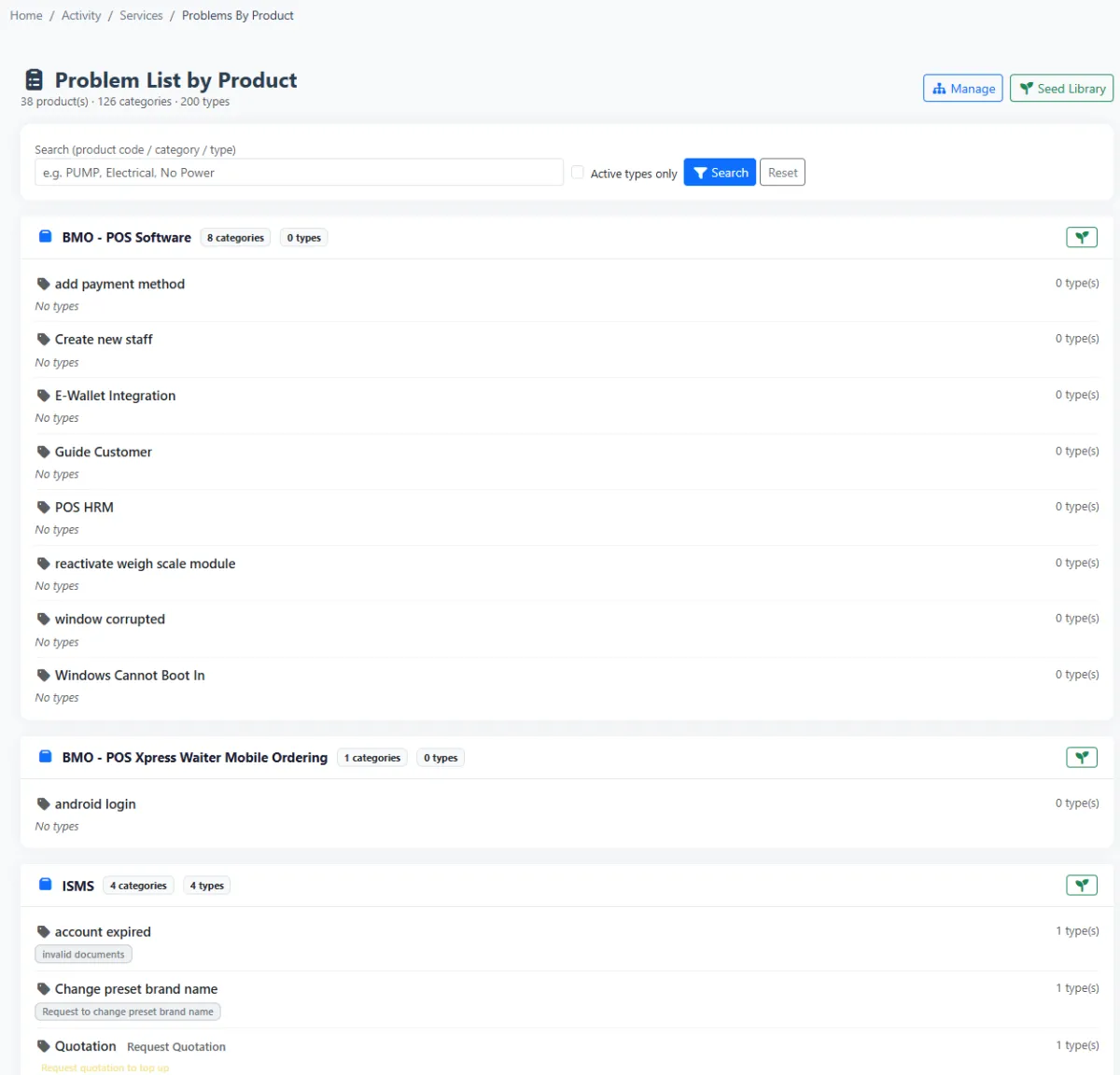
Review the known problem structure for a selected product.
Seed a standard problem library as a faster starting point, then adapt it to the organisation.
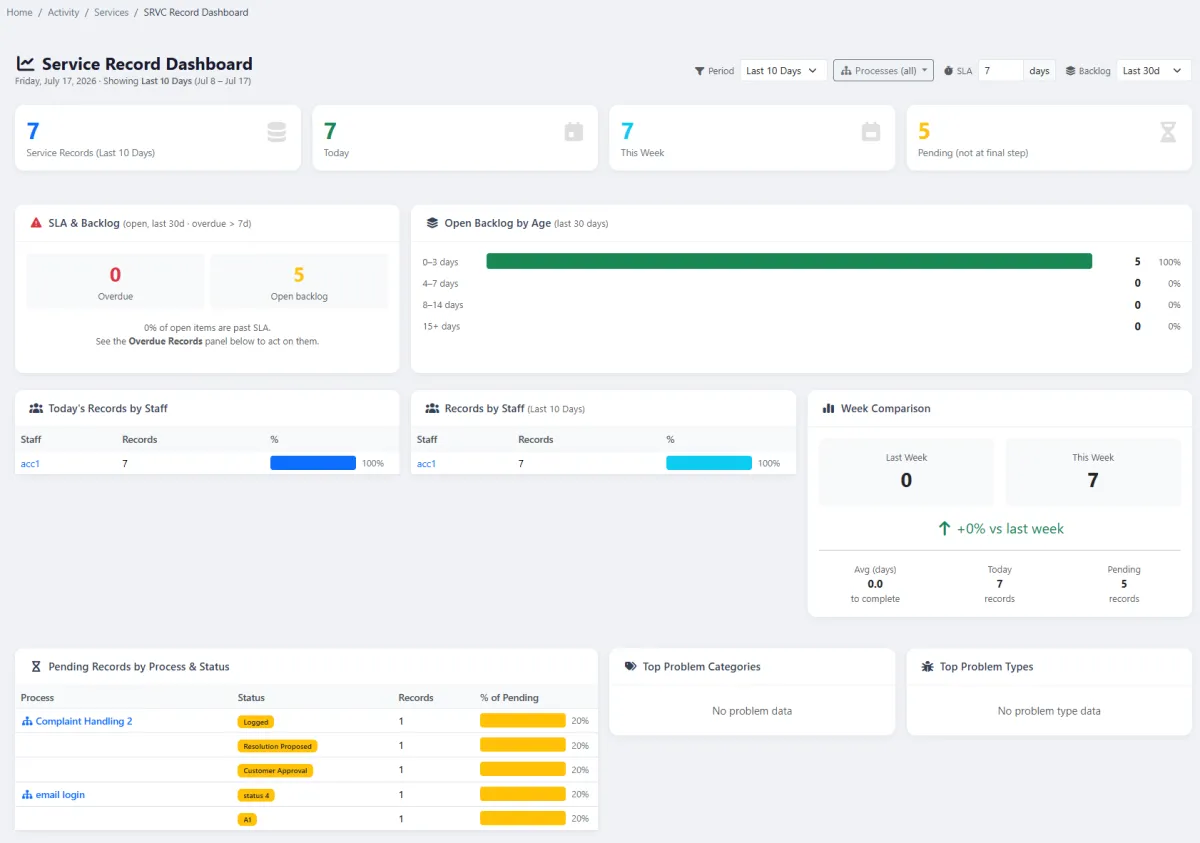
Review parent-child chain length, progress and unresolved work from a dedicated dashboard.
Flag a chain that continues for too long without reaching a final step.
Treat a short chain that reaches resolution efficiently as a healthy service indicator.
Analyse overall service-record workload and operational performance.
Connect service records to quotations, invoices and other relevant documents.
Keep service activity connected to the customer’s wider sales and after-sales history.
iCRM treats service as a connected sequence rather than a collection of isolated tickets. Every step has meaning, every child record preserves its parent context and closure depends on reaching the process’s defined final status.
A service process contains multiple steps. Each step is also a status, giving teams a shared language for where the work currently sits and what should happen next.
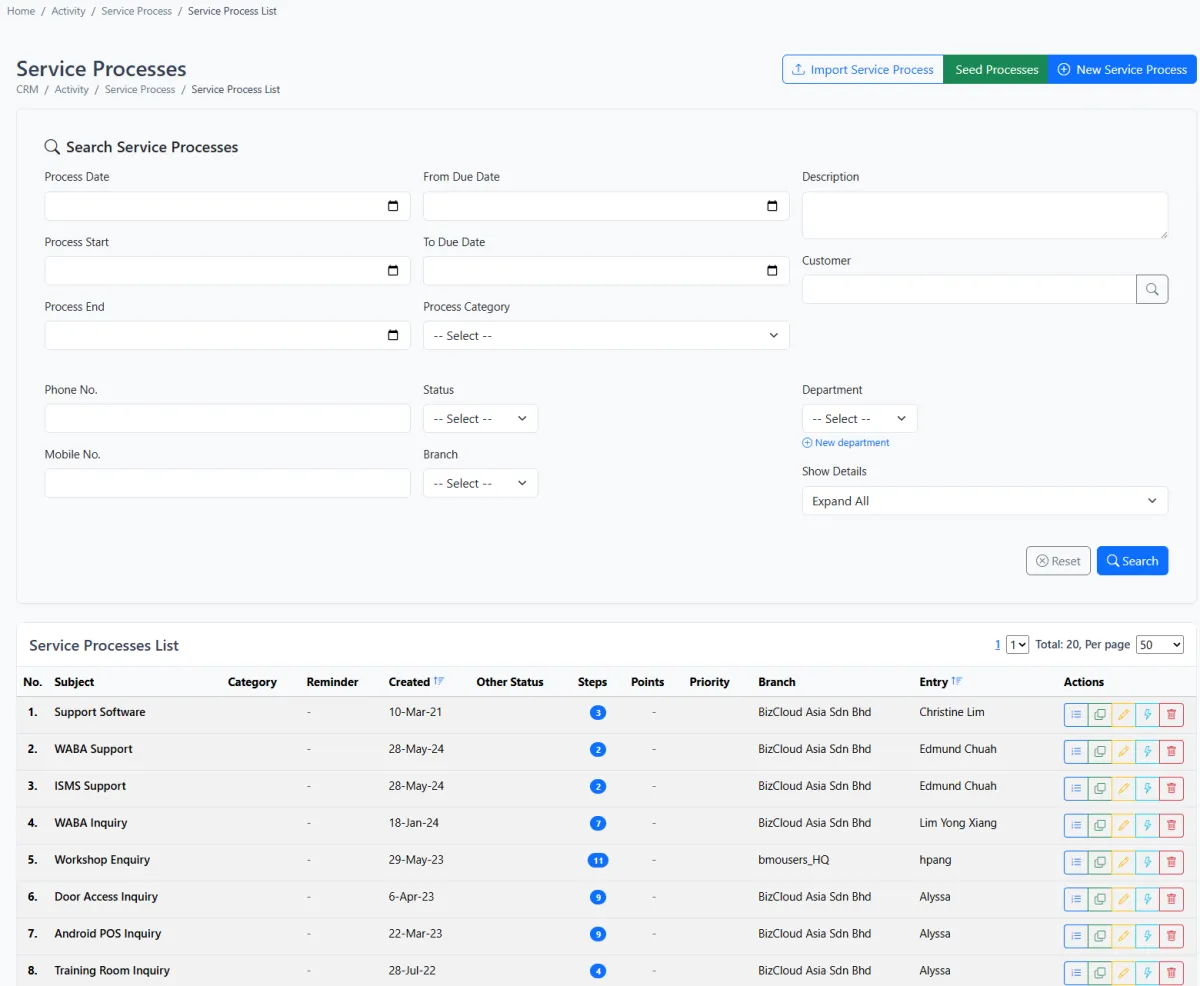
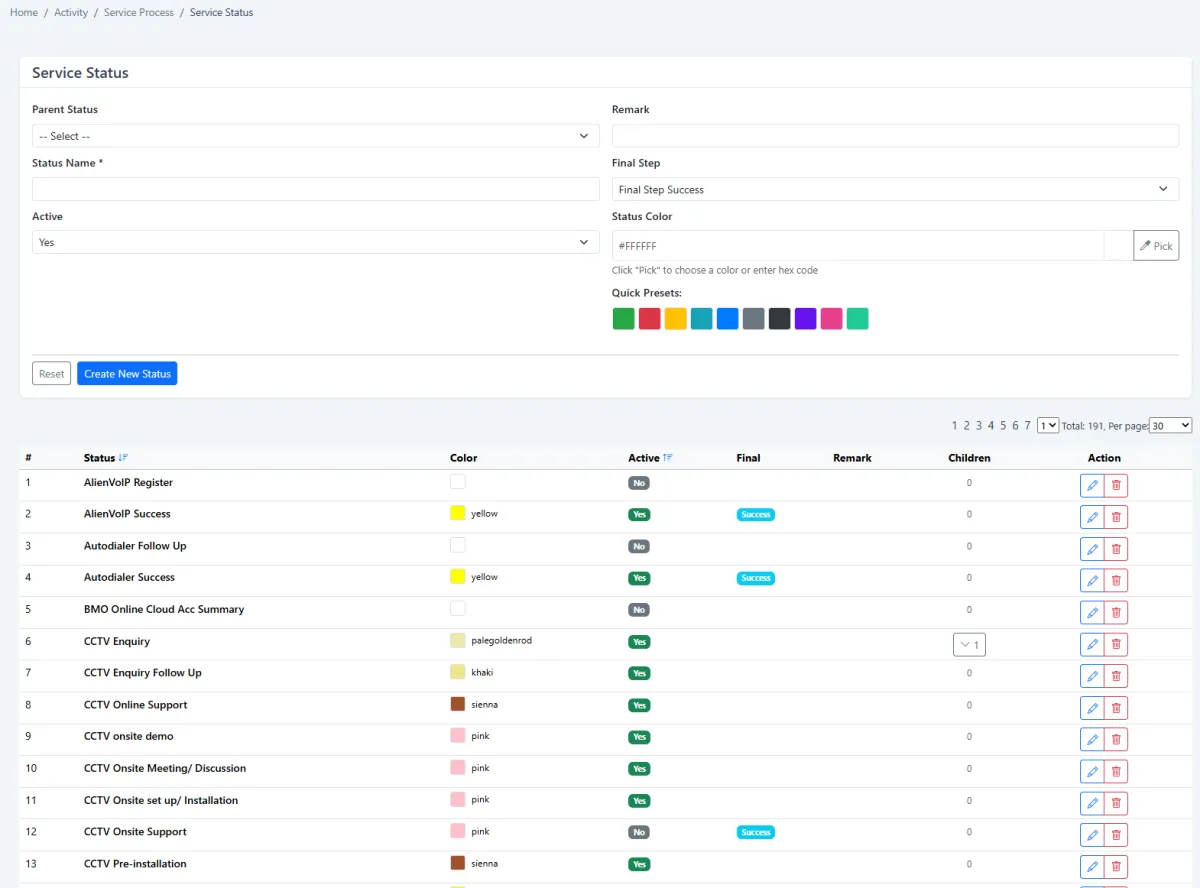
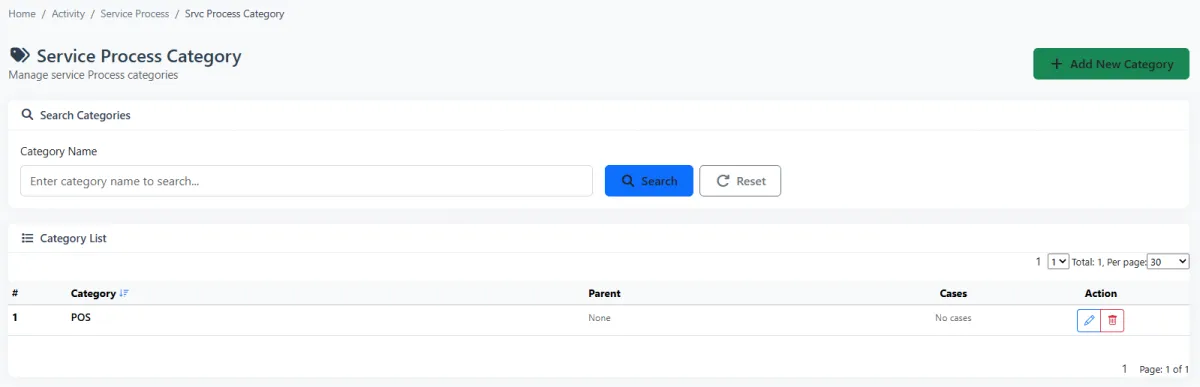
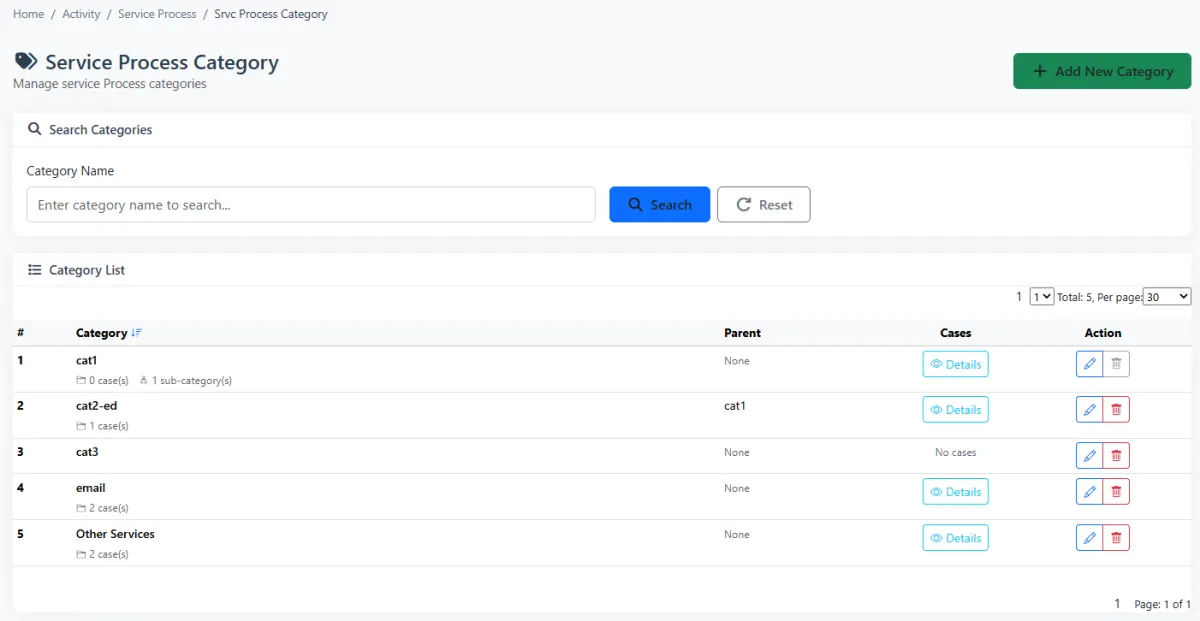
Use service-process categories to keep a growing workflow library understandable. Set the category while configuring service cases so teams can find and apply the correct process more quickly.
Create a new service record against the relevant customer, product and process. Teams can work record by record or switch to the parent-child list when they need to understand the complete relationship before taking action.
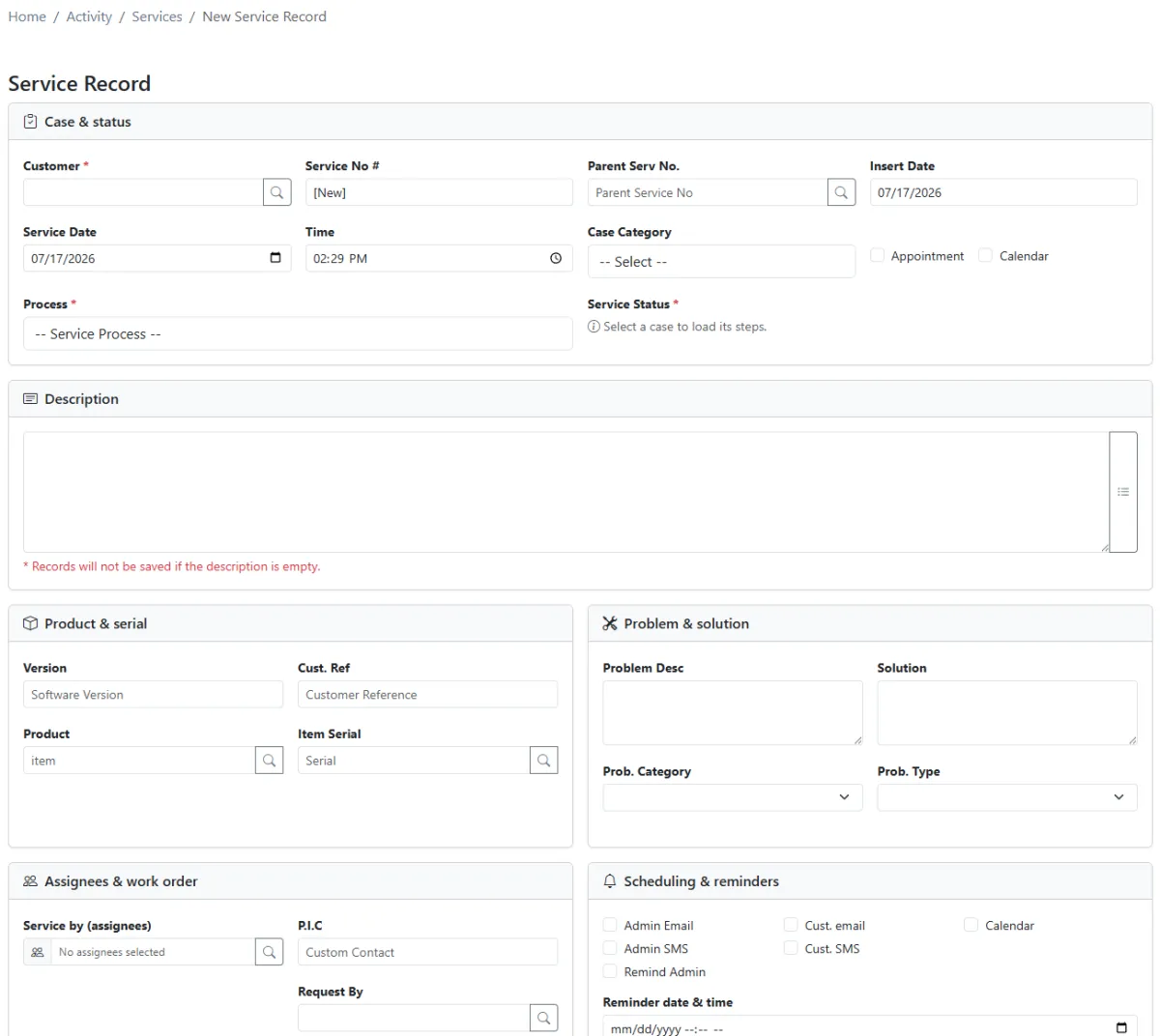
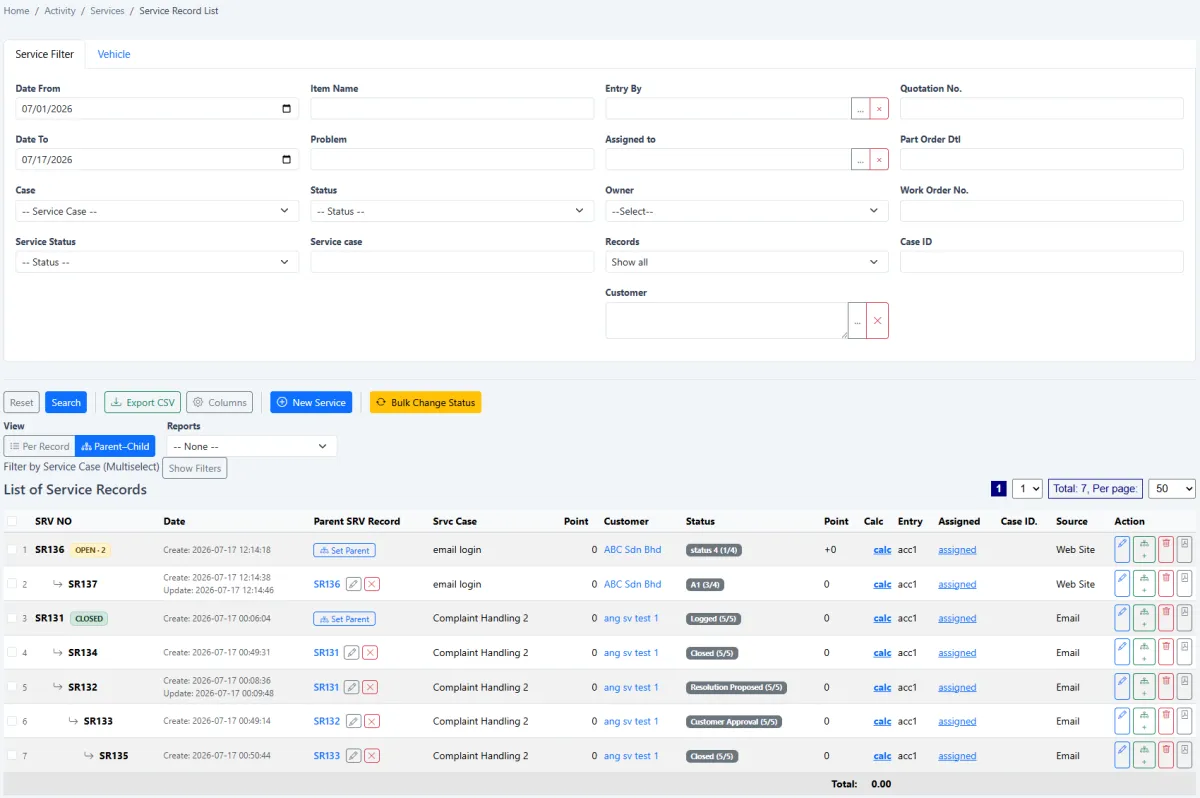
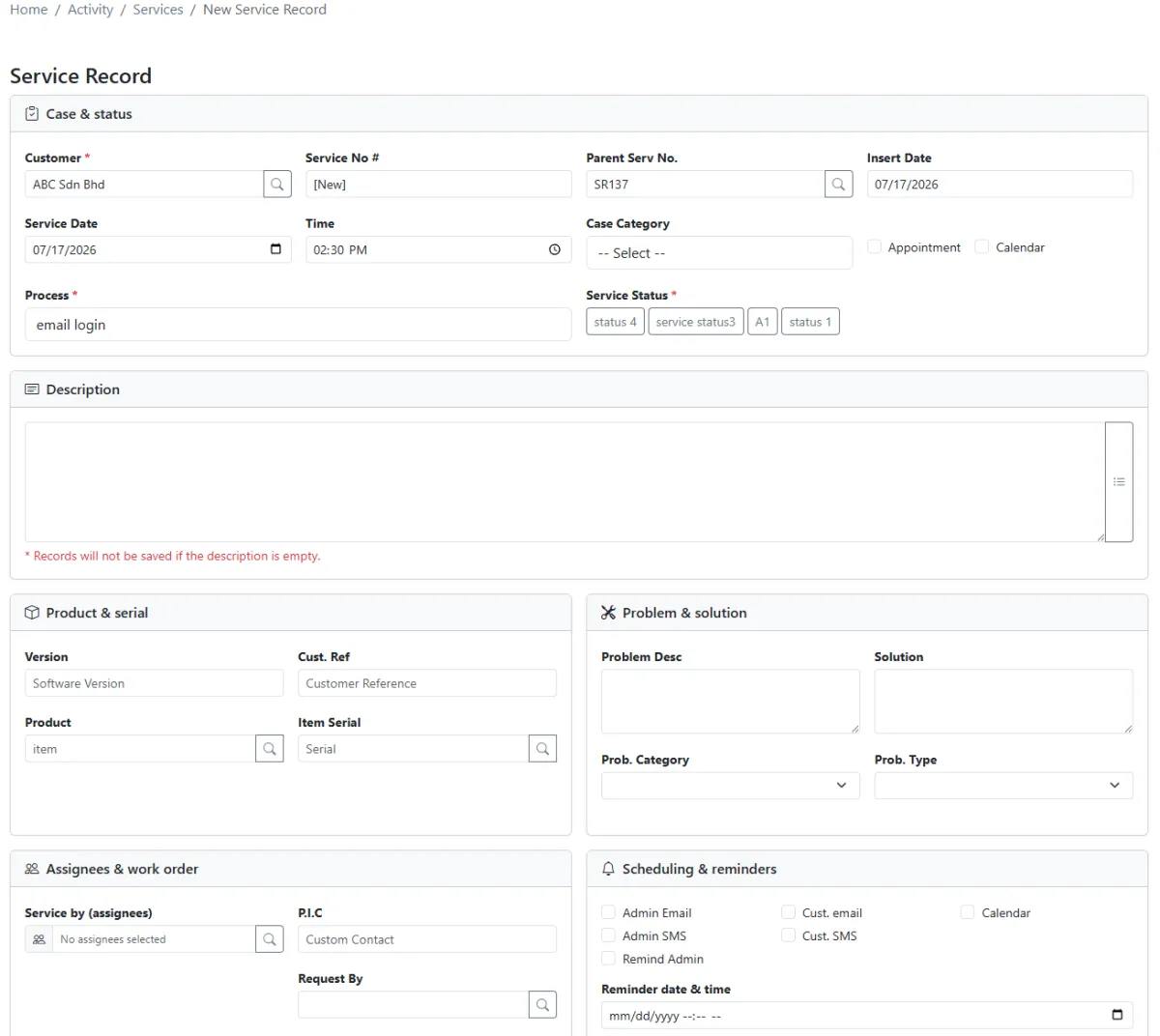
When service continues, create a child record linked to the original parent. The chain remains open while its progression has not reached the status marked as the final step; once that final step is reached, iCRM can treat the complete chain as closed.
Parent + child chain → current step checked → final status reached → complete chain considered closed.
Problem management begins with the product. Each product can have several problem categories, and every category can contain multiple problem types. Teams can seed a standard library first, then refine it for real operational use.
The service-chain dashboard makes the connected history measurable. A chain that grows long without reaching a final step is flagged for attention. A short chain that reaches resolution efficiently indicates a healthier service journey.
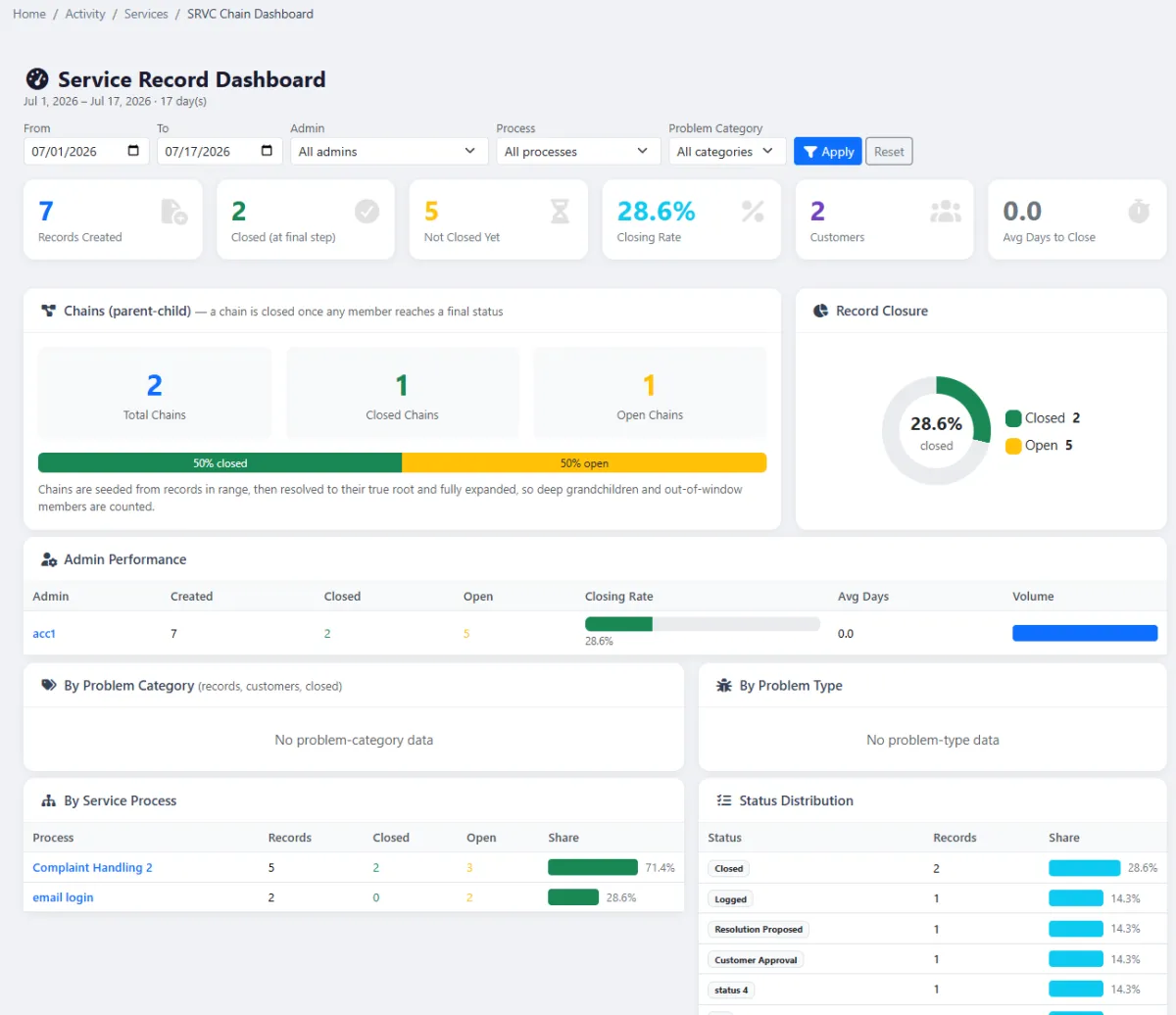
Review service activity beyond a single chain. The dashboard helps managers understand workload and outcomes while every record remains connected to its customer, product, quotation, invoice and wider after-sales history.
Build the rules first, then let every service record follow the same understandable path.
Group related service workflows so teams can find and manage them consistently.
Create the process, arrange its steps and use each step as a service status.
Define the status that proves the workflow and its connected chain are complete.
Seed or create product problem categories and the specific types beneath them.
Select the customer, product, problem and process, then link relevant commercial documents.
Create connected child records whenever the service journey requires another action.
Investigate long open chains and encourage shorter routes to a valid final outcome.
Confirm the final step, then review chain and service dashboards for improvement opportunities.
Explore how the screens and functions in Service Records support setup, daily operations and continuous improvement.
Create reusable processes for the different kinds of service work handled by the organisation.
Build each process from several steps arranged in the sequence work should follow.
Treat every process step as a service status so progress is visible and consistent.
Mark the status that represents the final step of a service process.
Consider the complete parent-child chain closed only when the defined final step has been reached.
Group related service processes into clear operational categories.
Set the appropriate process category when configuring service-case structure.
Review service work as a list of individual records when case-level detail is needed.
Switch to a hierarchical view that shows how follow-on records belong to the original case.
Create the first record with the relevant customer, product, process and service information.
Create linked follow-on work without losing the original parent context.
See the current process step and service status on each record in the chain.
Start with a product, add multiple problem categories and define multiple problem types beneath each category.
Review the known problem structure for a selected product.
Seed a standard problem library as a faster starting point, then adapt it to the organisation.
Review parent-child chain length, progress and unresolved work from a dedicated dashboard.
Flag a chain that continues for too long without reaching a final step.
Treat a short chain that reaches resolution efficiently as a healthy service indicator.
Analyse overall service-record workload and operational performance.
Connect service records to quotations, invoices and other relevant documents.
Keep service activity connected to the customer’s wider sales and after-sales history.
Set categories, processes, ordered steps and the final-step rule.
Open the parent service record against the correct customer, product and problem.
Add child records as work develops and monitor the chain for delay.
Reach the final step, verify chain closure and review both service dashboards.
Tell us how your team works today. We’ll demonstrate the modules that matter most.
Book your personalised demo →