Permission group list
Create and maintain groups that represent job responsibilities.
Give every employee the right menu and module access by assigning them to a permission group.
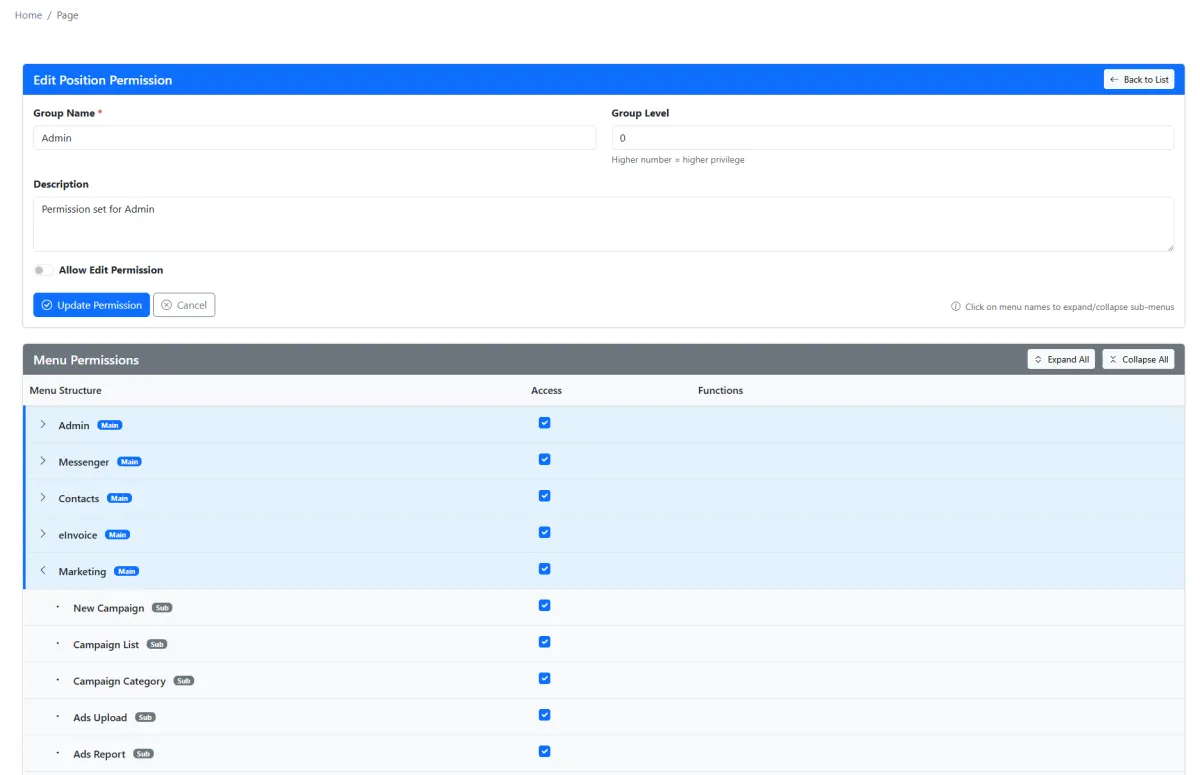
Give every employee the right menu and module access by assigning them to a permission group.
Create and maintain groups that represent job responsibilities.
Set each employee’s permission group in the employee profile.
Choose exactly which menu pages each group can access.
Apply an established access pattern when a new employee joins.
Explore how the screens and functions in Group Permissions support setup, daily operations and continuous improvement.
Create and maintain groups that represent job responsibilities.
Set each employee’s permission group in the employee profile.
Choose exactly which menu pages each group can access.
Apply an established access pattern when a new employee joins.
Add a permission group.
Choose the allowed menu pages.
Apply the group to employees.
Update access as responsibilities change.
Tell us how your team works today. We’ll demonstrate the modules that matter most.
Book your personalised demo →