Share news, tips and updates with customers and members every month.
Email Marketing
Email campaigns built from your customer data.
Send newsletters, promotions and automated reminders from iCRM, using iSMS bulk email or your own company SMTP. Write rich emails with images and attachments, send to your customer groups and keep every campaign on record.
Bulk + SMTPiSMS bulk email or your own server
Rich contentimages, tables and attachments
Automatedreminders and scheduled reports
What businesses use it for
From newsletters to everyday notifications.
Email is still the channel for longer content, documents and anything customers want to keep.
Announce new products, services and offers with images and links.
Remind members and customers before memberships and contracts expire.
Invite customers to events, workshops and classes, with the details attached.
Send schedules, brochures and other files as attachments.
Follow-ups, birthdays, renewals and scheduled reports sent by email automatically.
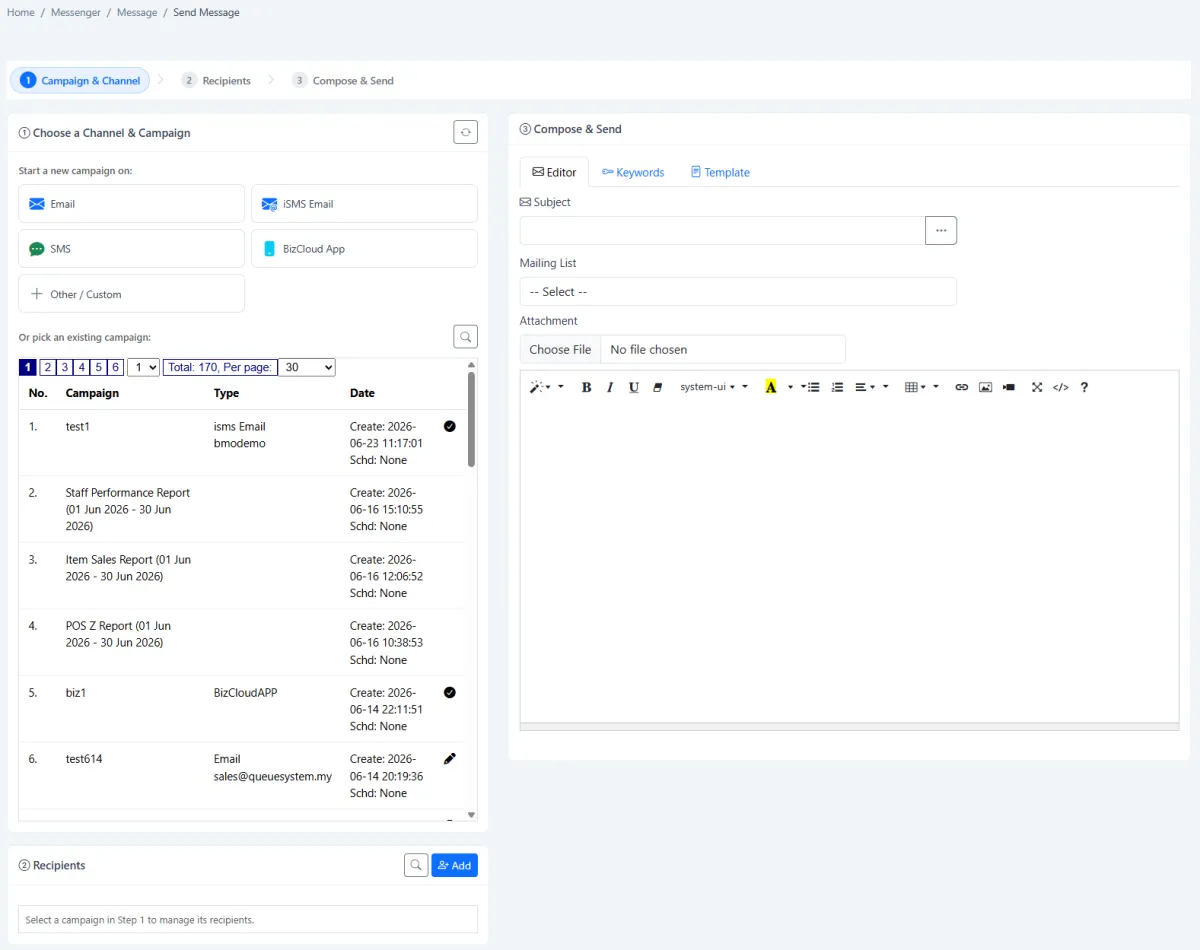
Rich composer
Write emails that look professional.
Create a subject and a formatted body with links, images, tables and lists. Attach files, and use reusable templates and keywords to write repeated emails faster and more consistently.
- Formatted content with images, tables and links
- File attachments
- Reusable templates and keywords
- Send to recipients or mailing lists
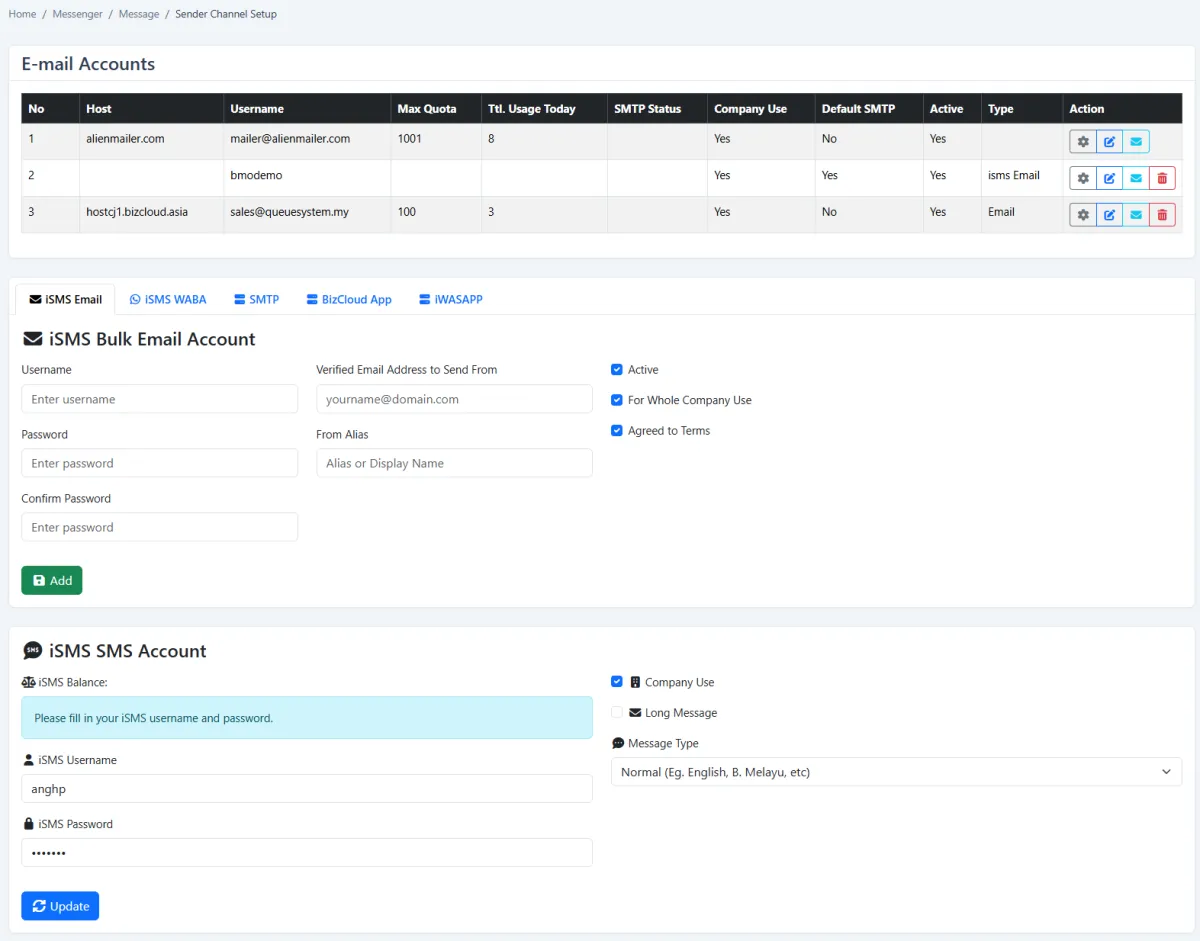
Sender accounts
Send from the right address, every time.
Use iSMS bulk email with a verified sender address and display name, or register your own company SMTP accounts with quotas and daily usage. Choose a default sender and keep other accounts for specific campaigns.
- iSMS bulk email with verified sender and alias
- Your own SMTP accounts with quotas
- Default sender plus campaign-specific accounts
- Company-wide sender controls
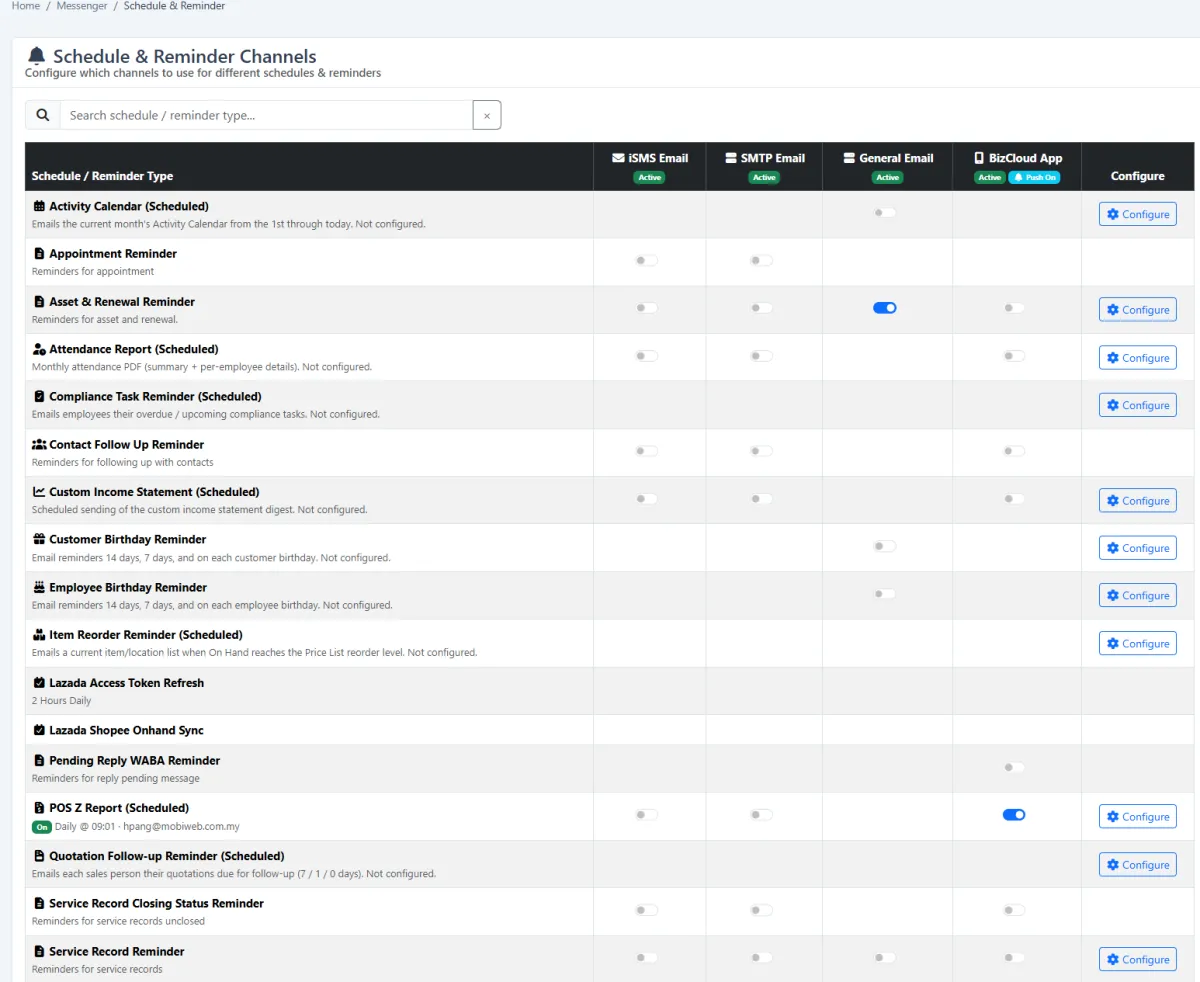
Automated emails
Reminders that send themselves.
Choose email as the delivery channel for recurring reminders and scheduled reports, such as appointment, renewal, follow-up and birthday reminders, and review all configured automations in one place.
- Appointment and follow-up reminders
- Membership and asset renewal reminders
- Birthday greetings
- Scheduled reports by email
How it works
From customer list to inbox.
- 01 · Connect
Set up your sender
Use iSMS bulk email or add your own company SMTP account.
- 02 · Target
Choose your audience
Pick recipients or a mailing list from your iCRM customer data.
- 03 · Compose
Design the email
Write the subject and content, add images, links and attachments.
- 04 · Send
Send now or schedule
Deliver immediately or schedule the campaign for later.
- 05 · Review
Check the campaign record
See progress and detail, compare campaigns, export or resend.
- 06 · Automate
Set up reminders
Let renewals, follow-ups and birthdays go out by email automatically.
Can we send from our own company email address? +
Yes. You can register your own SMTP accounts in iCRM, or use iSMS bulk email with a verified sender address and display name.
Can we attach files to campaign emails? +
Yes. Email campaigns support file attachments, as well as formatted content with images, links, tables and lists.
Can emails be sent automatically? +
Yes. Email can be set as the channel for recurring reminders and scheduled reports, such as renewals, follow-ups and birthdays.
How is email charged? +
Sending through your own SMTP server uses your existing email service. iSMS bulk email is charged separately from the iCRM plan. Contact us for current rates.
Email Marketing
Ready to turn your customer list into campaigns?
Tell us who you want to reach and what you want to send. We'll show you how it works in iCRM.